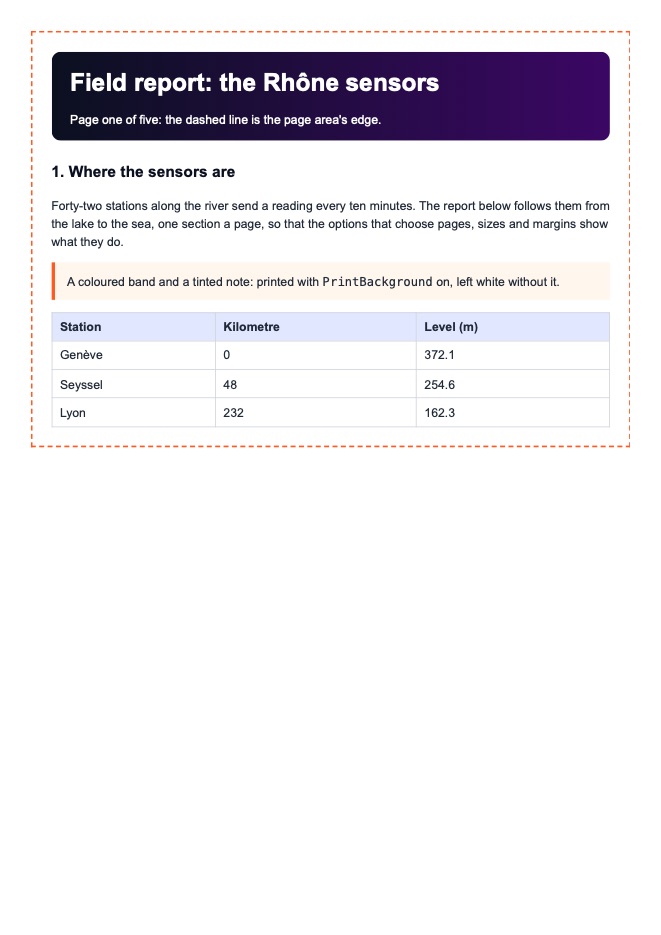
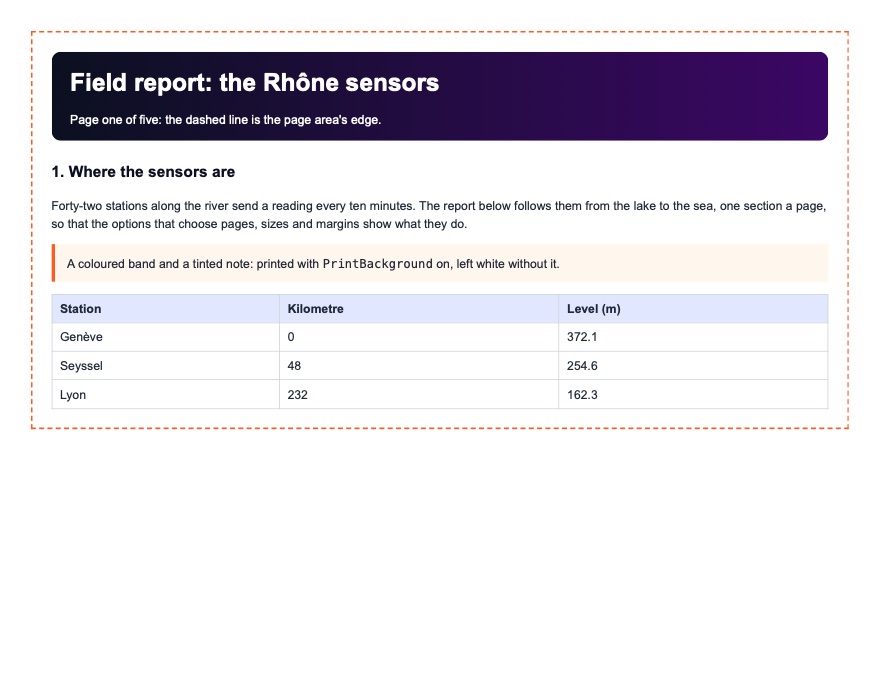
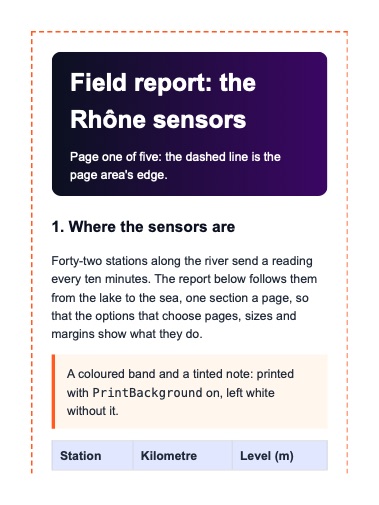
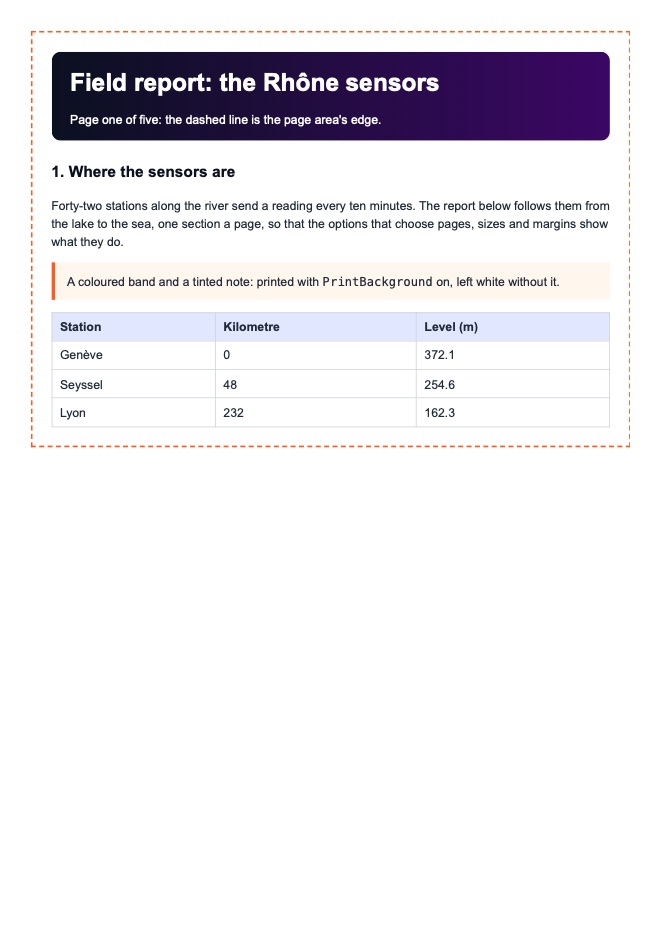
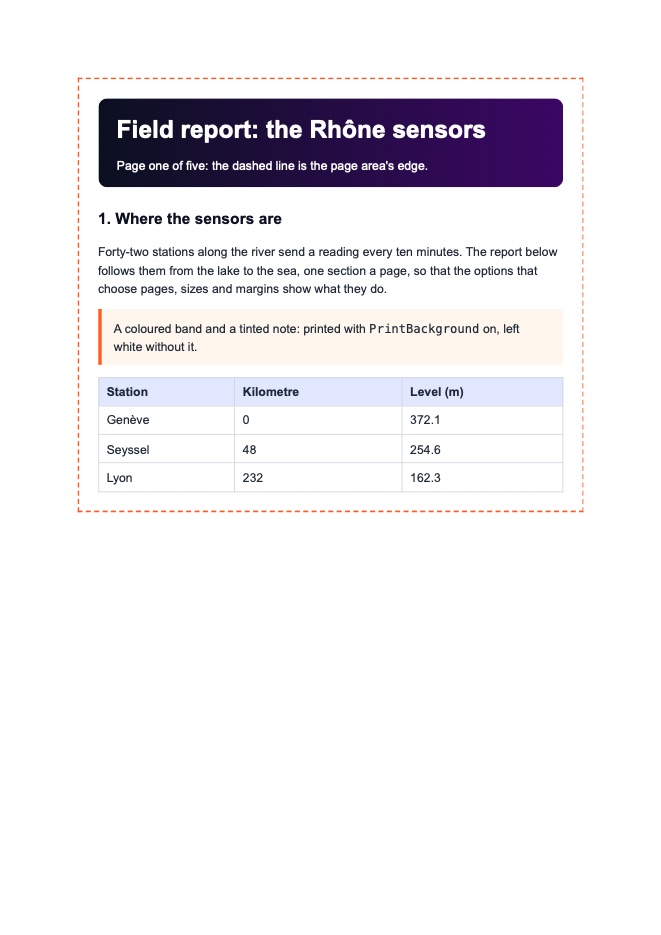
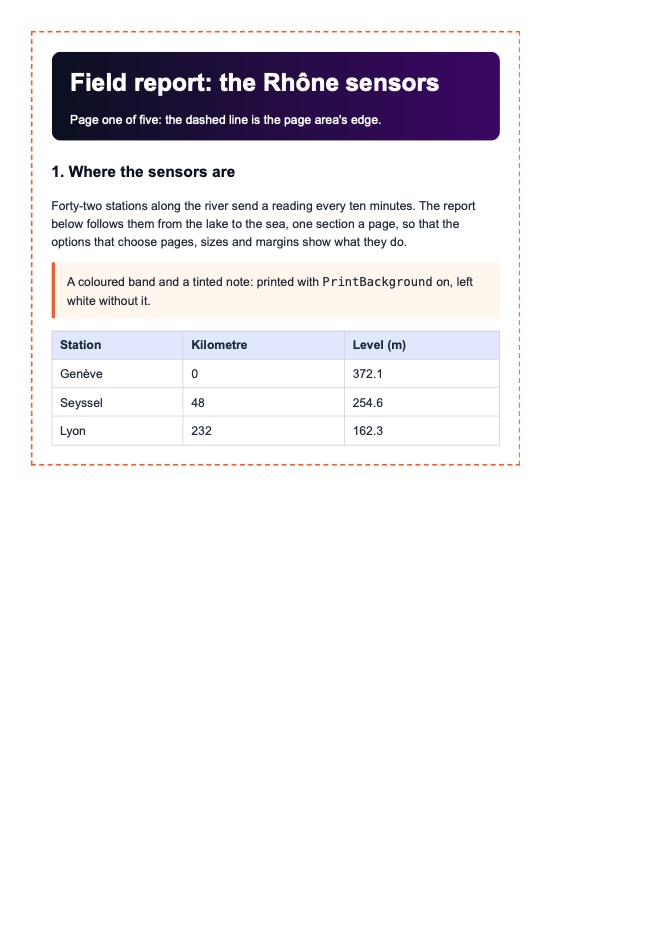
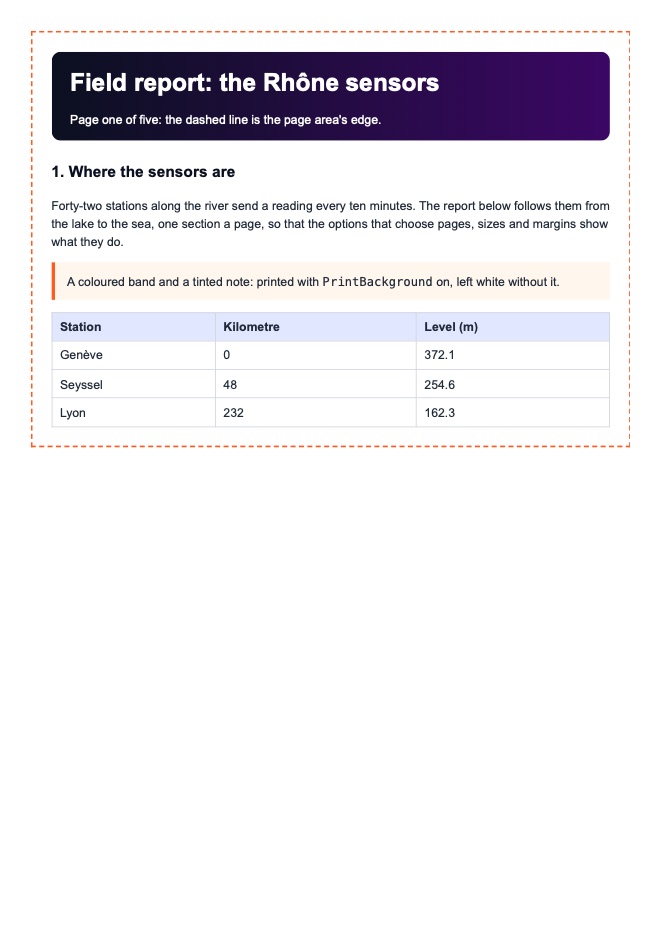
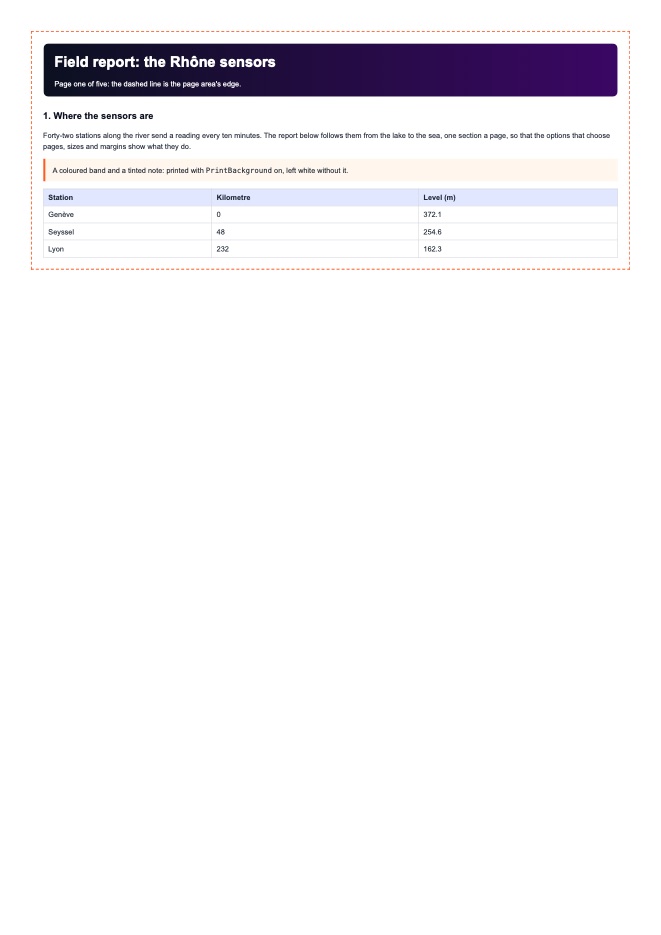
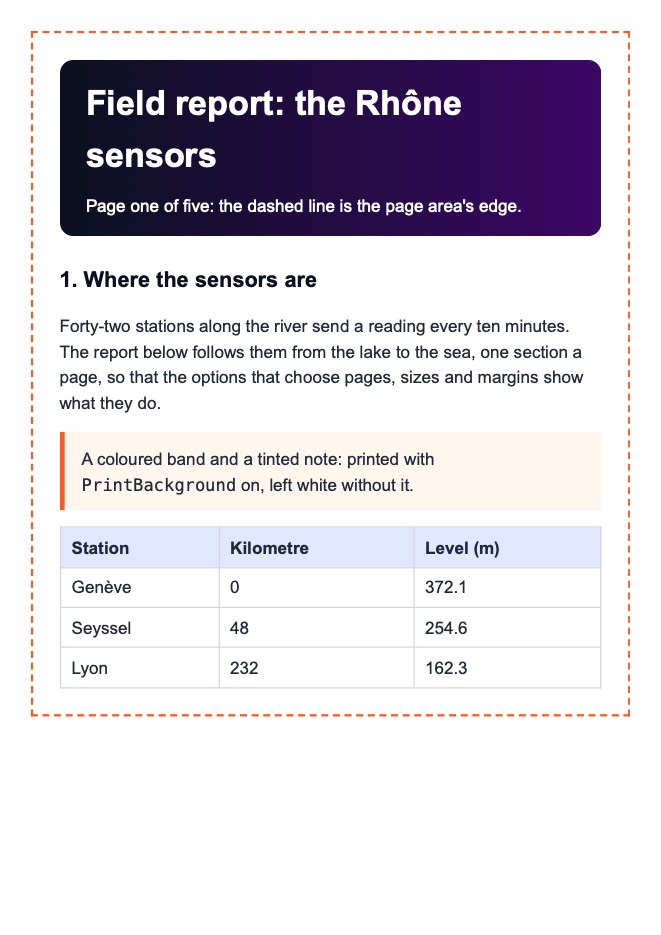
Per ogni opzione che cambia il risultato: una piccola pagina, il C# che imposta l'opzione e le pagine stampate da Weblitz, accanto al valore predefinito quando questo mostra la differenza. Realizzato il 2026-11-23 su macOS; le pagine sono disegnate dai PDF, che puoi scaricare. Ciò che il motore ha segnalato è mostrato così come è arrivato (in inglese), compreso ciò che non fa ancora.
<!DOCTYPE html>
<html lang="en"><head><meta charset="utf-8"><title>Field report: the Rhône sensors</title>
<style>
  body { font: 11pt/1.5 Arial, sans-serif; color: #1f2937; margin: 0; }
  .frame { border: 2px dashed #ff5a1f; padding: 6mm; }
  h1 { font-size: 22pt; margin: 0 0 3mm; color: #0b1020; }
  h2 { font-size: 14pt; margin: 6mm 0 2mm; color: #0b1020; }
  .band { background: linear-gradient(90deg, #0b1020, #3b0764); color: #fff; padding: 4mm 6mm; border-radius: 3mm; }
  .note { background: #fff7ed; border-left: 4px solid #ff5a1f; padding: 3mm 4mm; }
  table { border-collapse: collapse; width: 100%; margin-top: 3mm; }
  th, td { border: 1px solid #d1d5db; padding: 1.5mm 2.5mm; text-align: left; }
  th { background: #e0e7ff; }
  .page-break { break-before: page; }
</style></head>
<body>
<div class="frame">
  <div class="band"><h1 style="color:#fff">Field report: the Rhône sensors</h1>Page one of five: the dashed line is the page area's edge.</div>
  <h2>1. Where the sensors are</h2>
  <p>Forty-two stations along the river send a reading every ten minutes. The report below follows them from the lake to the sea, one section a page, so that the options that choose pages, sizes and margins show what they do.</p>
  <p class="note">A coloured band and a tinted note: printed with <code>PrintBackground</code> on, left white without it.</p>
  <table><tr><th>Station</th><th>Kilometre</th><th>Level (m)</th></tr>
    <tr><td>Genève</td><td>0</td><td>372.1</td></tr><tr><td>Seyssel</td><td>48</td><td>254.6</td></tr><tr><td>Lyon</td><td>232</td><td>162.3</td></tr></table>
</div>
<div class="frame page-break"><div class="band">Page two of five</div><h2>2. The upper river</h2><p>The upper river is fast and cold: its stations read the level every ten minutes and the temperature every hour.</p></div>
<div class="frame page-break"><div class="band">Page three of five</div><h2>3. Lyon</h2><p>At Lyon the Saône joins: the station reads both rivers.</p></div>
<div class="frame page-break"><div class="band">Page four of five</div><h2>4. The lower river</h2><p>Dams turn the lower river into a staircase of reaches.</p></div>
<div class="frame page-break"><div class="band">Page five of five</div><h2>5. The delta</h2><p>In the Camargue the river splits in two before the sea.</p></div>
</body></html>
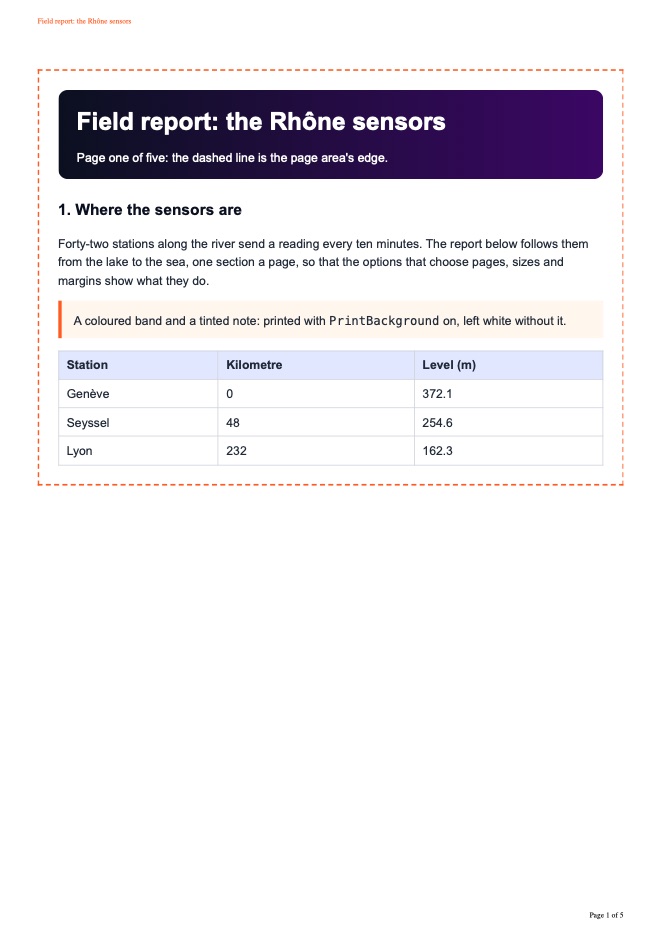
I modelli sono HTML stampato nei margini superiore e inferiore di ogni pagina, come li stampa Chrome; gli elementi con le classi pageNumber, totalPages, title, url e date vengono compilati. Un modello che non imposta una dimensione del carattere riceve il minuscolo valore predefinito di Chrome: impostane una. Lascia loro spazio nei margini.
<!DOCTYPE html>
<html lang="en"><head><meta charset="utf-8"><title>Field report: the Rhône sensors</title>
<style>
  body { font: 11pt/1.5 Arial, sans-serif; color: #1f2937; margin: 0; }
  .frame { border: 2px dashed #ff5a1f; padding: 6mm; }
  h1 { font-size: 22pt; margin: 0 0 3mm; color: #0b1020; }
  h2 { font-size: 14pt; margin: 6mm 0 2mm; color: #0b1020; }
  .band { background: linear-gradient(90deg, #0b1020, #3b0764); color: #fff; padding: 4mm 6mm; border-radius: 3mm; }
  .note { background: #fff7ed; border-left: 4px solid #ff5a1f; padding: 3mm 4mm; }
  table { border-collapse: collapse; width: 100%; margin-top: 3mm; }
  th, td { border: 1px solid #d1d5db; padding: 1.5mm 2.5mm; text-align: left; }
  th { background: #e0e7ff; }
  .page-break { break-before: page; }
</style></head>
<body>
<div class="frame">
  <div class="band"><h1 style="color:#fff">Field report: the Rhône sensors</h1>Page one of five: the dashed line is the page area's edge.</div>
  <h2>1. Where the sensors are</h2>
  <p>Forty-two stations along the river send a reading every ten minutes. The report below follows them from the lake to the sea, one section a page, so that the options that choose pages, sizes and margins show what they do.</p>
  <p class="note">A coloured band and a tinted note: printed with <code>PrintBackground</code> on, left white without it.</p>
  <table><tr><th>Station</th><th>Kilometre</th><th>Level (m)</th></tr>
    <tr><td>Genève</td><td>0</td><td>372.1</td></tr><tr><td>Seyssel</td><td>48</td><td>254.6</td></tr><tr><td>Lyon</td><td>232</td><td>162.3</td></tr></table>
</div>
<div class="frame page-break"><div class="band">Page two of five</div><h2>2. The upper river</h2><p>The upper river is fast and cold: its stations read the level every ten minutes and the temperature every hour.</p></div>
<div class="frame page-break"><div class="band">Page three of five</div><h2>3. Lyon</h2><p>At Lyon the Saône joins: the station reads both rivers.</p></div>
<div class="frame page-break"><div class="band">Page four of five</div><h2>4. The lower river</h2><p>Dams turn the lower river into a staircase of reaches.</p></div>
<div class="frame page-break"><div class="band">Page five of five</div><h2>5. The delta</h2><p>In the Camargue the river splits in two before the sea.</p></div>
</body></html>
Intestazione e piè di pagina
var result = HtmlToPdf.Render(html, new HtmlPdfOptions
{
    DisplayHeaderFooter = true,
    Margin = new HtmlMargins("22mm", "12mm", "20mm", "12mm"),
    HeaderTemplate = "<div style='font-size:9px; width:100%; padding:0 12mm; color:#ff5a1f'><span class='title'></span></div>",
    FooterTemplate = "<div style='font-size:9px; width:100%; padding:0 12mm; text-align:right'>Page <span class='pageNumber'></span> of <span class='totalPages'></span></div>",
});
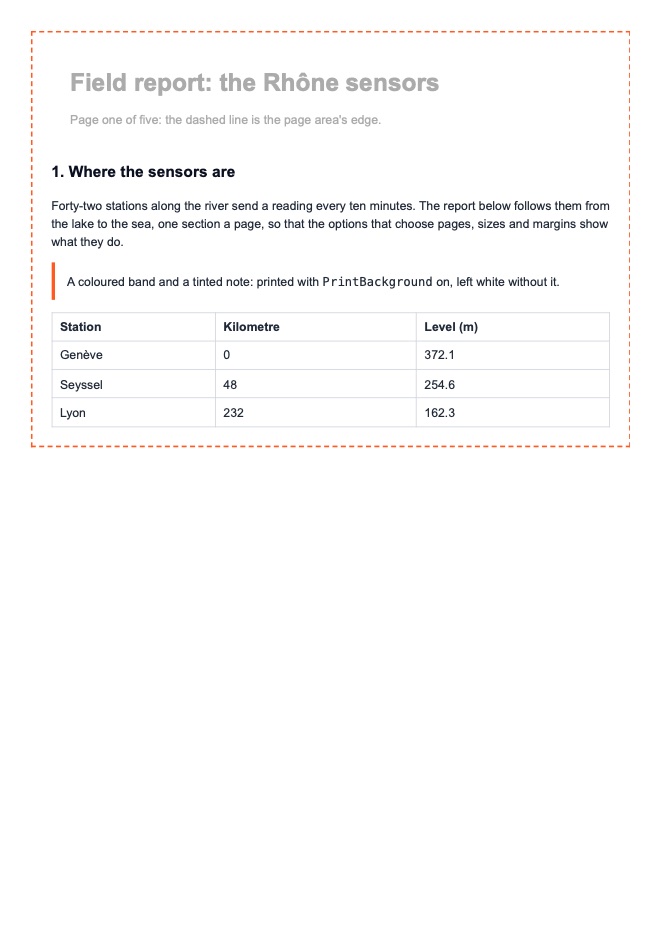
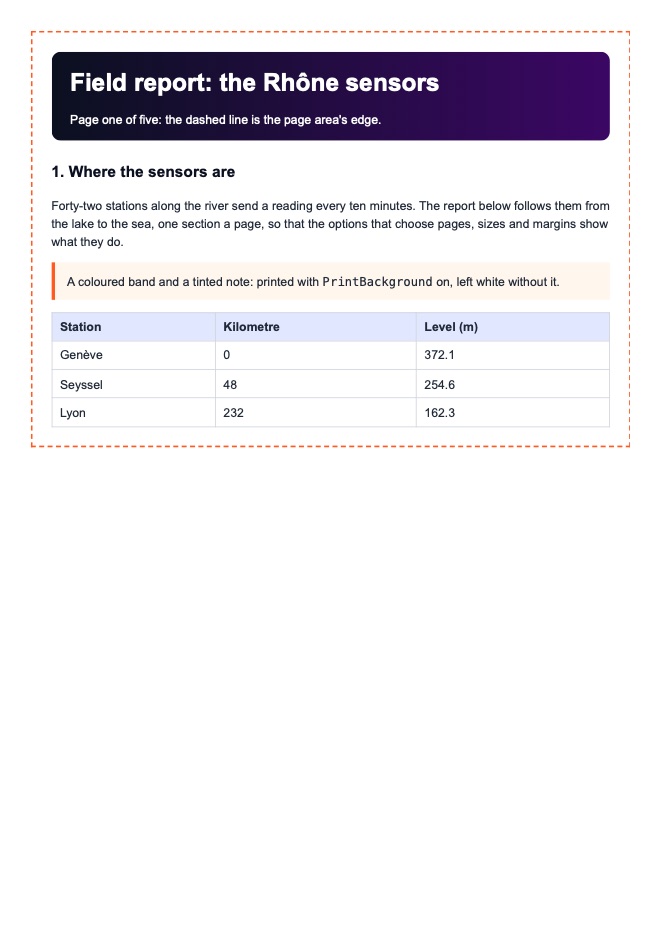
Colori, sfumature e immagini di sfondo vengono stampati per impostazione predefinita; disattivati, vengono omessi, come con la casella «Grafica di sfondo» di Chrome non selezionata.
<!DOCTYPE html>
<html lang="en"><head><meta charset="utf-8"><title>Field report: the Rhône sensors</title>
<style>
  body { font: 11pt/1.5 Arial, sans-serif; color: #1f2937; margin: 0; }
  .frame { border: 2px dashed #ff5a1f; padding: 6mm; }
  h1 { font-size: 22pt; margin: 0 0 3mm; color: #0b1020; }
  h2 { font-size: 14pt; margin: 6mm 0 2mm; color: #0b1020; }
  .band { background: linear-gradient(90deg, #0b1020, #3b0764); color: #fff; padding: 4mm 6mm; border-radius: 3mm; }
  .note { background: #fff7ed; border-left: 4px solid #ff5a1f; padding: 3mm 4mm; }
  table { border-collapse: collapse; width: 100%; margin-top: 3mm; }
  th, td { border: 1px solid #d1d5db; padding: 1.5mm 2.5mm; text-align: left; }
  th { background: #e0e7ff; }
  .page-break { break-before: page; }
</style></head>
<body>
<div class="frame">
  <div class="band"><h1 style="color:#fff">Field report: the Rhône sensors</h1>Page one of five: the dashed line is the page area's edge.</div>
  <h2>1. Where the sensors are</h2>
  <p>Forty-two stations along the river send a reading every ten minutes. The report below follows them from the lake to the sea, one section a page, so that the options that choose pages, sizes and margins show what they do.</p>
  <p class="note">A coloured band and a tinted note: printed with <code>PrintBackground</code> on, left white without it.</p>
  <table><tr><th>Station</th><th>Kilometre</th><th>Level (m)</th></tr>
    <tr><td>Genève</td><td>0</td><td>372.1</td></tr><tr><td>Seyssel</td><td>48</td><td>254.6</td></tr><tr><td>Lyon</td><td>232</td><td>162.3</td></tr></table>
</div>
<div class="frame page-break"><div class="band">Page two of five</div><h2>2. The upper river</h2><p>The upper river is fast and cold: its stations read the level every ten minutes and the temperature every hour.</p></div>
<div class="frame page-break"><div class="band">Page three of five</div><h2>3. Lyon</h2><p>At Lyon the Saône joins: the station reads both rivers.</p></div>
<div class="frame page-break"><div class="band">Page four of five</div><h2>4. The lower river</h2><p>Dams turn the lower river into a staircase of reaches.</p></div>
<div class="frame page-break"><div class="band">Page five of five</div><h2>5. The delta</h2><p>In the Camargue the river splits in two before the sea.</p></div>
</body></html>
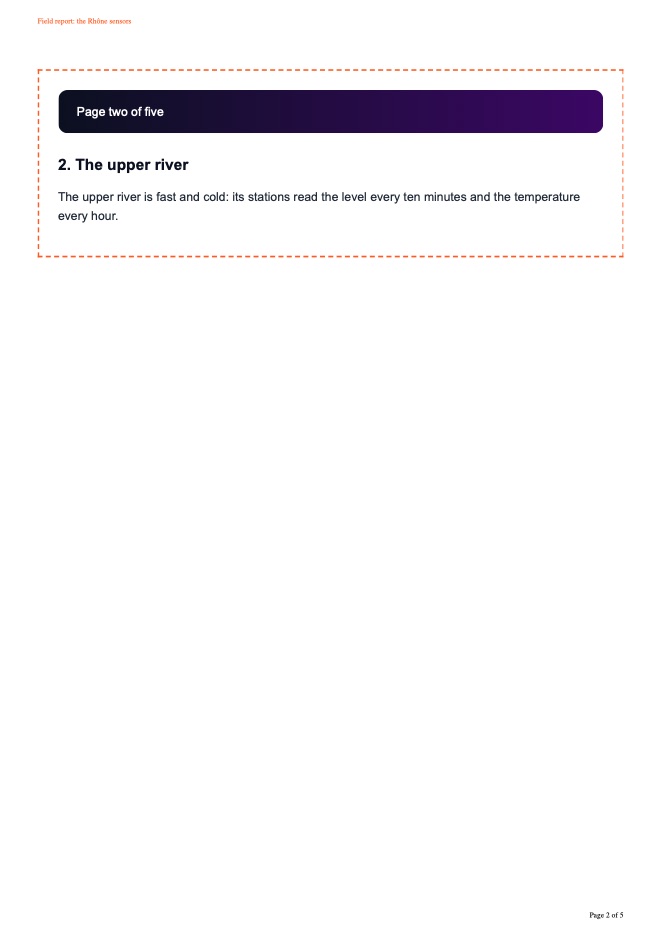
"2-3, 5"
var result = HtmlToPdf.Render(html, new HtmlPdfOptions { PageRanges = "2-3, 5" });
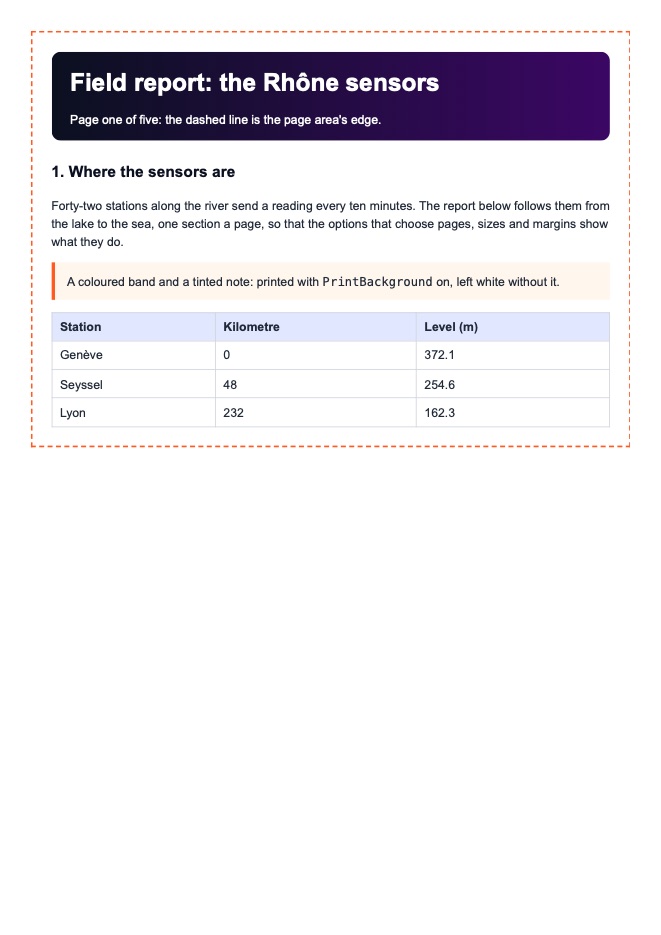
Una pagina che chiede il proprio formato di carta lo ottiene per impostazione predefinita; con PreferCssPageSize false prevale il Format delle opzioni.
Gli script vengono eseguiti una volta prima della stampa; i timer scorrono in tempo virtuale durante WaitFor (5 secondi per impostazione predefinita), quindi il timer di 2 secondi di una pagina scatta, e quello di 8 secondi solo con un'attesa più lunga. beforeprint viene eseguito subito prima che il PDF venga creato.
La rete è disattivata per impostazione predefinita: gli indirizzi web di una pagina non vengono scaricati, ma segnalati nelle note. Consenti gli host da cui una pagina può caricare (assets è un server che il generatore avvia su questa macchina).
<!DOCTYPE html>
<html lang="en"><head><meta charset="utf-8"><title>Network</title>
<link rel="stylesheet" href="brand.css">
<style>body { font: 12pt/1.5 Arial, sans-serif; margin: 0; } img { width: 40mm; display: block; margin: 4mm 0; }</style></head>
<body>
<h1 class="brand">A page whose picture and CSS are on a server</h1>
<img src="logo.svg" alt="The logo, fetched from the server">
<p>The heading's colour comes from <code>brand.css</code> and the picture from <code>logo.svg</code>, both fetched over HTTP.</p>
</body></html>
Disattivata (predefinito)
var result = HtmlToPdf.Render(html, new HtmlPdfOptions { BaseUrl = assets });
Una pagina che il tuo server mostra solo agli utenti che hanno effettuato l'accesso si stampa con ciò che invierebbe un browser: un token bearer, un cookie di sessione o una password per l'autenticazione HTTP. Ciascuno va solo agli host che nomina, per impostazione predefinita a quello del documento (assets è un server che il generatore avvia su questa macchina; le sue pagine dell'account ne richiedono uno).
<!DOCTYPE html>
<html lang="en"><head><meta charset="utf-8"><title>Account statement</title>
<link rel="stylesheet" href="../brand.css">
<style>
  body { font: 11pt/1.5 Arial, sans-serif; margin: 0; }
  table { border-collapse: collapse; width: 100%; margin-top: 6mm; }
  th, td { border-bottom: 1px solid #d0d4dc; padding: 2mm 3mm; text-align: left; }
  td.n { text-align: right; font-variant-numeric: tabular-nums; }
  .who { color: #555; }
</style></head>
<body>
<h1 class="brand">Account statement, October 2026</h1>
<p class="who">Signed in as <strong id="user">a customer</strong>: this page is served only with a valid session.</p>
<table>
  <tr><th>Date</th><th>Description</th><th class="n">Amount</th></tr>
  <tr><td>2026-10-03</td><td>Subscription, October</td><td class="n">-49.00</td></tr>
  <tr><td>2026-10-14</td><td>Refund, order 1182</td><td class="n">12.50</td></tr>
  <tr><td>2026-10-28</td><td>Top-up</td><td class="n">200.00</td></tr>
</table>
<script>
  // what the page's own scripts see of the session (an HttpOnly cookie never shows here)
  const theme = document.cookie.split('; ').find(c => c.startsWith('theme='));
  if (theme) document.getElementById('user').textContent += ' (theme ' + theme.slice(6) + ')';
</script>
</body></html>
Un token bearer
var result = HtmlToPdf.RenderUrl(new Uri(assets, "account/statement.html"), new HtmlPdfOptions
{
    Network = HtmlNetwork.Allow(assets.Host).WithBearerToken(accessToken),
});
<!DOCTYPE html>
<html lang="en"><head><meta charset="utf-8"><title>Field report: the Rhône sensors</title>
<style>
  body { font: 11pt/1.5 Arial, sans-serif; color: #1f2937; margin: 0; }
  .frame { border: 2px dashed #ff5a1f; padding: 6mm; }
  h1 { font-size: 22pt; margin: 0 0 3mm; color: #0b1020; }
  h2 { font-size: 14pt; margin: 6mm 0 2mm; color: #0b1020; }
  .band { background: linear-gradient(90deg, #0b1020, #3b0764); color: #fff; padding: 4mm 6mm; border-radius: 3mm; }
  .note { background: #fff7ed; border-left: 4px solid #ff5a1f; padding: 3mm 4mm; }
  table { border-collapse: collapse; width: 100%; margin-top: 3mm; }
  th, td { border: 1px solid #d1d5db; padding: 1.5mm 2.5mm; text-align: left; }
  th { background: #e0e7ff; }
  .page-break { break-before: page; }
</style></head>
<body>
<div class="frame">
  <div class="band"><h1 style="color:#fff">Field report: the Rhône sensors</h1>Page one of five: the dashed line is the page area's edge.</div>
  <h2>1. Where the sensors are</h2>
  <p>Forty-two stations along the river send a reading every ten minutes. The report below follows them from the lake to the sea, one section a page, so that the options that choose pages, sizes and margins show what they do.</p>
  <p class="note">A coloured band and a tinted note: printed with <code>PrintBackground</code> on, left white without it.</p>
  <table><tr><th>Station</th><th>Kilometre</th><th>Level (m)</th></tr>
    <tr><td>Genève</td><td>0</td><td>372.1</td></tr><tr><td>Seyssel</td><td>48</td><td>254.6</td></tr><tr><td>Lyon</td><td>232</td><td>162.3</td></tr></table>
</div>
<div class="frame page-break"><div class="band">Page two of five</div><h2>2. The upper river</h2><p>The upper river is fast and cold: its stations read the level every ten minutes and the temperature every hour.</p></div>
<div class="frame page-break"><div class="band">Page three of five</div><h2>3. Lyon</h2><p>At Lyon the Saône joins: the station reads both rivers.</p></div>
<div class="frame page-break"><div class="band">Page four of five</div><h2>4. The lower river</h2><p>Dams turn the lower river into a staircase of reaches.</p></div>
<div class="frame page-break"><div class="band">Page five of five</div><h2>5. The delta</h2><p>In the Camargue the river splits in two before the sea.</p></div>
</body></html>
None
var result = HtmlToPdf.Render(html, new HtmlPdfOptions { Compression = HtmlPdfCompression.None });
<!DOCTYPE html>
<html lang="en"><head><meta charset="utf-8"><title>Field report: the Rhône sensors</title>
<style>
  body { font: 11pt/1.5 Arial, sans-serif; color: #1f2937; margin: 0; }
  .frame { border: 2px dashed #ff5a1f; padding: 6mm; }
  h1 { font-size: 22pt; margin: 0 0 3mm; color: #0b1020; }
  h2 { font-size: 14pt; margin: 6mm 0 2mm; color: #0b1020; }
  .band { background: linear-gradient(90deg, #0b1020, #3b0764); color: #fff; padding: 4mm 6mm; border-radius: 3mm; }
  .note { background: #fff7ed; border-left: 4px solid #ff5a1f; padding: 3mm 4mm; }
  table { border-collapse: collapse; width: 100%; margin-top: 3mm; }
  th, td { border: 1px solid #d1d5db; padding: 1.5mm 2.5mm; text-align: left; }
  th { background: #e0e7ff; }
  .page-break { break-before: page; }
</style></head>
<body>
<div class="frame">
  <div class="band"><h1 style="color:#fff">Field report: the Rhône sensors</h1>Page one of five: the dashed line is the page area's edge.</div>
  <h2>1. Where the sensors are</h2>
  <p>Forty-two stations along the river send a reading every ten minutes. The report below follows them from the lake to the sea, one section a page, so that the options that choose pages, sizes and margins show what they do.</p>
  <p class="note">A coloured band and a tinted note: printed with <code>PrintBackground</code> on, left white without it.</p>
  <table><tr><th>Station</th><th>Kilometre</th><th>Level (m)</th></tr>
    <tr><td>Genève</td><td>0</td><td>372.1</td></tr><tr><td>Seyssel</td><td>48</td><td>254.6</td></tr><tr><td>Lyon</td><td>232</td><td>162.3</td></tr></table>
</div>
<div class="frame page-break"><div class="band">Page two of five</div><h2>2. The upper river</h2><p>The upper river is fast and cold: its stations read the level every ten minutes and the temperature every hour.</p></div>
<div class="frame page-break"><div class="band">Page three of five</div><h2>3. Lyon</h2><p>At Lyon the Saône joins: the station reads both rivers.</p></div>
<div class="frame page-break"><div class="band">Page four of five</div><h2>4. The lower river</h2><p>Dams turn the lower river into a staircase of reaches.</p></div>
<div class="frame page-break"><div class="band">Page five of five</div><h2>5. The delta</h2><p>In the Camargue the river splits in two before the sea.</p></div>
</body></html>
Una password utente, nessuna copia
var result = HtmlToPdf.Render(html, new HtmlPdfOptions
{
    Security = new HtmlPdfSecurity { UserPassword = "open-me", OwnerPassword = "owner-secret", PermitCopying = false },
});
<!DOCTYPE html>
<html lang="en"><head><meta charset="utf-8"><title>Field report: the Rhône sensors</title>
<style>
  body { font: 11pt/1.5 Arial, sans-serif; color: #1f2937; margin: 0; }
  .frame { border: 2px dashed #ff5a1f; padding: 6mm; }
  h1 { font-size: 22pt; margin: 0 0 3mm; color: #0b1020; }
  h2 { font-size: 14pt; margin: 6mm 0 2mm; color: #0b1020; }
  .band { background: linear-gradient(90deg, #0b1020, #3b0764); color: #fff; padding: 4mm 6mm; border-radius: 3mm; }
  .note { background: #fff7ed; border-left: 4px solid #ff5a1f; padding: 3mm 4mm; }
  table { border-collapse: collapse; width: 100%; margin-top: 3mm; }
  th, td { border: 1px solid #d1d5db; padding: 1.5mm 2.5mm; text-align: left; }
  th { background: #e0e7ff; }
  .page-break { break-before: page; }
</style></head>
<body>
<div class="frame">
  <div class="band"><h1 style="color:#fff">Field report: the Rhône sensors</h1>Page one of five: the dashed line is the page area's edge.</div>
  <h2>1. Where the sensors are</h2>
  <p>Forty-two stations along the river send a reading every ten minutes. The report below follows them from the lake to the sea, one section a page, so that the options that choose pages, sizes and margins show what they do.</p>
  <p class="note">A coloured band and a tinted note: printed with <code>PrintBackground</code> on, left white without it.</p>
  <table><tr><th>Station</th><th>Kilometre</th><th>Level (m)</th></tr>
    <tr><td>Genève</td><td>0</td><td>372.1</td></tr><tr><td>Seyssel</td><td>48</td><td>254.6</td></tr><tr><td>Lyon</td><td>232</td><td>162.3</td></tr></table>
</div>
<div class="frame page-break"><div class="band">Page two of five</div><h2>2. The upper river</h2><p>The upper river is fast and cold: its stations read the level every ten minutes and the temperature every hour.</p></div>
<div class="frame page-break"><div class="band">Page three of five</div><h2>3. Lyon</h2><p>At Lyon the Saône joins: the station reads both rivers.</p></div>
<div class="frame page-break"><div class="band">Page four of five</div><h2>4. The lower river</h2><p>Dams turn the lower river into a staircase of reaches.</p></div>
<div class="frame page-break"><div class="band">Page five of five</div><h2>5. The delta</h2><p>In the Camargue the river splits in two before the sea.</p></div>
</body></html>
Titolo, autore, PDF/A
var result = HtmlToPdf.Render(html, new HtmlPdfOptions { Title = "Rhône field report", Author = "Hydrology team", PdfA = true });
Una pagina tenuta entro i suoi limiti: qui due pagine al massimo. Il rendering si ferma lì, stampa ciò che ha e lo dice: Completed è false e una nota indica quale limite.
<!DOCTYPE html>
<html lang="en"><head><meta charset="utf-8"><title>Field report: the Rhône sensors</title>
<style>
  body { font: 11pt/1.5 Arial, sans-serif; color: #1f2937; margin: 0; }
  .frame { border: 2px dashed #ff5a1f; padding: 6mm; }
  h1 { font-size: 22pt; margin: 0 0 3mm; color: #0b1020; }
  h2 { font-size: 14pt; margin: 6mm 0 2mm; color: #0b1020; }
  .band { background: linear-gradient(90deg, #0b1020, #3b0764); color: #fff; padding: 4mm 6mm; border-radius: 3mm; }
  .note { background: #fff7ed; border-left: 4px solid #ff5a1f; padding: 3mm 4mm; }
  table { border-collapse: collapse; width: 100%; margin-top: 3mm; }
  th, td { border: 1px solid #d1d5db; padding: 1.5mm 2.5mm; text-align: left; }
  th { background: #e0e7ff; }
  .page-break { break-before: page; }
</style></head>
<body>
<div class="frame">
  <div class="band"><h1 style="color:#fff">Field report: the Rhône sensors</h1>Page one of five: the dashed line is the page area's edge.</div>
  <h2>1. Where the sensors are</h2>
  <p>Forty-two stations along the river send a reading every ten minutes. The report below follows them from the lake to the sea, one section a page, so that the options that choose pages, sizes and margins show what they do.</p>
  <p class="note">A coloured band and a tinted note: printed with <code>PrintBackground</code> on, left white without it.</p>
  <table><tr><th>Station</th><th>Kilometre</th><th>Level (m)</th></tr>
    <tr><td>Genève</td><td>0</td><td>372.1</td></tr><tr><td>Seyssel</td><td>48</td><td>254.6</td></tr><tr><td>Lyon</td><td>232</td><td>162.3</td></tr></table>
</div>
<div class="frame page-break"><div class="band">Page two of five</div><h2>2. The upper river</h2><p>The upper river is fast and cold: its stations read the level every ten minutes and the temperature every hour.</p></div>
<div class="frame page-break"><div class="band">Page three of five</div><h2>3. Lyon</h2><p>At Lyon the Saône joins: the station reads both rivers.</p></div>
<div class="frame page-break"><div class="band">Page four of five</div><h2>4. The lower river</h2><p>Dams turn the lower river into a staircase of reaches.</p></div>
<div class="frame page-break"><div class="band">Page five of five</div><h2>5. The delta</h2><p>In the Camargue the river splits in two before the sea.</p></div>
</body></html>
MaxPages = 2
var result = HtmlToPdf.Render(html, new HtmlPdfOptions { Limits = HtmlPdfLimits.Default with { MaxPages = 2 } });
Console.WriteLine($"{result.PageCount} pages, completed: {result.Completed}");
Warning limitReached: the document was cut after 2 pages.
Note: ciò che non è stato possibile fare
I problemi propri di una pagina non sollevano mai eccezioni: un'immagine mancante, un host non consentito, un font che la macchina non ha, uno script che solleva un'eccezione. Ognuno diventa una nota.
<!DOCTYPE html>
<html lang="en"><head><meta charset="utf-8"><title>Notes</title>
<style>body { font: 12pt/1.5 Arial, sans-serif; margin: 0; } .odd { font-family: "Some Font Nobody Has", serif; }</style></head>
<body>
<h1>A page with problems</h1>
<p><img src="missing-picture.png" alt="A picture that is not there" width="120" height="60"></p>
<p class="odd">Text in a font family the machine does not have.</p>
<p><img src="https://cdn.example.com/banner.png" alt="A picture on another host" width="120" height="60"></p>
<script>
  document.body.append('The script ran up to here; ');
  undefinedFunction();
</script>
</body></html>
Una pagina con problemi
var result = HtmlToPdf.Render(html);
foreach (var note in result.Notes)
    Console.WriteLine($"{note.Severity} {note.Code}: {note.Message}");
Warning scriptError: ReferenceError: undefinedFunction is not defined | at about:blank#script-25:11:3 | at HostDelegate.<anonymous> (<anonymous>) | at Object.hostCall (ssrs2-dom.js:15562:11)
Warning resourceFailed: Image "missing-picture.png" is not a URL that resolves against no base URL.
Info resourceRefused: Image https://cdn.example.com/banner.png: no resource loader was given (only data: URLs load).
Info scriptsRan: The page's scripts ran (17 ms of virtual time, 4 tasks; 0 canvases drawn).
Info notImplemented: A picture that did not load shows its alternative text; Chrome's broken-image icon beside it is laid out but not drawn.
Info fontFamilyMissing: The font family "Some Font Nobody Has" is not on this machine: its text goes to the next family.
Il browser che vede la pagina
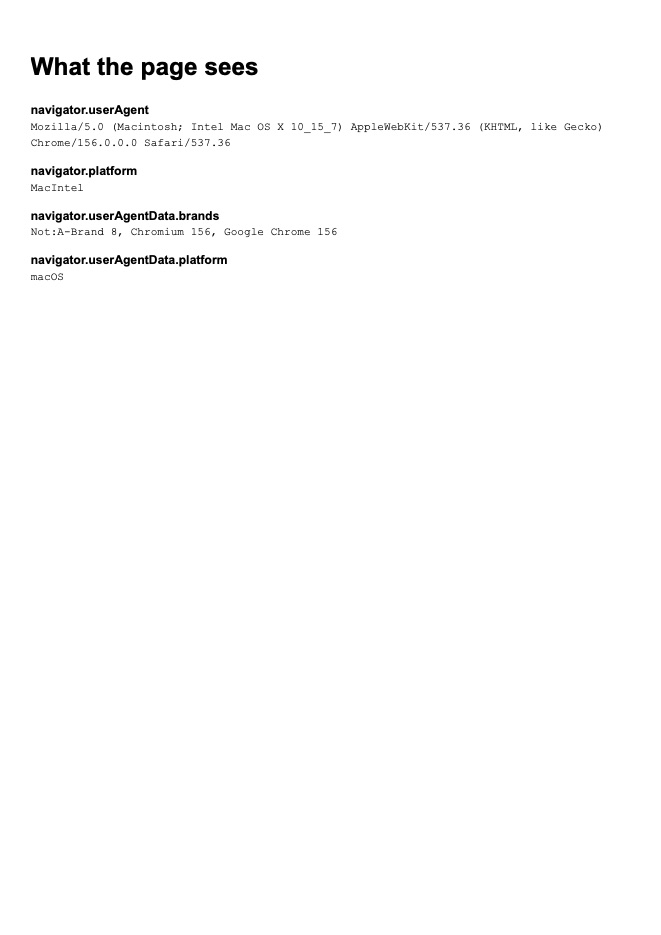
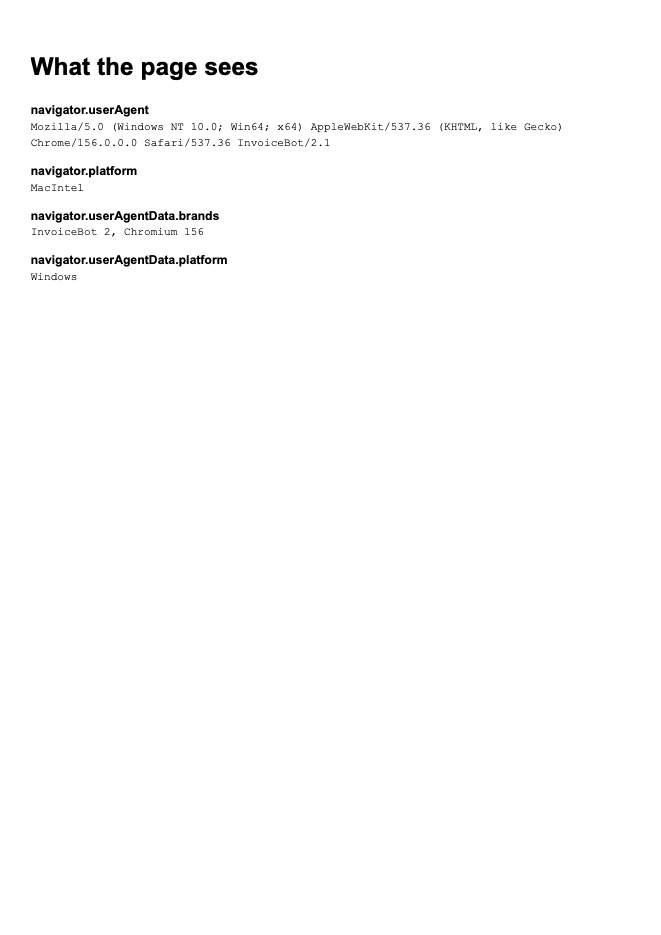
Per impostazione predefinita una pagina vede Chrome 156 desktop sul sistema operativo della macchina. Queste pagine sono state create su macOS.
Info scriptsRan: The page's scripts ran (17 ms of virtual time, 2 tasks; 0 canvases drawn).
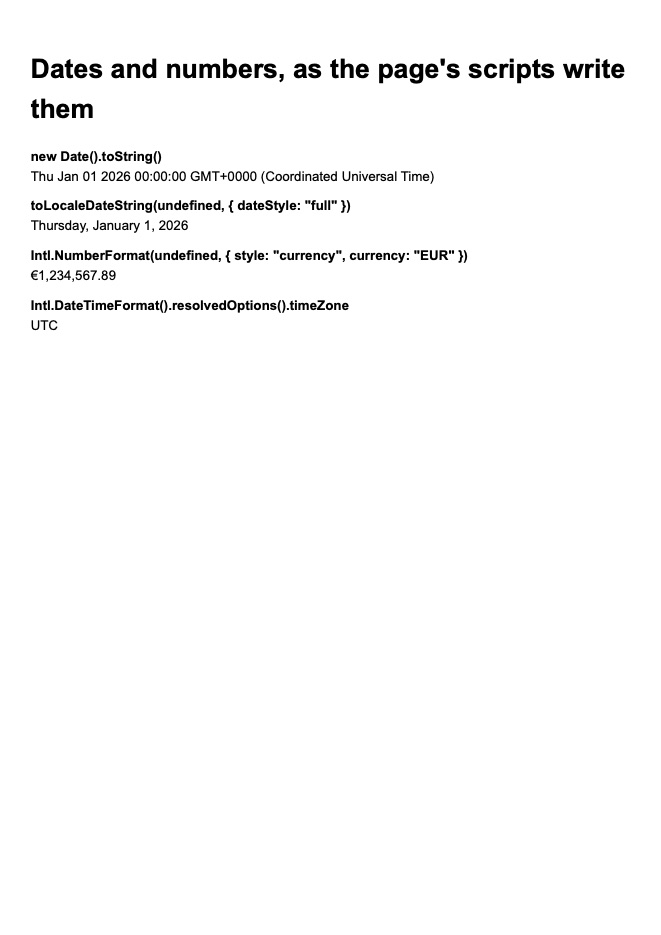
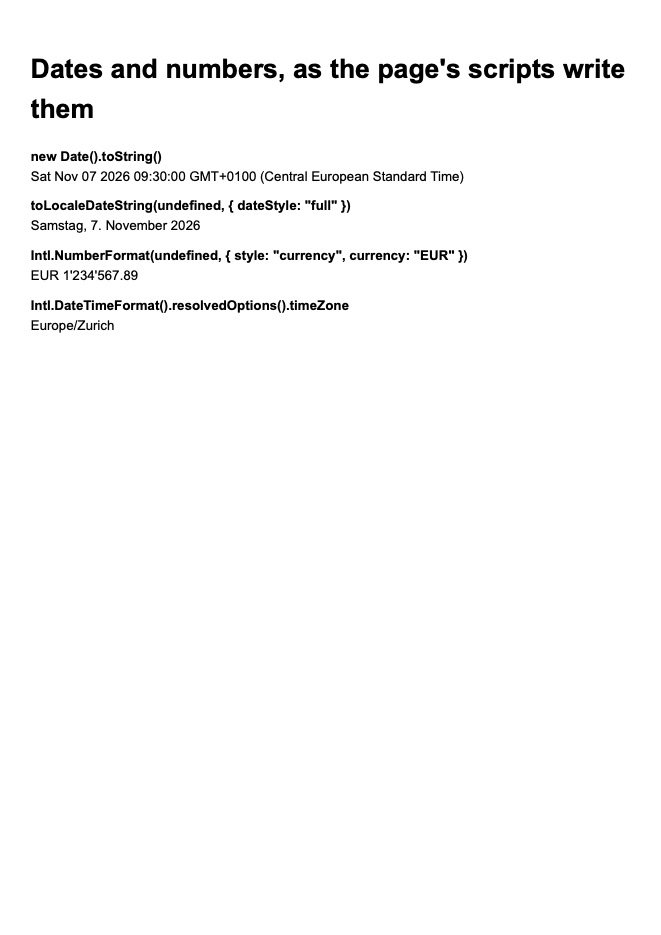
de-CH, Europe/Zurich, un orologio fisso
var result = HtmlToPdf.Render(html, new HtmlPdfOptions
{
    Locale = "de-CH",
    TimeZone = "Europe/Zurich",
    Now = new DateTimeOffset(2026, 11, 7, 9, 30, 0, TimeSpan.FromHours(1)),
});
Info scriptsRan: The page's scripts ran (17 ms of virtual time, 2 tasks; 0 canvases drawn).
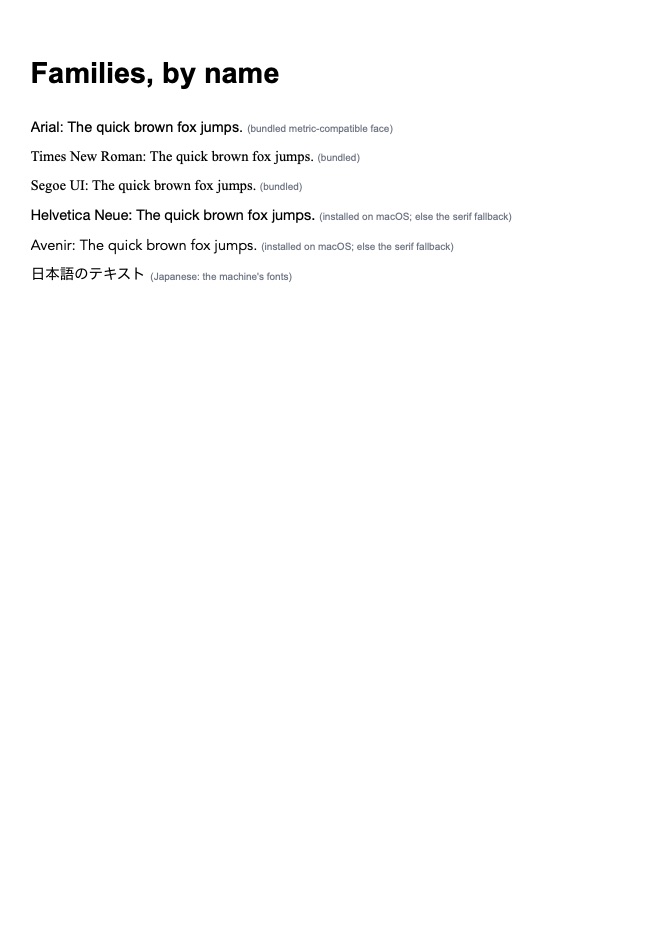
Font installati
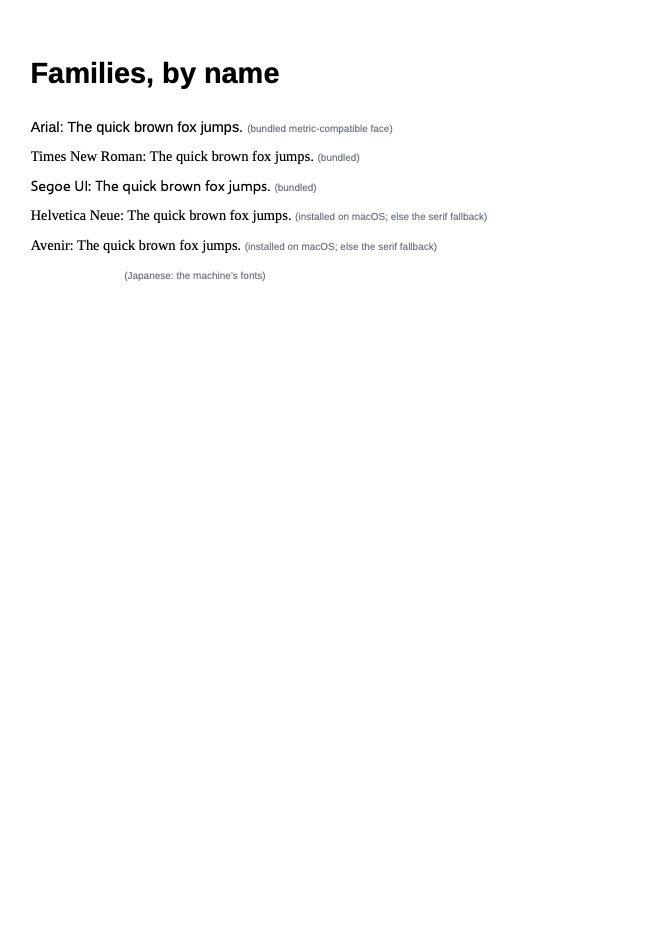
Per impostazione predefinita i font della macchina si usano dopo i font @font-face della pagina; disattivato, solo i font inclusi. Queste pagine sono state create su macOS.
<!DOCTYPE html>
<html lang="en"><head><meta charset="utf-8"><title>Fonts</title>
<style>body { font: 13pt/1.6 Arial, sans-serif; margin: 0; } p { margin: 2mm 0; } span { color: #6b7280; font: 9pt Arial; }</style></head>
<body>
<h1>Families, by name</h1>
<p style="font-family: Arial">Arial: The quick brown fox jumps. <span>(bundled metric-compatible face)</span></p>
<p style="font-family: 'Times New Roman'">Times New Roman: The quick brown fox jumps. <span>(bundled)</span></p>
<p style="font-family: 'Segoe UI'">Segoe UI: The quick brown fox jumps. <span>(bundled)</span></p>
<p style="font-family: 'Helvetica Neue', serif">Helvetica Neue: The quick brown fox jumps. <span>(installed on macOS; else the serif fallback)</span></p>
<p style="font-family: Avenir, serif">Avenir: The quick brown fox jumps. <span>(installed on macOS; else the serif fallback)</span></p>
<p style="font-family: 'Hiragino Sans', serif">日本語のテキスト <span>(Japanese: the machine's fonts)</span></p>
</body></html>
Info fontFamilyMissing: The font family "Helvetica Neue" is not in the font profile "reference": its text goes to the next family.
Info fontFamilyMissing: The font family "Avenir" is not in the font profile "reference": its text goes to the next family.
Info fontFamilyMissing: The font family "Hiragino Sans" is not in the font profile "reference": its text goes to the next family.
Warning missingGlyph: No font of 'Hiragino Sans, serif' nor the fallback has a glyph for a character: drawn as .notdef.
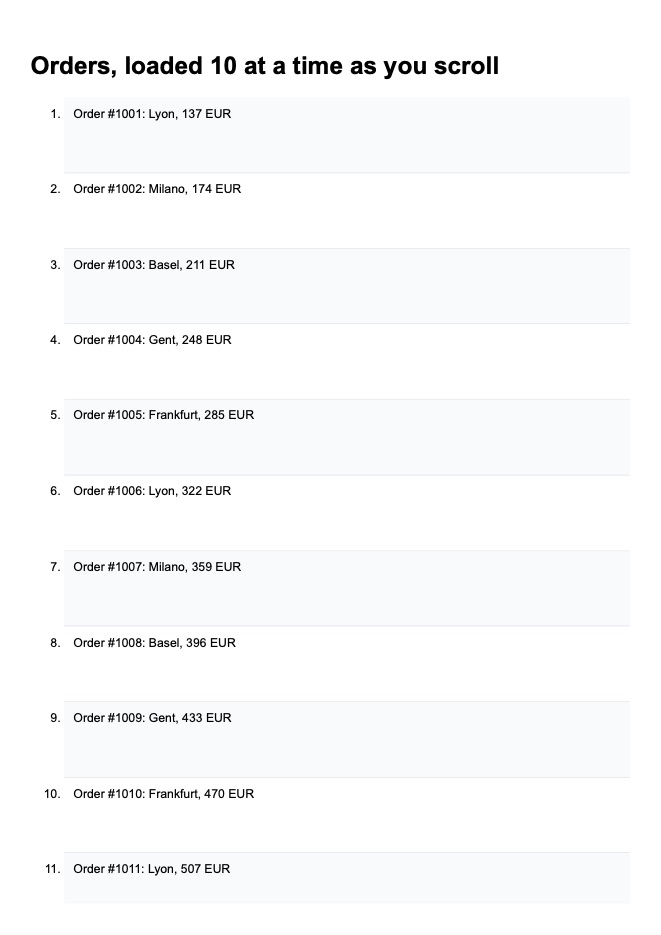
Elenchi che si caricano scorrendo
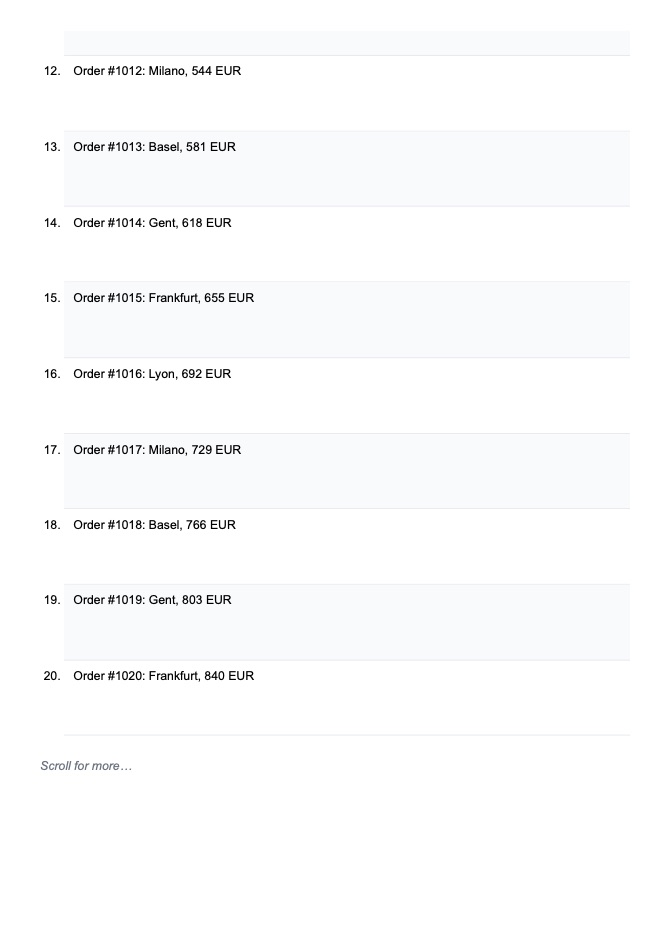
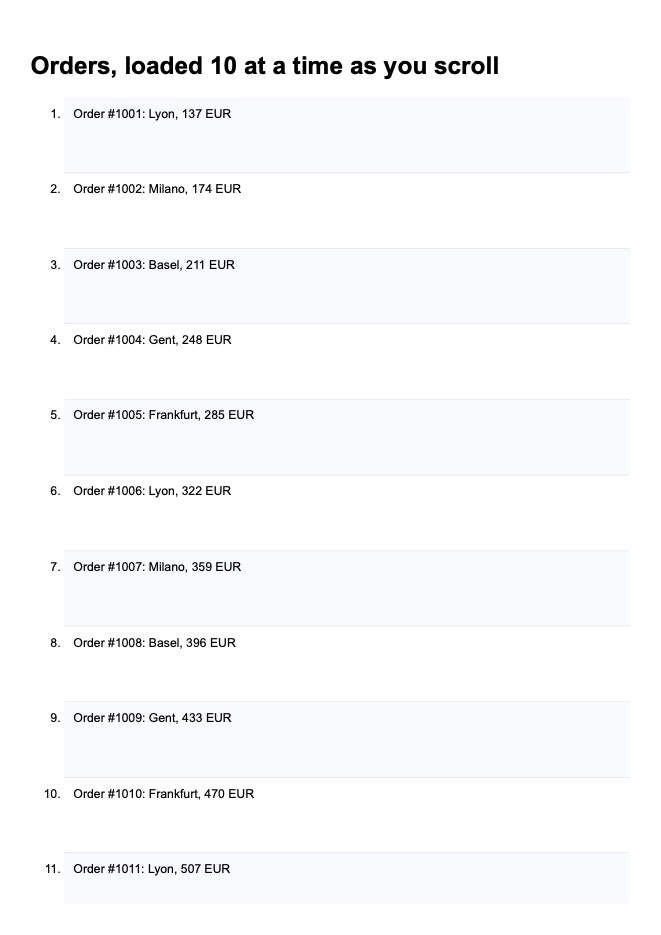
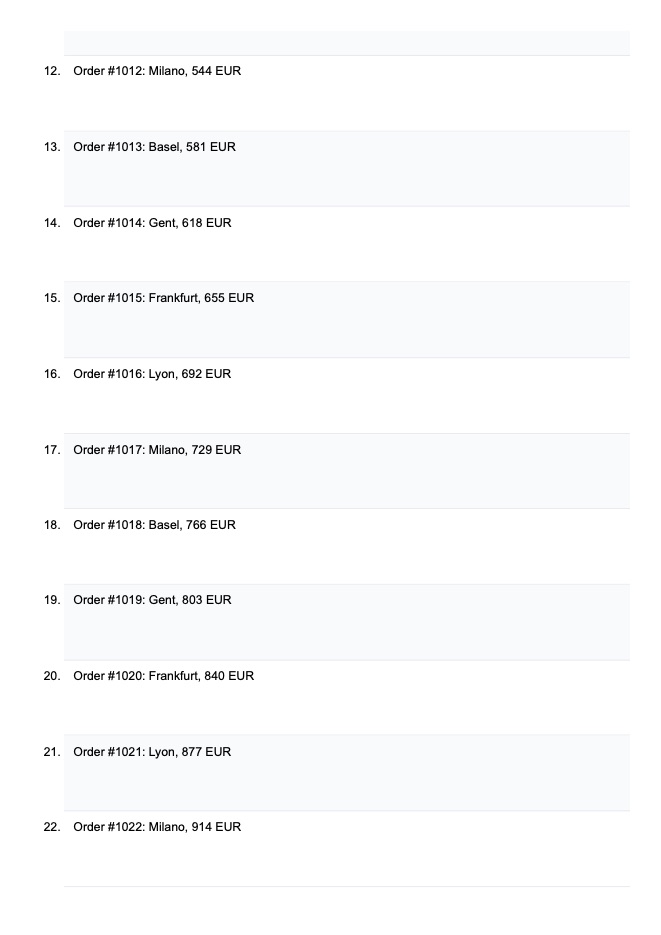
Un elenco infinito carica i dieci ordini successivi ogni volta che il suo fondo diventa visibile. Senza un'opzione di scorrimento, l'IntersectionObserver di Weblitz segnala il fondo visibile una sola volta, quindi il PDF ne contiene venti; ScrollThrough fa scorrere la finestra di un'altezza di finestra alla volta, attendendo a ogni passo ScrollStepWait di tempo virtuale, così l'elenco si carica fino alla fine e vengono stampati tutti e sessanta.
<!DOCTYPE html>
<html lang="en"><head><meta charset="utf-8"><title>A list that loads as you scroll</title>
<style>
  body { font: 11pt/1.4 Arial, sans-serif; margin: 0; }
  li { padding: 2.2mm 3mm; min-height: 24mm; box-sizing: border-box; border-bottom: 1px solid #e5e7eb; }
  li:nth-child(odd) { background: #f8fafc; }
  #more { padding: 3mm; color: #6b7280; font-style: italic; }
</style></head>
<body>
<h1>Orders, loaded 10 at a time as you scroll</h1>
<ol id="list"></ol>
<p id="more">Scroll for more…</p>
<script>
  // An infinite list as sites write it: the next ten orders load when the bottom comes into view, up to 60
  let loaded = 0;
  const list = document.getElementById('list');
  function loadMore() {
    for (let i = 0; i < 10 && loaded < 60; i++) {
      loaded++;
      const li = document.createElement('li');
      li.textContent = `Order #${1000 + loaded}: ${['Frankfurt', 'Lyon', 'Milano', 'Basel', 'Gent'][loaded % 5]}, ${(loaded * 37) % 900 + 100} EUR`;
      list.append(li);
    }
    if (loaded >= 60) document.getElementById('more').textContent = 'All 60 orders loaded.';
  }
  loadMore();
  new IntersectionObserver((entries) => { if (entries.some(e => e.isIntersecting)) setTimeout(loadMore, 100); })
    .observe(document.getElementById('more'));
</script>
</body></html>
Info scriptsRan: The page's scripts ran (883 ms of virtual time, 40 tasks; 0 canvases drawn).
Scorrere prima fino a una sezione
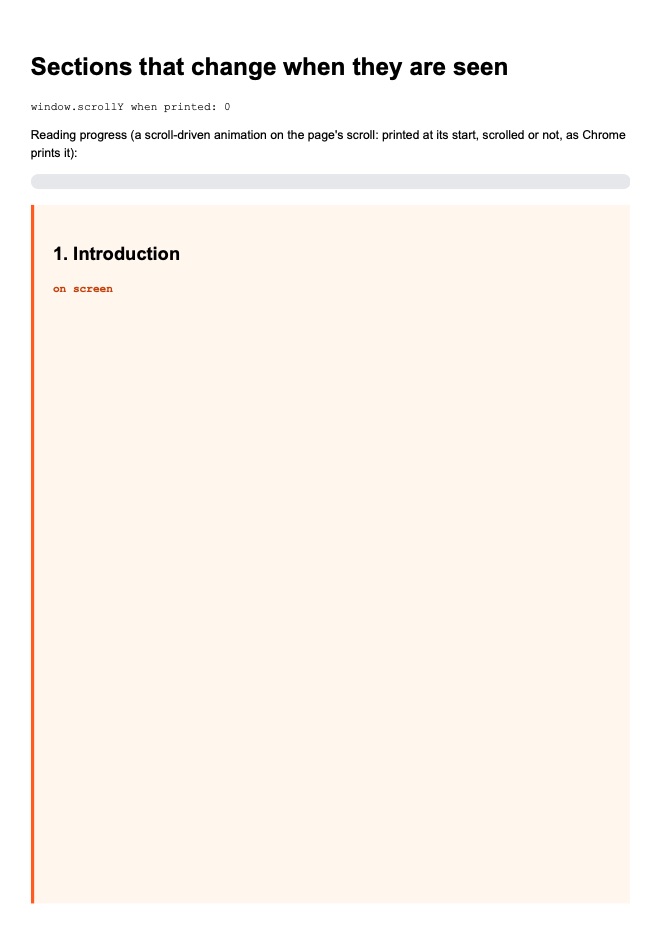
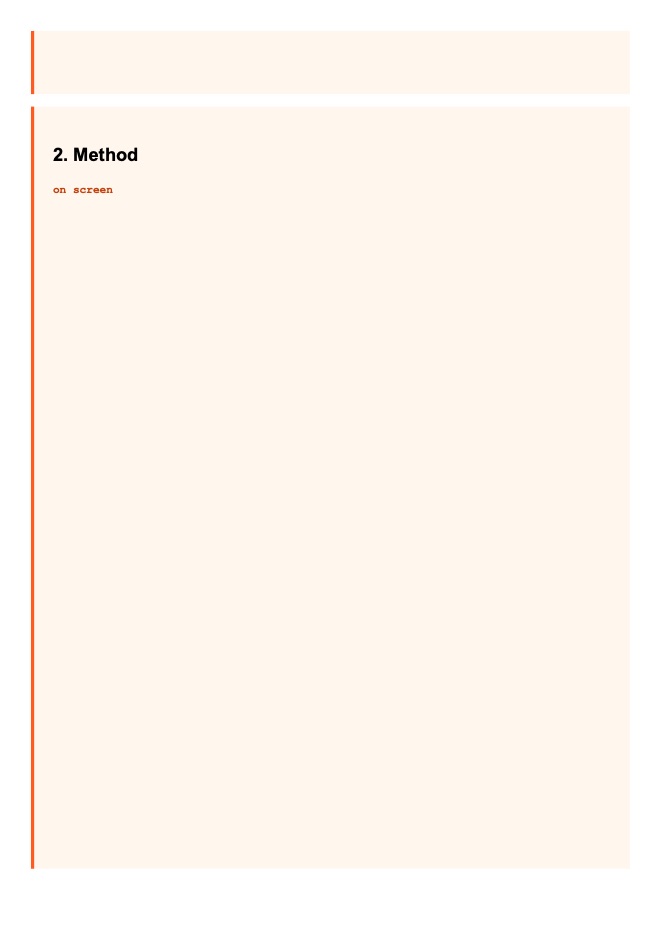
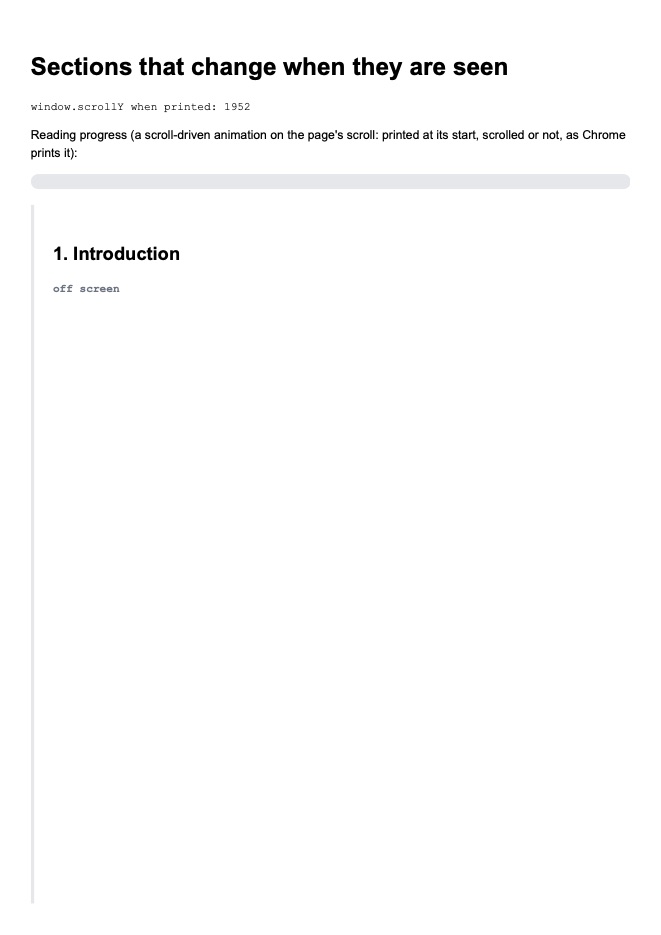
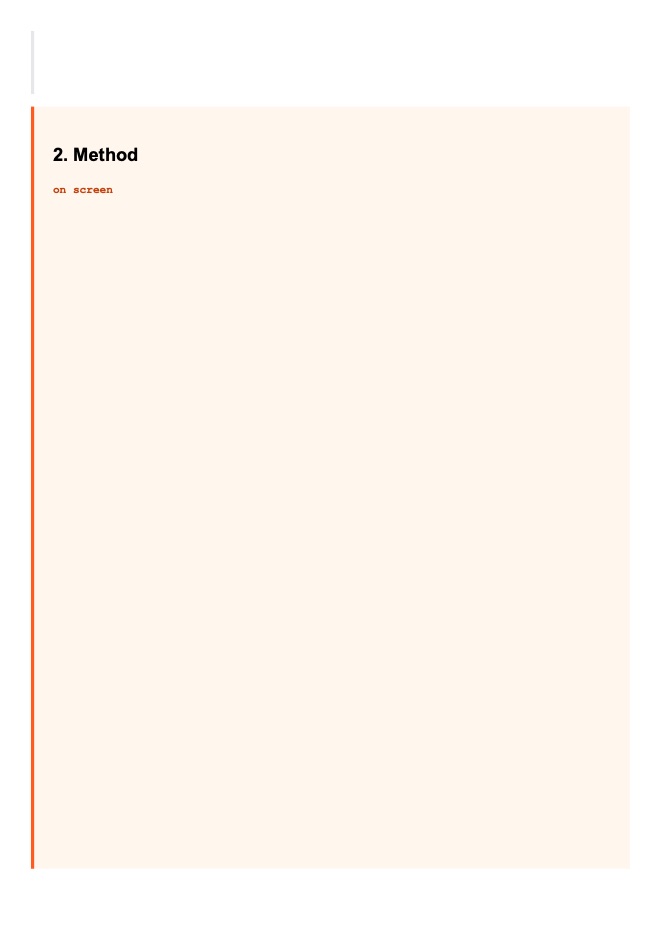
ScrollTo fa scorrere la finestra prima della stampa, come farebbe un utente prima di premere Stampa: gli eventi di scorrimento della pagina e le callback dell'IntersectionObserver lo vedono (qui le sezioni uscite dallo schermo, e scrollY). Una timeline di scorrimento legata allo scorrimento della pagina viene comunque stampata all'inizio, come la stampa Chrome. Il PDF contiene sempre l'intero documento dall'inizio.
Info scriptsRan: The page's scripts ran (33 ms of virtual time, 4 tasks; 0 canvases drawn).
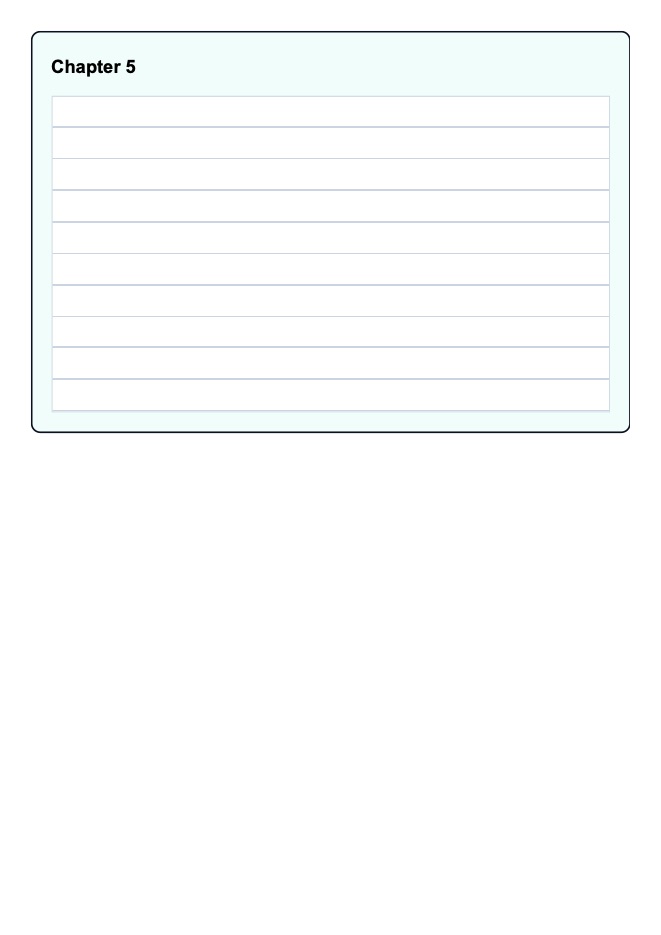
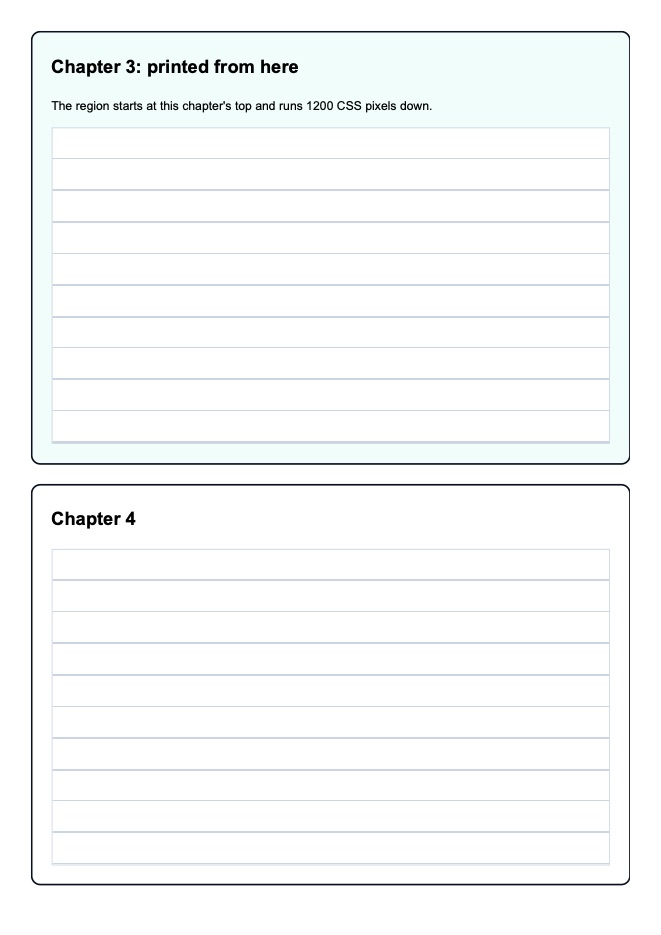
Stampare una parte della pagina
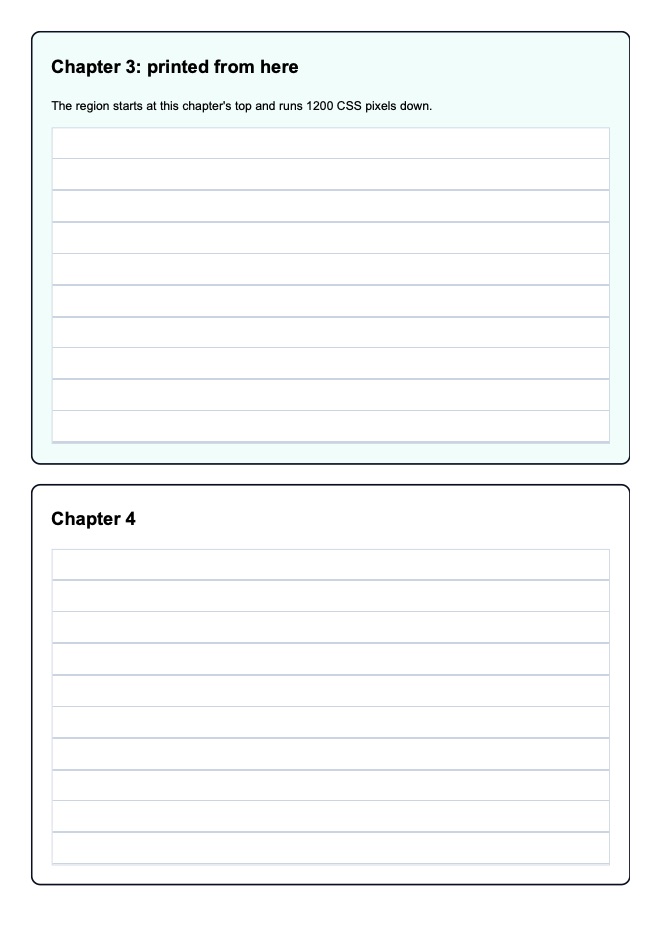
Region stampa una parte del documento, da un inizio (la posizione di scorrimento, una lunghezza, un elemento) per un'altezza; ciò che sta sopra e sotto viene escluso, e la parte viene impaginata come un documento intero.
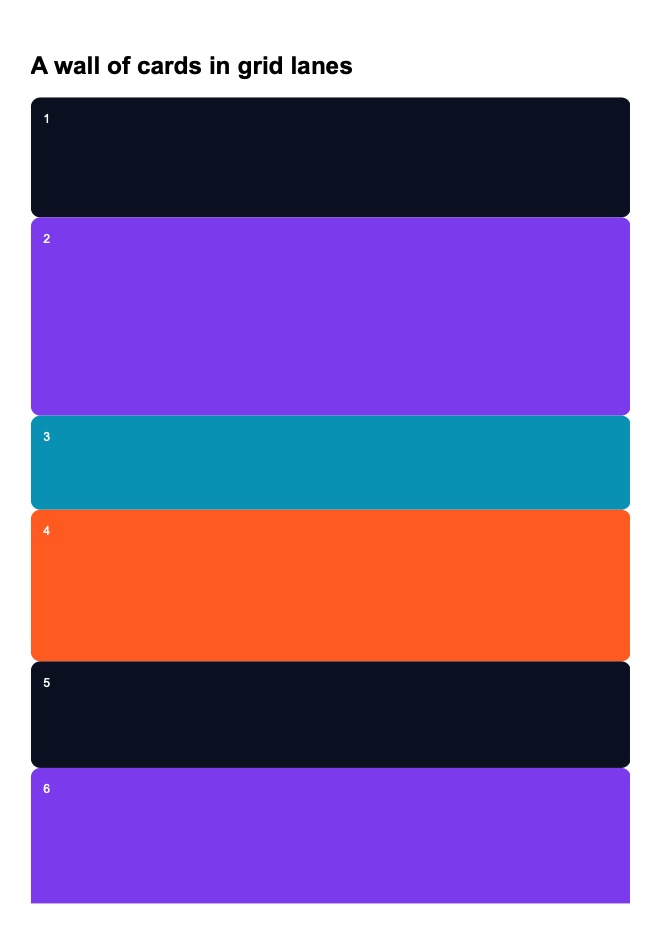
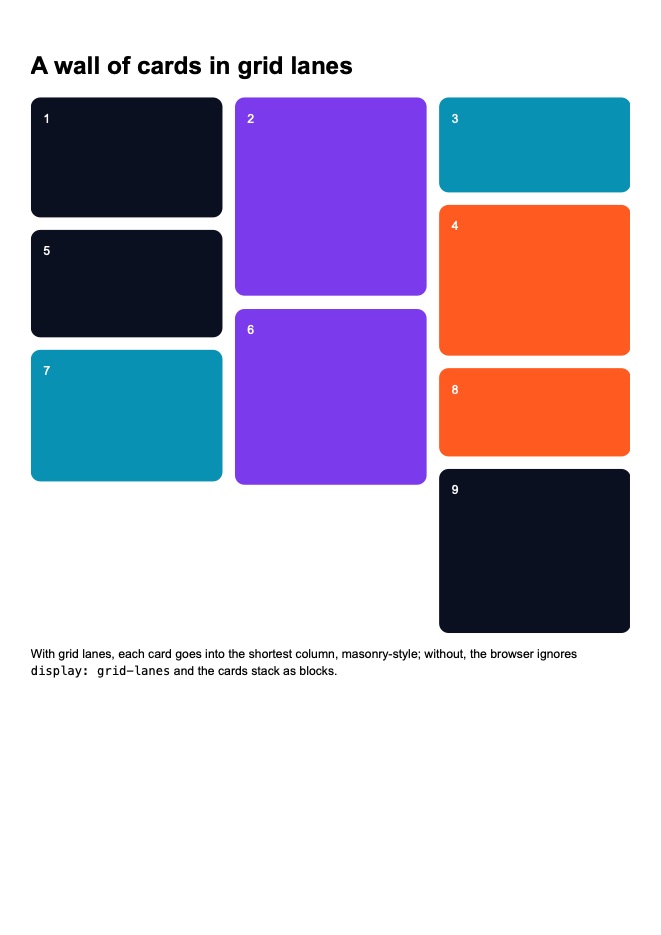
Disattivato per impostazione predefinita, come stampa Chrome stabile; attivato, le funzionalità che Chrome 156 tiene dietro il flag «Experimental Web Platform features» e che Weblitz ha realizzato, tra cui le grid lanes.
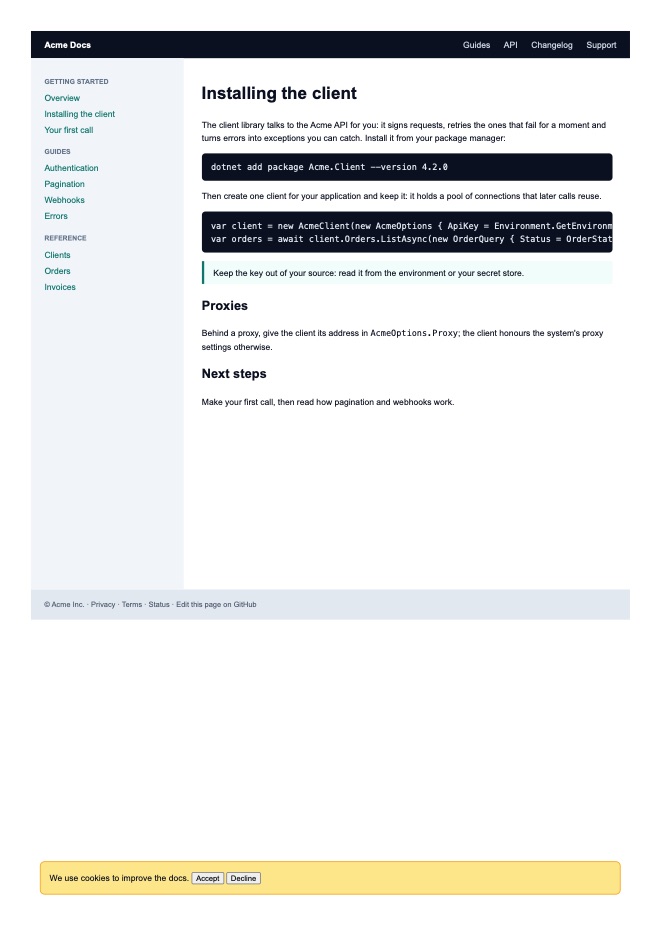
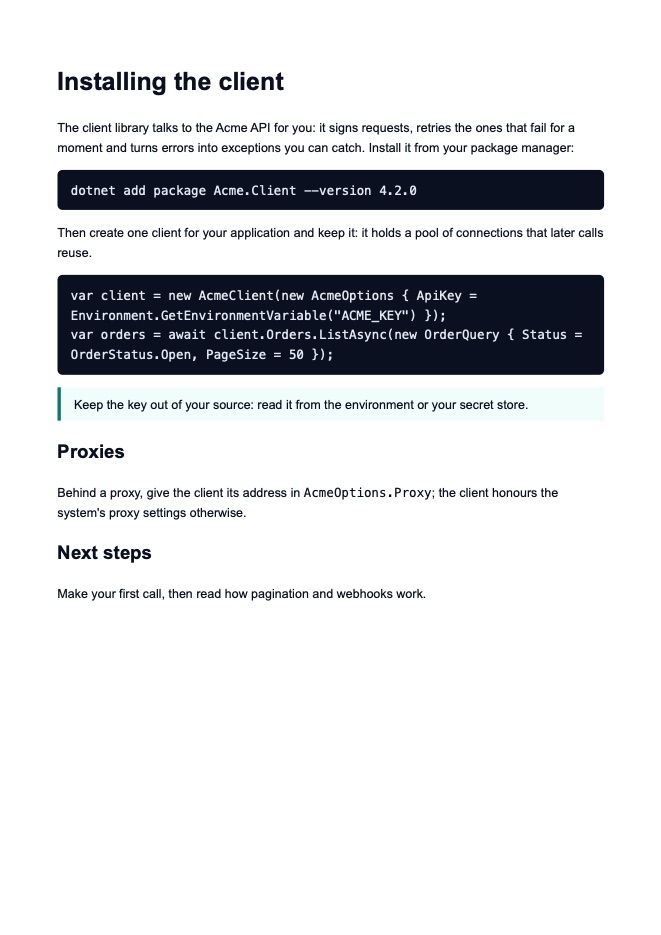
Una pagina di documentazione senza stili di stampa propri stampa la barra superiore, la barra laterale, il piè di pagina e il banner dei cookie. Hide omette elementi per selettore CSS (ciascuno una regola display: none !important); Styles aggiunge CSS tuo, qui uno stile di stampa che lascia al testo la larghezza della pagina e manda a capo le righe di codice lunghe. Entrambi vengono aggiunti come page.addStyleTag di Puppeteer aggiunge CSS prima di page.pdf(): una volta che gli script della pagina si sono assestati, prima di beforeprint.
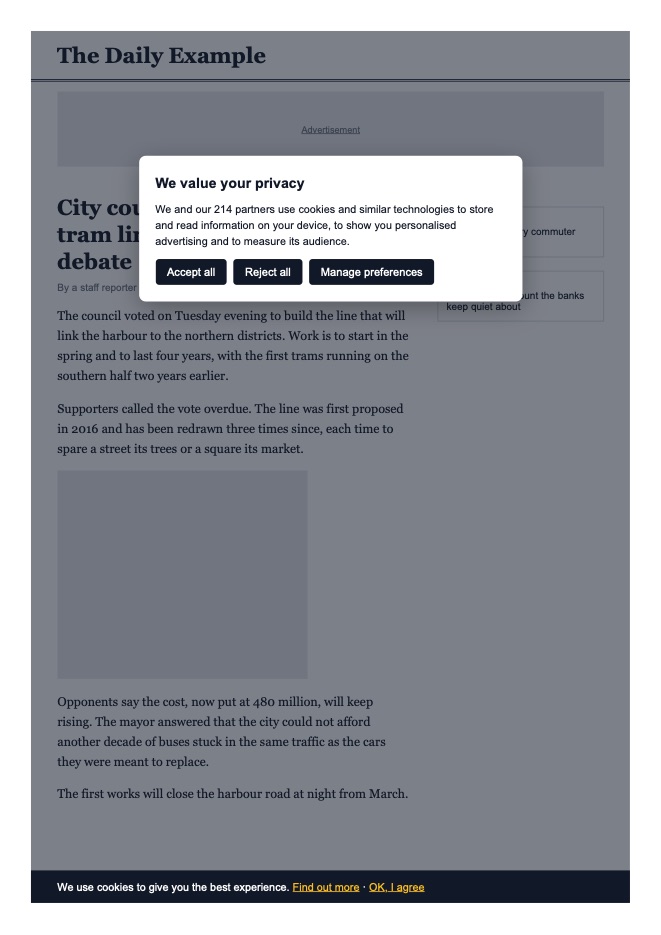
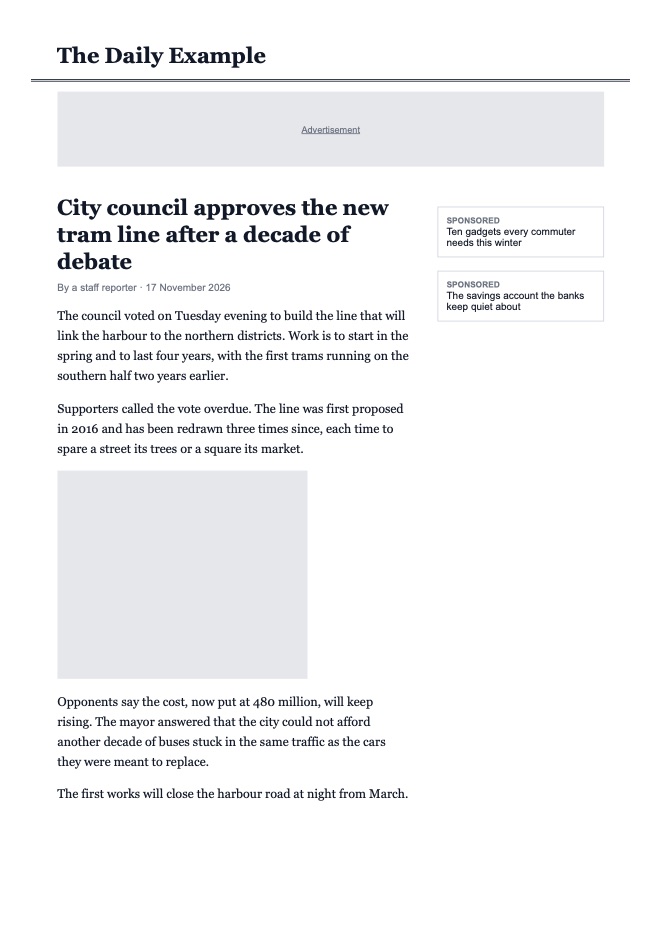
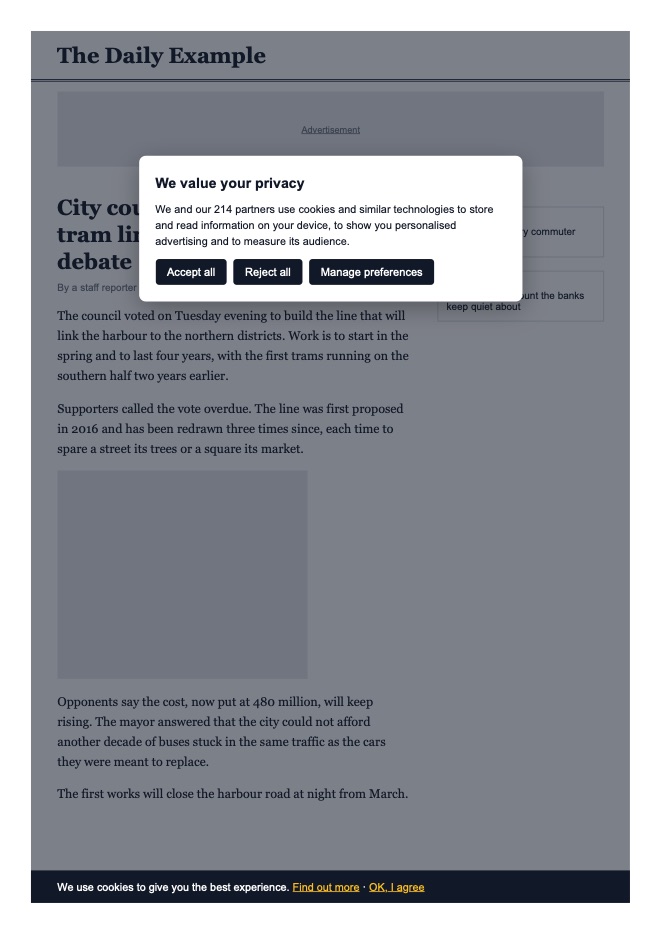
Una pagina del web arriva spesso con una finestra di consenso sopra e una barra dei cookie sotto. Consent = Hide le esclude dalla stampa senza cliccare nulla: la pagina e la sua piattaforma di consenso funzionano così come arrivano, nessuna risposta viene data a nome del lettore. Nasconde i riquadri propri delle piattaforme di consenso, quelli indicati dall'EasyList Cookie List e un riquadro proprio della pagina (fissato alla finestra, o una finestra di dialogo, che parla di cookie, consenso o privacy e contiene un pulsante per rispondere), con il velo dietro e il blocco che mette allo scorrimento della pagina. Una nota consentHidden dice cosa è stato nascosto.
<!DOCTYPE html>
<html lang="en"><head><meta charset="utf-8"><title>The Daily Example</title>
<style>
  body { font: 15px/1.6 Georgia, serif; margin: 0; color: #111827; }
  header { padding: 14px 32px; border-bottom: 3px double #111827; font: bold 26px Georgia, serif; }
  main { display: flex; gap: 32px; padding: 20px 32px; }
  article { flex: 1; }
  h1 { font-size: 26px; line-height: 1.25; margin: 0 0 8px; }
  .byline { color: #6b7280; font: 12px Arial, sans-serif; margin-bottom: 12px; }
  aside { width: 200px; flex: none; }
  .slot { display: block; background: #e5e7eb; color: #6b7280; font: 11px Arial, sans-serif; text-align: center; }
  .sponsored { margin-top: 16px; padding: 10px; border: 1px solid #d1d5db; font: 12px Arial, sans-serif; }
  .sponsored b { display: block; color: #6b7280; text-transform: uppercase; font-size: 10px; }
  #veil { position: fixed; inset: 0; background: rgba(17, 24, 39, .55); }
  #consent { position: fixed; top: 150px; left: 50%; width: 420px; margin-left: -230px; padding: 20px; background: #fff;
    border-radius: 8px; font: 13px/1.5 Arial, sans-serif; box-shadow: 0 8px 30px rgba(0, 0, 0, .3); }
  #consent h2 { margin: 0 0 8px; font-size: 17px; }
  #consent button { margin: 12px 8px 0 0; padding: 8px 14px; border: 0; border-radius: 4px; background: #111827; color: #fff; }
  #cookie-bar { position: fixed; left: 0; right: 0; bottom: 0; padding: 12px 32px; background: #111827; color: #fff;
    font: 13px Arial, sans-serif; }
  #cookie-bar a { color: #fbbf24; }
</style></head>
<body>
<header>The Daily Example</header>
<ins class="adsbygoogle slot" data-ad-slot="1234567890" style="height: 90px; line-height: 90px; margin: 12px 32px;">Advertisement</ins>
<main>
  <article>
    <h1>City council approves the new tram line after a decade of debate</h1>
    <div class="byline">By a staff reporter · 17 November 2026</div>
    <p>The council voted on Tuesday evening to build the line that will link the harbour to the northern districts.
    Work is to start in the spring and to last four years, with the first trams running on the southern half two years
    earlier.</p>
    <p>Supporters called the vote overdue. The line was first proposed in 2016 and has been redrawn three times since,
    each time to spare a street its trees or a square its market.</p>
    <iframe class="slot" src="https://securepubads.g.doubleclick.net/gampad/adx?slot=inline" width="300" height="250" style="border: 0; margin: 8px 0;"></iframe>
    <p>Opponents say the cost, now put at 480 million, will keep rising. The mayor answered that the city could not
    afford another decade of buses stuck in the same traffic as the cars they were meant to replace.</p>
    <p>The first works will close the harbour road at night from March.</p>
  </article>
  <aside>
    <div class="sponsored"><b>Sponsored</b>Ten gadgets every commuter needs this winter</div>
    <div class="sponsored"><b>Sponsored</b>The savings account the banks keep quiet about</div>
  </aside>
</main>
<div id="veil" hidden></div>
<div id="consent" role="dialog" aria-modal="true" hidden>
  <h2>We value your privacy</h2>
  We and our 214 partners use cookies and similar technologies to store and read information on your device, to show
  you personalised advertising and to measure its audience.
  <div><button>Accept all</button><button>Reject all</button><button>Manage preferences</button></div>
</div>
<div id="cookie-bar" hidden>We use cookies to give you the best experience. <a href="#">Find out more</a> · <a href="#" role="button">OK, I agree</a></div>
<script src="https://www.google-analytics.com/analytics.js" async></script>
<script>
  // (as a consent platform does: its boxes appear once the page has loaded)
  window.addEventListener('load', function () {
    for (const id of ['veil', 'consent', 'cookie-bar']) document.getElementById(id).hidden = false;
  });
</script>
</body></html>
Info resourceRefused: Script https://www.google-analytics.com/analytics.js: no resource loader was given (only data: URLs load).
Info resourceRefused: Frame https://securepubads.g.doubleclick.net/gampad/adx?slot=inline: no resource loader was given (only data: URLs load).
Info consentHidden: Consent boxes are not printed (Consent = Hide): the page's own div#consent, the page's own div#cookie-bar.
Info scriptsRan: The page's scripts ran (33 ms of virtual time, 6 tasks; 0 canvases drawn).
Senza pubblicità e tracker
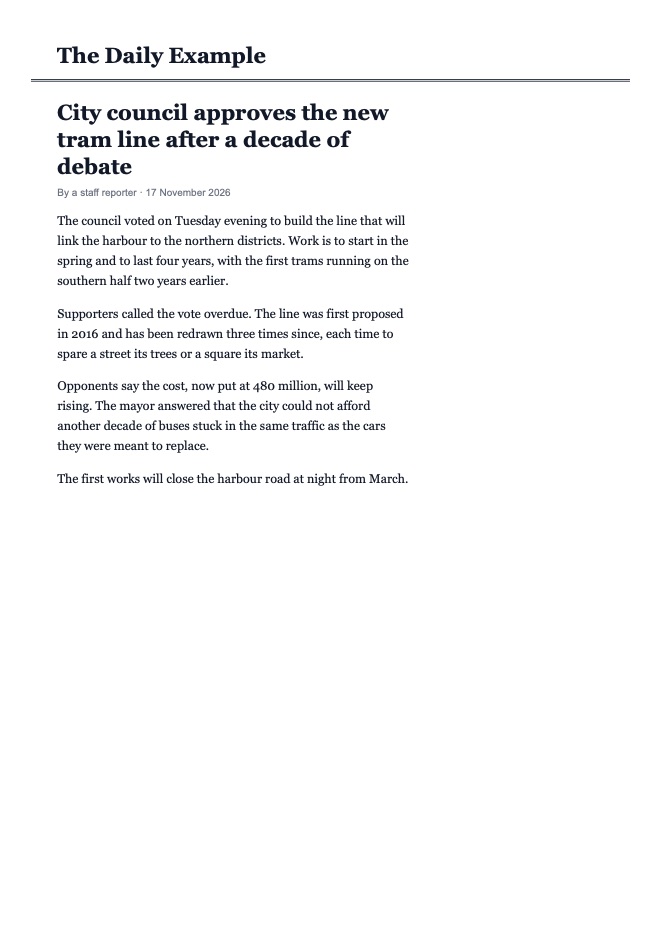
Ads = Block stampa una pagina come la mostra un blocco della pubblicità, secondo le liste di filtri EasyList ed EasyPrivacy (il lavoro degli autori di EasyList, di cui il pacchetto contiene un'istantanea): una richiesta bloccata dalle liste non viene fatta, un elemento che nascondono non viene stampato, e un frame la cui richiesta è stata rifiutata non lascia un riquadro vuoto. AdFilters aggiunge regole proprie nella stessa sintassi, qui per i riquadri sponsorizzati della pagina. Una nota adsBlocked conta ciò che è stato escluso. Qui anche con Consent = Hide.
<!DOCTYPE html>
<html lang="en"><head><meta charset="utf-8"><title>The Daily Example</title>
<style>
  body { font: 15px/1.6 Georgia, serif; margin: 0; color: #111827; }
  header { padding: 14px 32px; border-bottom: 3px double #111827; font: bold 26px Georgia, serif; }
  main { display: flex; gap: 32px; padding: 20px 32px; }
  article { flex: 1; }
  h1 { font-size: 26px; line-height: 1.25; margin: 0 0 8px; }
  .byline { color: #6b7280; font: 12px Arial, sans-serif; margin-bottom: 12px; }
  aside { width: 200px; flex: none; }
  .slot { display: block; background: #e5e7eb; color: #6b7280; font: 11px Arial, sans-serif; text-align: center; }
  .sponsored { margin-top: 16px; padding: 10px; border: 1px solid #d1d5db; font: 12px Arial, sans-serif; }
  .sponsored b { display: block; color: #6b7280; text-transform: uppercase; font-size: 10px; }
  #veil { position: fixed; inset: 0; background: rgba(17, 24, 39, .55); }
  #consent { position: fixed; top: 150px; left: 50%; width: 420px; margin-left: -230px; padding: 20px; background: #fff;
    border-radius: 8px; font: 13px/1.5 Arial, sans-serif; box-shadow: 0 8px 30px rgba(0, 0, 0, .3); }
  #consent h2 { margin: 0 0 8px; font-size: 17px; }
  #consent button { margin: 12px 8px 0 0; padding: 8px 14px; border: 0; border-radius: 4px; background: #111827; color: #fff; }
  #cookie-bar { position: fixed; left: 0; right: 0; bottom: 0; padding: 12px 32px; background: #111827; color: #fff;
    font: 13px Arial, sans-serif; }
  #cookie-bar a { color: #fbbf24; }
</style></head>
<body>
<header>The Daily Example</header>
<ins class="adsbygoogle slot" data-ad-slot="1234567890" style="height: 90px; line-height: 90px; margin: 12px 32px;">Advertisement</ins>
<main>
  <article>
    <h1>City council approves the new tram line after a decade of debate</h1>
    <div class="byline">By a staff reporter · 17 November 2026</div>
    <p>The council voted on Tuesday evening to build the line that will link the harbour to the northern districts.
    Work is to start in the spring and to last four years, with the first trams running on the southern half two years
    earlier.</p>
    <p>Supporters called the vote overdue. The line was first proposed in 2016 and has been redrawn three times since,
    each time to spare a street its trees or a square its market.</p>
    <iframe class="slot" src="https://securepubads.g.doubleclick.net/gampad/adx?slot=inline" width="300" height="250" style="border: 0; margin: 8px 0;"></iframe>
    <p>Opponents say the cost, now put at 480 million, will keep rising. The mayor answered that the city could not
    afford another decade of buses stuck in the same traffic as the cars they were meant to replace.</p>
    <p>The first works will close the harbour road at night from March.</p>
  </article>
  <aside>
    <div class="sponsored"><b>Sponsored</b>Ten gadgets every commuter needs this winter</div>
    <div class="sponsored"><b>Sponsored</b>The savings account the banks keep quiet about</div>
  </aside>
</main>
<div id="veil" hidden></div>
<div id="consent" role="dialog" aria-modal="true" hidden>
  <h2>We value your privacy</h2>
  We and our 214 partners use cookies and similar technologies to store and read information on your device, to show
  you personalised advertising and to measure its audience.
  <div><button>Accept all</button><button>Reject all</button><button>Manage preferences</button></div>
</div>
<div id="cookie-bar" hidden>We use cookies to give you the best experience. <a href="#">Find out more</a> · <a href="#" role="button">OK, I agree</a></div>
<script src="https://www.google-analytics.com/analytics.js" async></script>
<script>
  // (as a consent platform does: its boxes appear once the page has loaded)
  window.addEventListener('load', function () {
    for (const id of ['veil', 'consent', 'cookie-bar']) document.getElementById(id).hidden = false;
  });
</script>
</body></html>