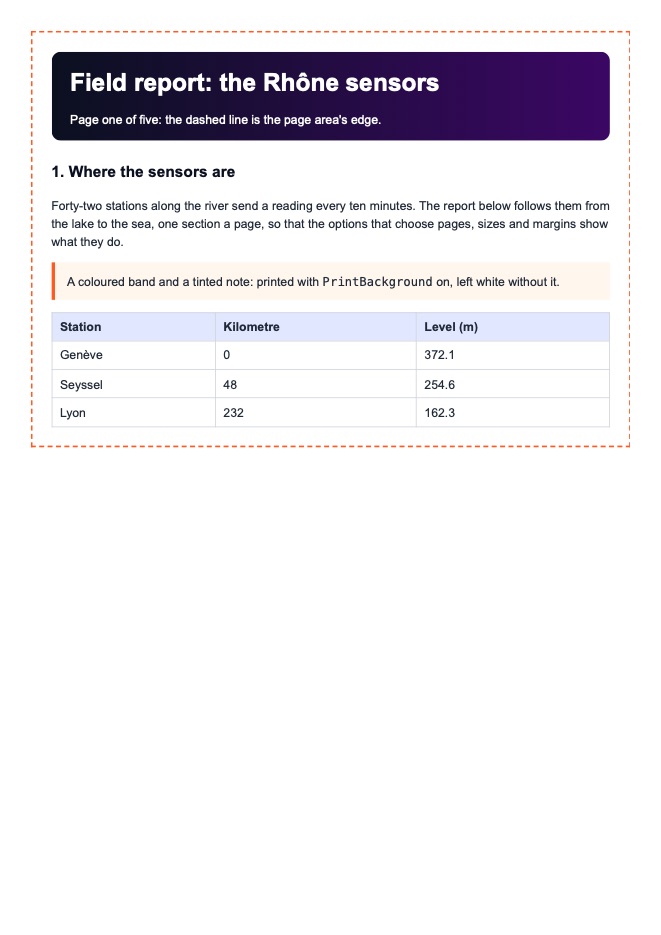
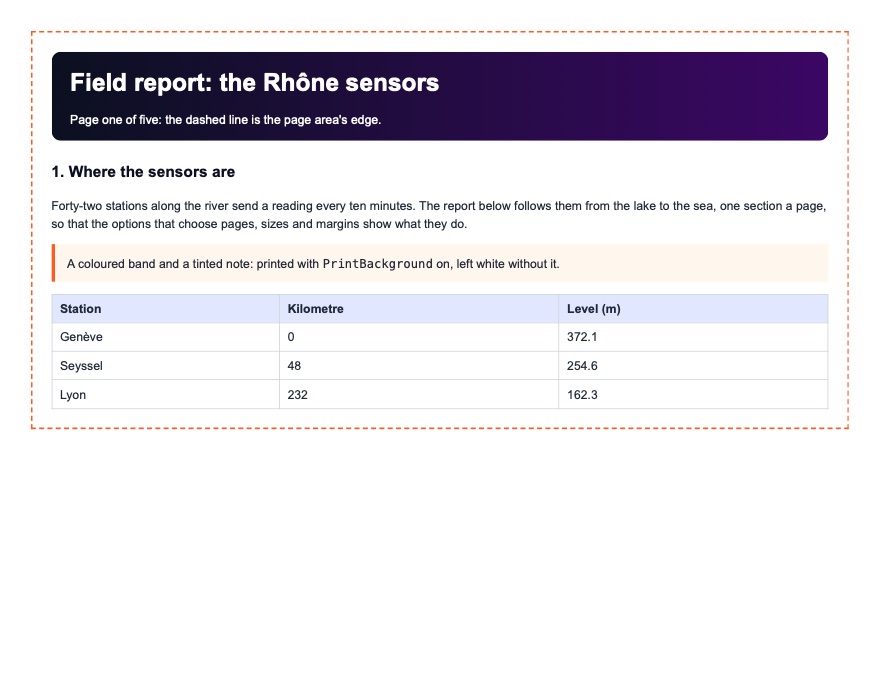
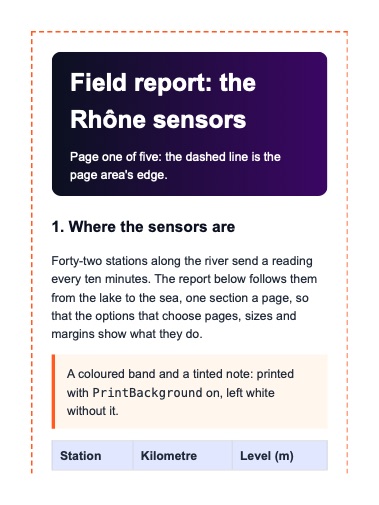
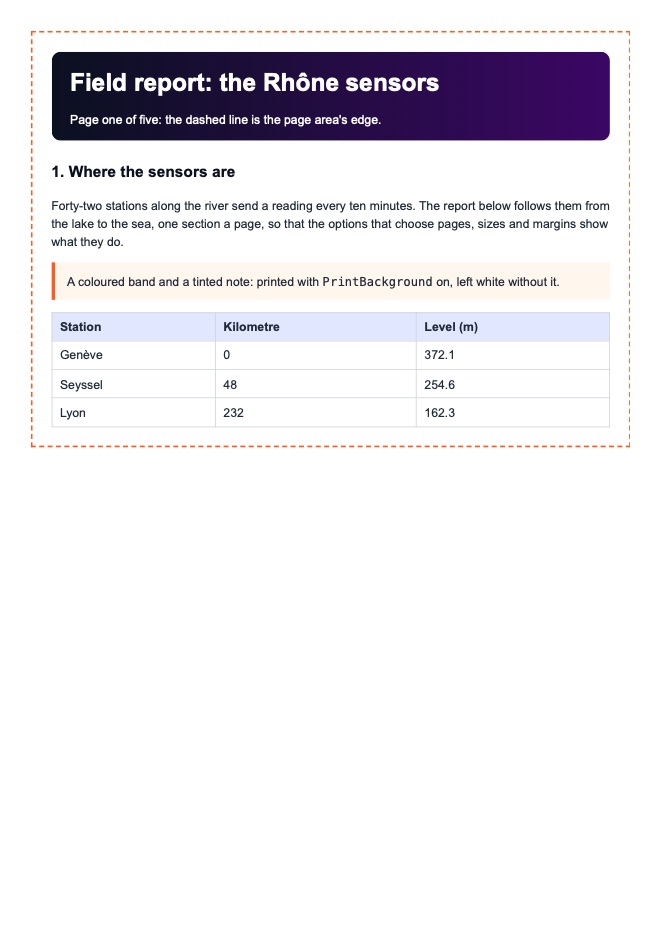
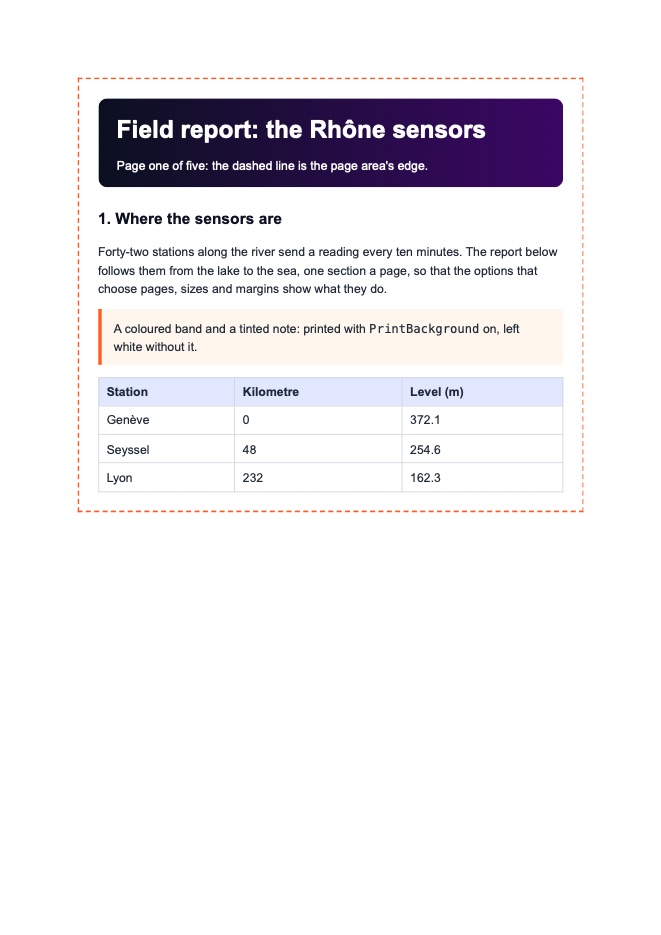
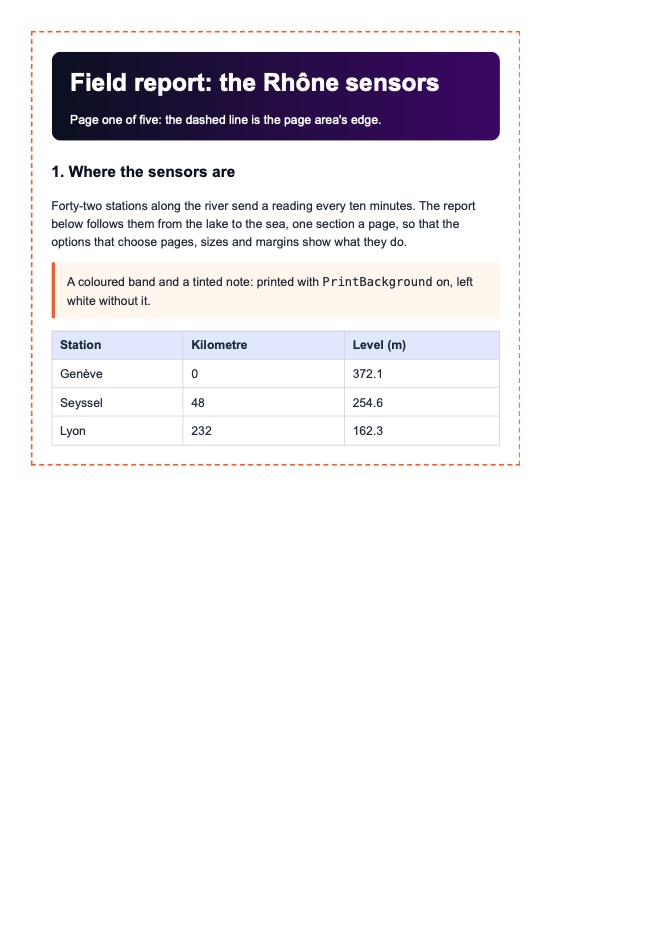
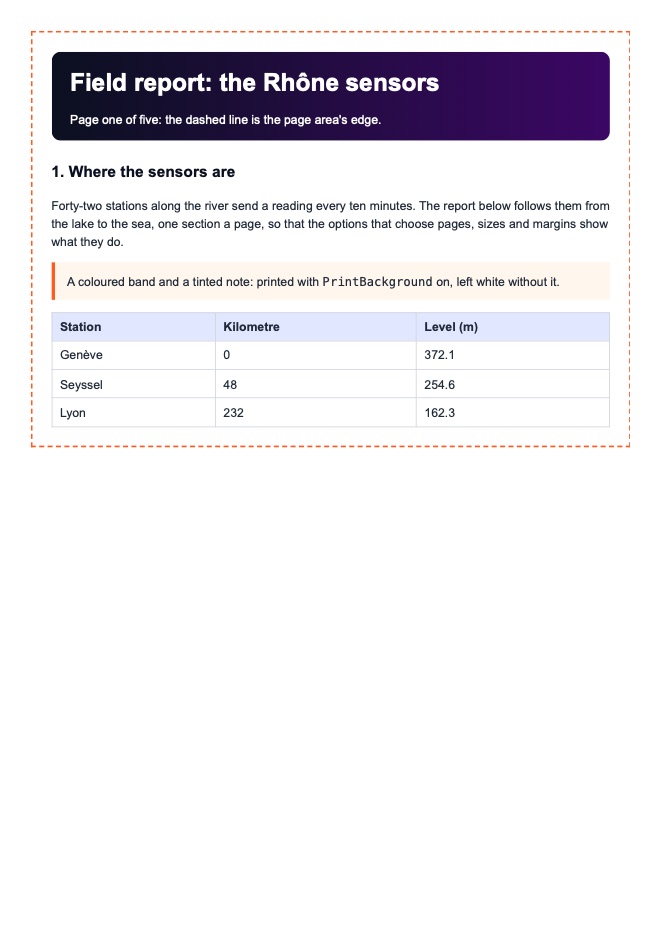
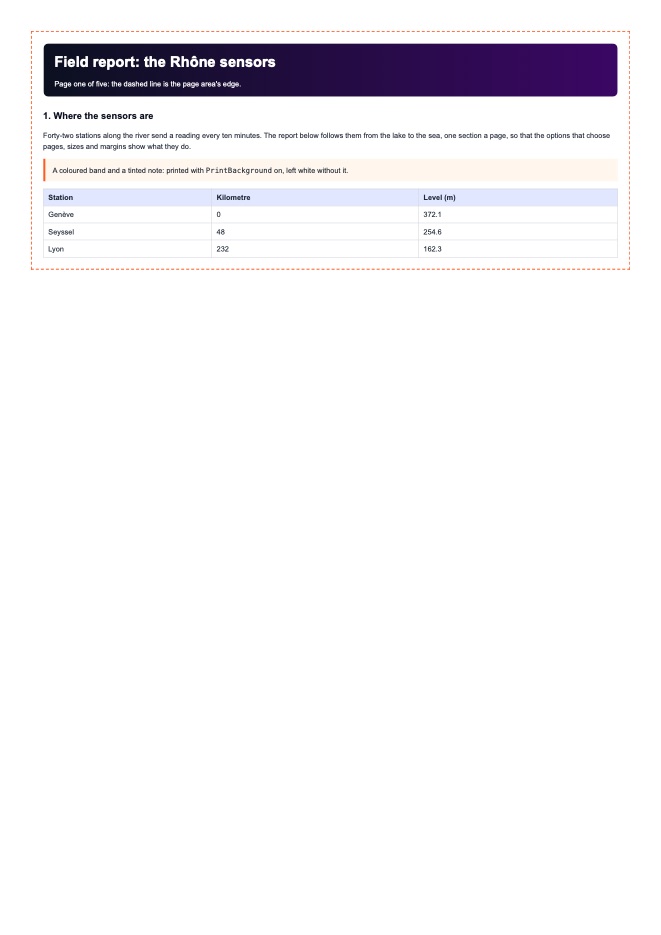
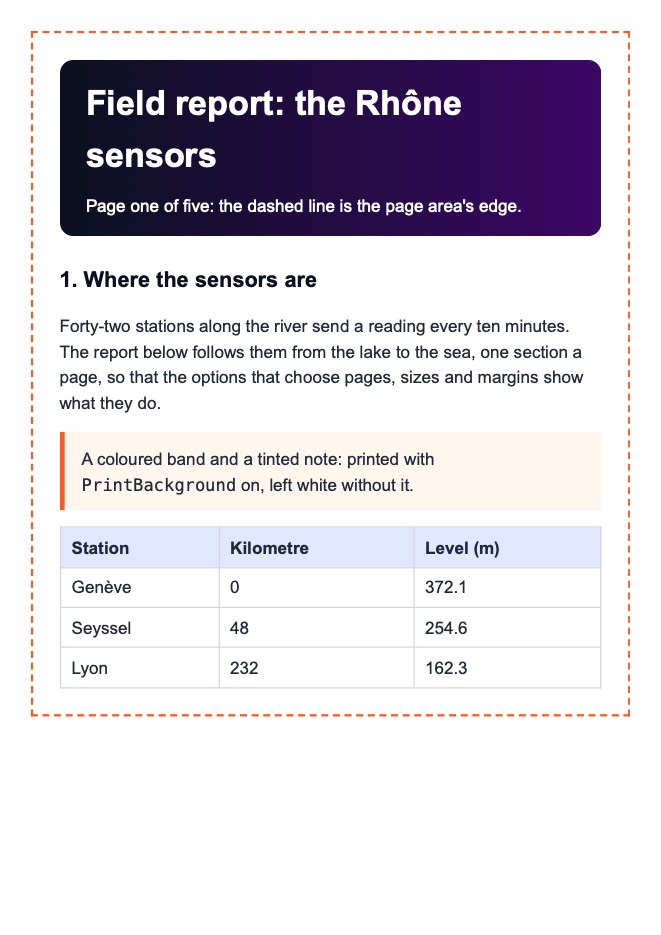
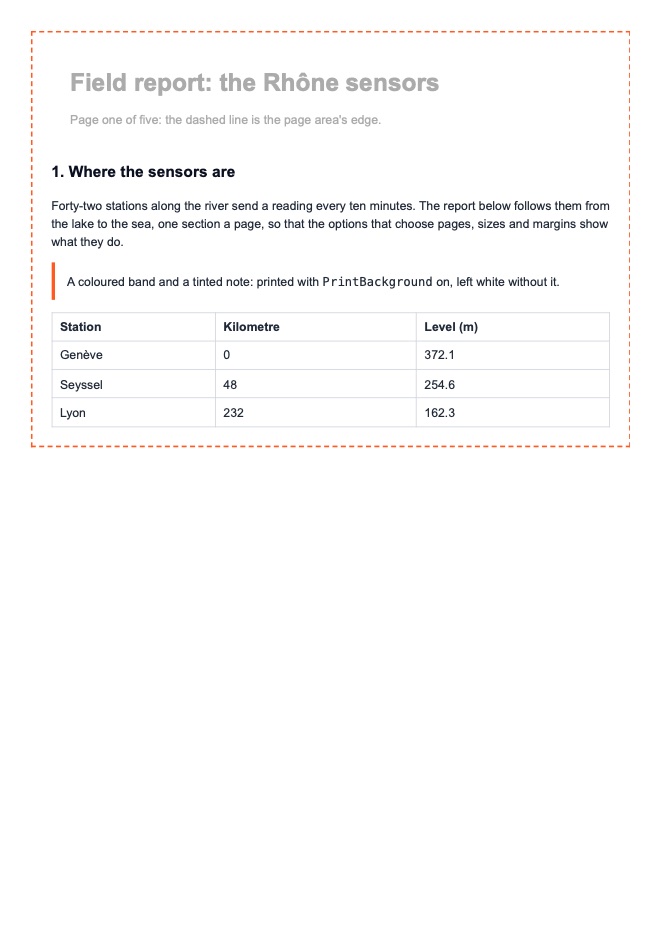
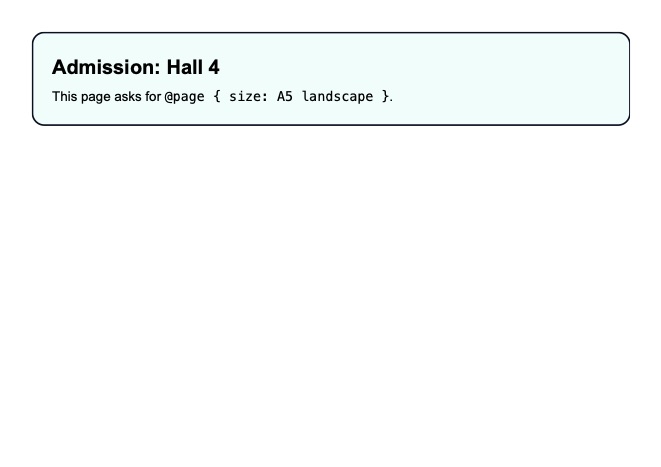
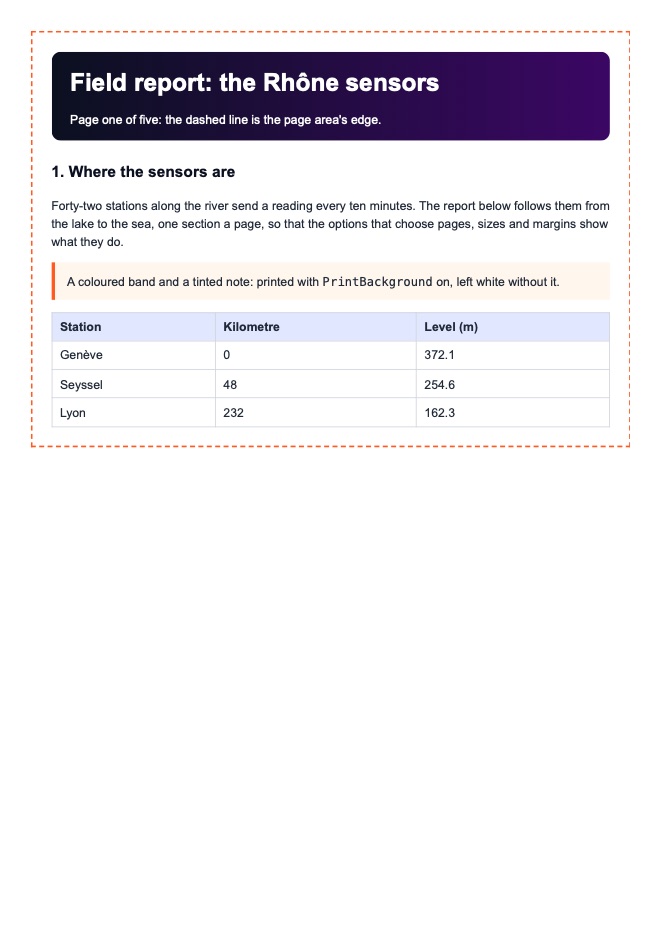
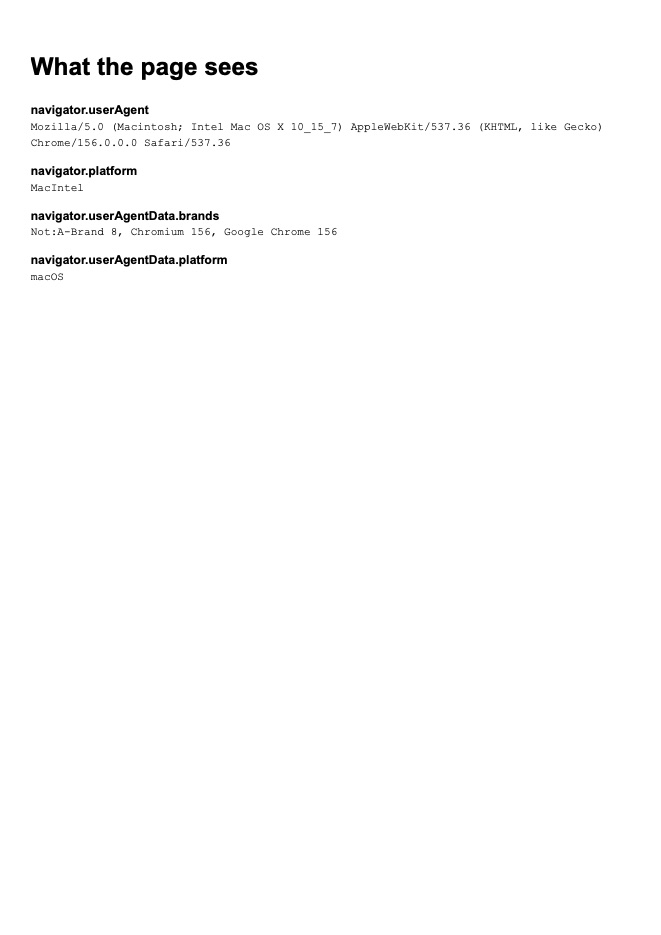
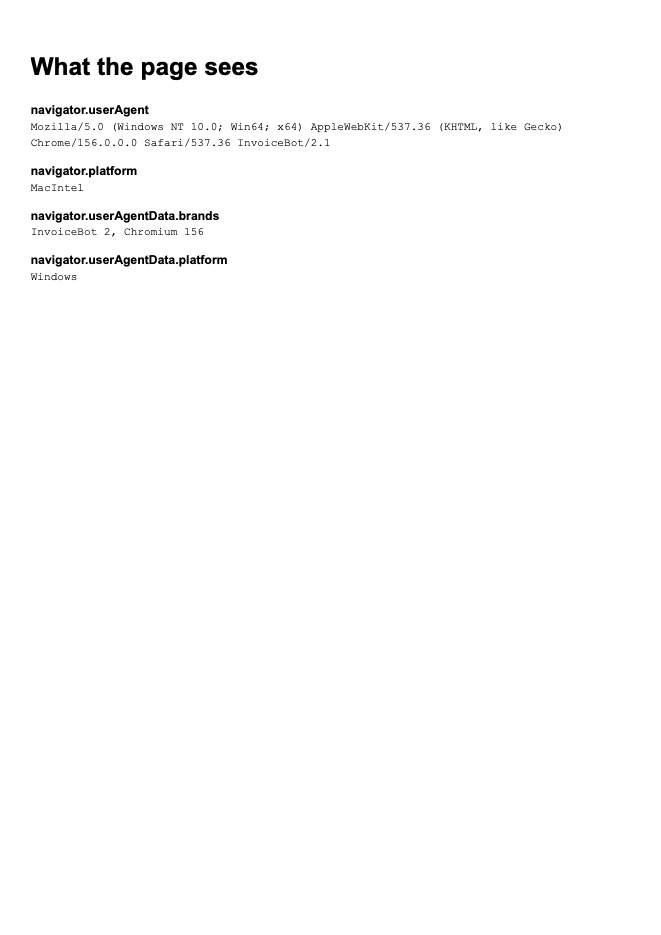
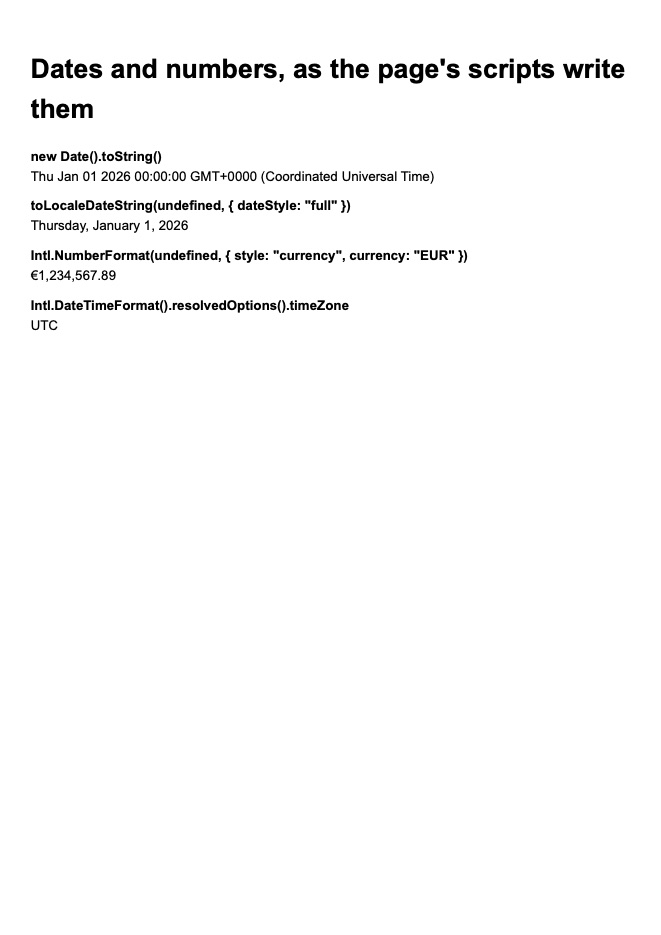
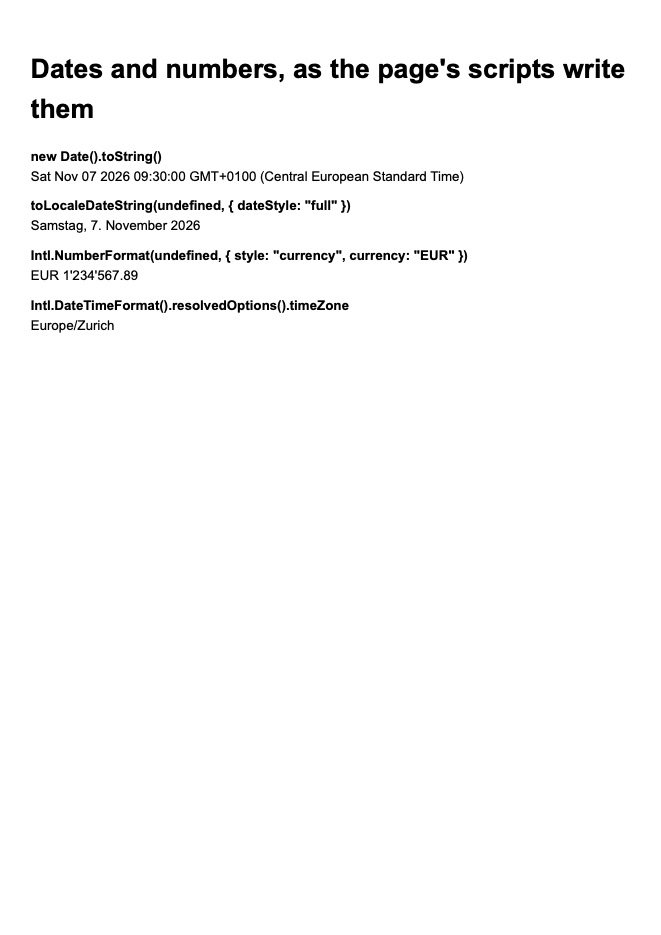
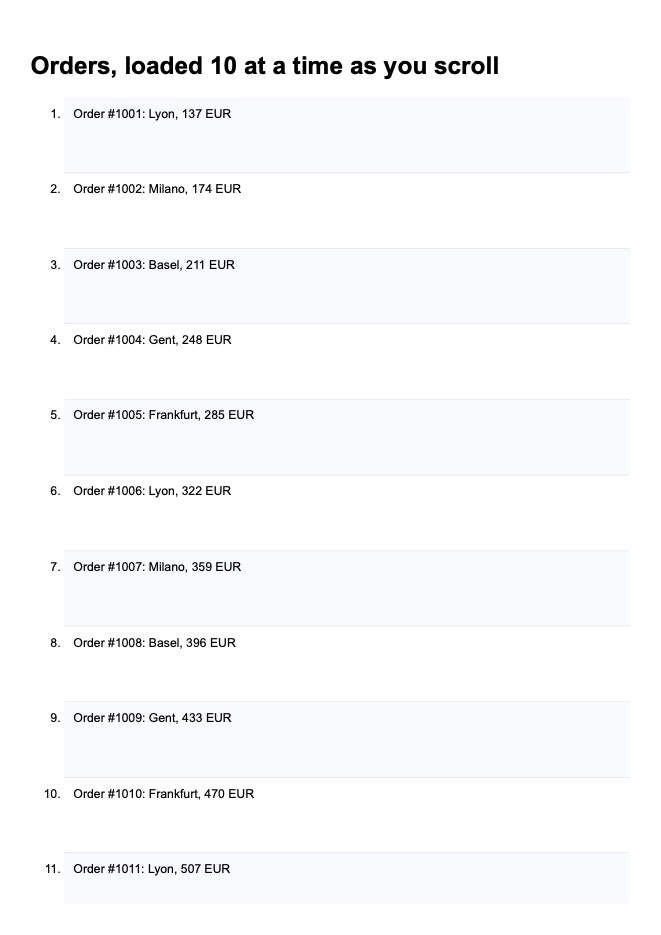
لكل خيار يغيّر الناتج: صفحة صغيرة، وشيفرة C# التي تضبط الخيار، والصفحات التي طبعها Weblitz، بجانب الإعداد الافتراضي حيث يُظهر ذلك الفرق. أُعدّت في 2026-11-23 على macOS؛ والصفحات مرسومة من ملفات PDF التي يمكن تنزيلها. وما سجّله المحرك معروض كما ورد (بالإنجليزية)، بما في ذلك ما لا يفعله بعد.
<!DOCTYPE html>
<html lang="en"><head><meta charset="utf-8"><title>Field report: the Rhône sensors</title>
<style>
  body { font: 11pt/1.5 Arial, sans-serif; color: #1f2937; margin: 0; }
  .frame { border: 2px dashed #ff5a1f; padding: 6mm; }
  h1 { font-size: 22pt; margin: 0 0 3mm; color: #0b1020; }
  h2 { font-size: 14pt; margin: 6mm 0 2mm; color: #0b1020; }
  .band { background: linear-gradient(90deg, #0b1020, #3b0764); color: #fff; padding: 4mm 6mm; border-radius: 3mm; }
  .note { background: #fff7ed; border-left: 4px solid #ff5a1f; padding: 3mm 4mm; }
  table { border-collapse: collapse; width: 100%; margin-top: 3mm; }
  th, td { border: 1px solid #d1d5db; padding: 1.5mm 2.5mm; text-align: left; }
  th { background: #e0e7ff; }
  .page-break { break-before: page; }
</style></head>
<body>
<div class="frame">
  <div class="band"><h1 style="color:#fff">Field report: the Rhône sensors</h1>Page one of five: the dashed line is the page area's edge.</div>
  <h2>1. Where the sensors are</h2>
  <p>Forty-two stations along the river send a reading every ten minutes. The report below follows them from the lake to the sea, one section a page, so that the options that choose pages, sizes and margins show what they do.</p>
  <p class="note">A coloured band and a tinted note: printed with <code>PrintBackground</code> on, left white without it.</p>
  <table><tr><th>Station</th><th>Kilometre</th><th>Level (m)</th></tr>
    <tr><td>Genève</td><td>0</td><td>372.1</td></tr><tr><td>Seyssel</td><td>48</td><td>254.6</td></tr><tr><td>Lyon</td><td>232</td><td>162.3</td></tr></table>
</div>
<div class="frame page-break"><div class="band">Page two of five</div><h2>2. The upper river</h2><p>The upper river is fast and cold: its stations read the level every ten minutes and the temperature every hour.</p></div>
<div class="frame page-break"><div class="band">Page three of five</div><h2>3. Lyon</h2><p>At Lyon the Saône joins: the station reads both rivers.</p></div>
<div class="frame page-break"><div class="band">Page four of five</div><h2>4. The lower river</h2><p>Dams turn the lower river into a staircase of reaches.</p></div>
<div class="frame page-break"><div class="band">Page five of five</div><h2>5. The delta</h2><p>In the Camargue the river splits in two before the sea.</p></div>
</body></html>
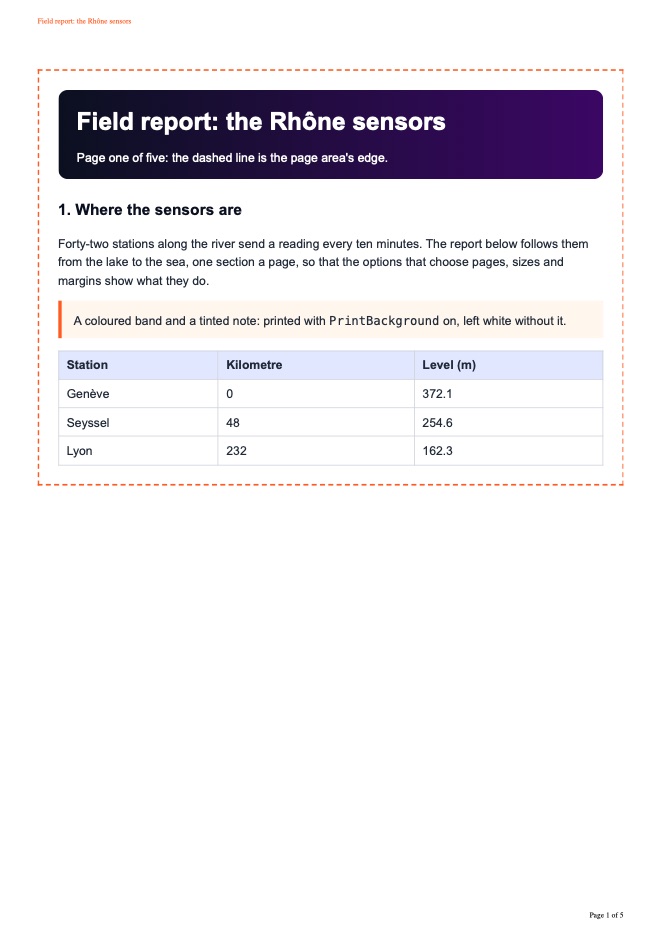
القوالب هي HTML يُطبع في الهامشين العلوي والسفلي لكل صفحة، كما يطبعها Chrome؛ وتُملأ العناصر ذات الفئات pageNumber وtotalPages وtitle وurl وdate. والقالب الذي لا يحدد حجم خط يأخذ الحجم الافتراضي الصغير جدًا في Chrome: فحدِّد حجمًا. وامنح الهوامش متسعًا لها.
<!DOCTYPE html>
<html lang="en"><head><meta charset="utf-8"><title>Field report: the Rhône sensors</title>
<style>
  body { font: 11pt/1.5 Arial, sans-serif; color: #1f2937; margin: 0; }
  .frame { border: 2px dashed #ff5a1f; padding: 6mm; }
  h1 { font-size: 22pt; margin: 0 0 3mm; color: #0b1020; }
  h2 { font-size: 14pt; margin: 6mm 0 2mm; color: #0b1020; }
  .band { background: linear-gradient(90deg, #0b1020, #3b0764); color: #fff; padding: 4mm 6mm; border-radius: 3mm; }
  .note { background: #fff7ed; border-left: 4px solid #ff5a1f; padding: 3mm 4mm; }
  table { border-collapse: collapse; width: 100%; margin-top: 3mm; }
  th, td { border: 1px solid #d1d5db; padding: 1.5mm 2.5mm; text-align: left; }
  th { background: #e0e7ff; }
  .page-break { break-before: page; }
</style></head>
<body>
<div class="frame">
  <div class="band"><h1 style="color:#fff">Field report: the Rhône sensors</h1>Page one of five: the dashed line is the page area's edge.</div>
  <h2>1. Where the sensors are</h2>
  <p>Forty-two stations along the river send a reading every ten minutes. The report below follows them from the lake to the sea, one section a page, so that the options that choose pages, sizes and margins show what they do.</p>
  <p class="note">A coloured band and a tinted note: printed with <code>PrintBackground</code> on, left white without it.</p>
  <table><tr><th>Station</th><th>Kilometre</th><th>Level (m)</th></tr>
    <tr><td>Genève</td><td>0</td><td>372.1</td></tr><tr><td>Seyssel</td><td>48</td><td>254.6</td></tr><tr><td>Lyon</td><td>232</td><td>162.3</td></tr></table>
</div>
<div class="frame page-break"><div class="band">Page two of five</div><h2>2. The upper river</h2><p>The upper river is fast and cold: its stations read the level every ten minutes and the temperature every hour.</p></div>
<div class="frame page-break"><div class="band">Page three of five</div><h2>3. Lyon</h2><p>At Lyon the Saône joins: the station reads both rivers.</p></div>
<div class="frame page-break"><div class="band">Page four of five</div><h2>4. The lower river</h2><p>Dams turn the lower river into a staircase of reaches.</p></div>
<div class="frame page-break"><div class="band">Page five of five</div><h2>5. The delta</h2><p>In the Camargue the river splits in two before the sea.</p></div>
</body></html>
الترويسة والتذييل
var result = HtmlToPdf.Render(html, new HtmlPdfOptions
{
    DisplayHeaderFooter = true,
    Margin = new HtmlMargins("22mm", "12mm", "20mm", "12mm"),
    HeaderTemplate = "<div style='font-size:9px; width:100%; padding:0 12mm; color:#ff5a1f'><span class='title'></span></div>",
    FooterTemplate = "<div style='font-size:9px; width:100%; padding:0 12mm; text-align:right'>Page <span class='pageNumber'></span> of <span class='totalPages'></span></div>",
});
<!DOCTYPE html>
<html lang="en"><head><meta charset="utf-8"><title>Field report: the Rhône sensors</title>
<style>
  body { font: 11pt/1.5 Arial, sans-serif; color: #1f2937; margin: 0; }
  .frame { border: 2px dashed #ff5a1f; padding: 6mm; }
  h1 { font-size: 22pt; margin: 0 0 3mm; color: #0b1020; }
  h2 { font-size: 14pt; margin: 6mm 0 2mm; color: #0b1020; }
  .band { background: linear-gradient(90deg, #0b1020, #3b0764); color: #fff; padding: 4mm 6mm; border-radius: 3mm; }
  .note { background: #fff7ed; border-left: 4px solid #ff5a1f; padding: 3mm 4mm; }
  table { border-collapse: collapse; width: 100%; margin-top: 3mm; }
  th, td { border: 1px solid #d1d5db; padding: 1.5mm 2.5mm; text-align: left; }
  th { background: #e0e7ff; }
  .page-break { break-before: page; }
</style></head>
<body>
<div class="frame">
  <div class="band"><h1 style="color:#fff">Field report: the Rhône sensors</h1>Page one of five: the dashed line is the page area's edge.</div>
  <h2>1. Where the sensors are</h2>
  <p>Forty-two stations along the river send a reading every ten minutes. The report below follows them from the lake to the sea, one section a page, so that the options that choose pages, sizes and margins show what they do.</p>
  <p class="note">A coloured band and a tinted note: printed with <code>PrintBackground</code> on, left white without it.</p>
  <table><tr><th>Station</th><th>Kilometre</th><th>Level (m)</th></tr>
    <tr><td>Genève</td><td>0</td><td>372.1</td></tr><tr><td>Seyssel</td><td>48</td><td>254.6</td></tr><tr><td>Lyon</td><td>232</td><td>162.3</td></tr></table>
</div>
<div class="frame page-break"><div class="band">Page two of five</div><h2>2. The upper river</h2><p>The upper river is fast and cold: its stations read the level every ten minutes and the temperature every hour.</p></div>
<div class="frame page-break"><div class="band">Page three of five</div><h2>3. Lyon</h2><p>At Lyon the Saône joins: the station reads both rivers.</p></div>
<div class="frame page-break"><div class="band">Page four of five</div><h2>4. The lower river</h2><p>Dams turn the lower river into a staircase of reaches.</p></div>
<div class="frame page-break"><div class="band">Page five of five</div><h2>5. The delta</h2><p>In the Camargue the river splits in two before the sea.</p></div>
</body></html>
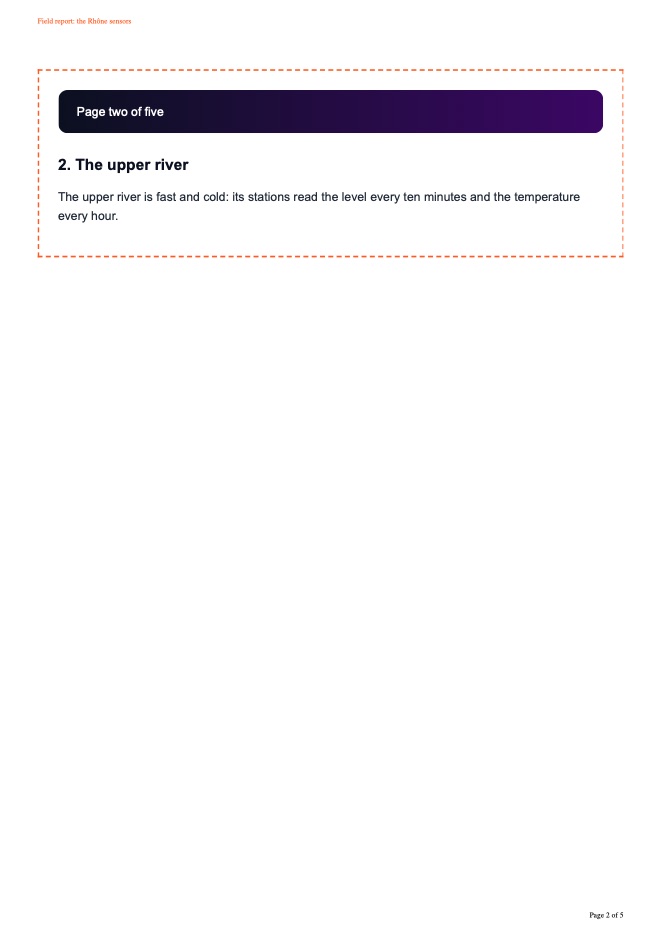
"2-3, 5"
var result = HtmlToPdf.Render(html, new HtmlPdfOptions { PageRanges = "2-3, 5" });
تعمل النصوص البرمجية مرة واحدة قبل الطباعة؛ وتجري المؤقتات بالوقت الافتراضي خلال WaitFor (افتراضيًا 5 ثوانٍ)، فينطلق مؤقت الصفحة ذو 2 ثانية، ولا ينطلق مؤقتها ذو 8 ثوانٍ إلا بانتظار أطول. ويعمل beforeprint قبيل إنشاء ملف PDF.
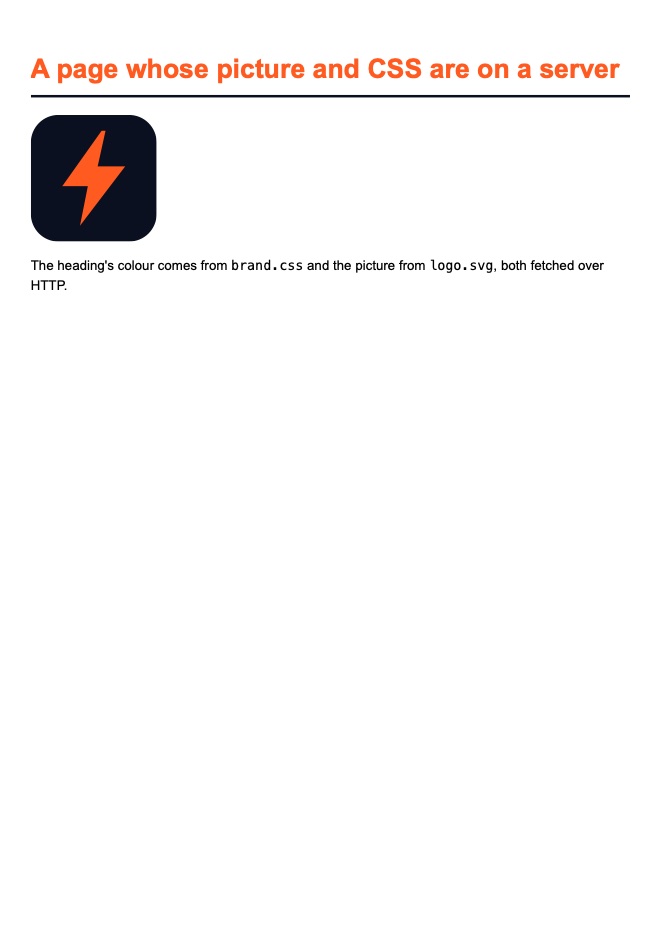
الشبكة معطّلة افتراضيًا: لا تُجلب عناوين الويب في الصفحة، بل تُسجَّل في الملاحظات. اسمح بالمضيفين الذين يمكن للصفحة التحميل منهم (assets خادم يشغّله المولّد على هذا الجهاز).
<!DOCTYPE html>
<html lang="en"><head><meta charset="utf-8"><title>Network</title>
<link rel="stylesheet" href="brand.css">
<style>body { font: 12pt/1.5 Arial, sans-serif; margin: 0; } img { width: 40mm; display: block; margin: 4mm 0; }</style></head>
<body>
<h1 class="brand">A page whose picture and CSS are on a server</h1>
<img src="logo.svg" alt="The logo, fetched from the server">
<p>The heading's colour comes from <code>brand.css</code> and the picture from <code>logo.svg</code>, both fetched over HTTP.</p>
</body></html>
معطّلة (الافتراضي)
var result = HtmlToPdf.Render(html, new HtmlPdfOptions { BaseUrl = assets });
الصفحة التي لا يعرضها خادمك إلا للمستخدمين المسجّلين تُطبع بما كان المتصفح سيرسله: رمز bearer، أو ملف تعريف ارتباط للجلسة، أو كلمة مرور لمصادقة HTTP. ولا يذهب كل منها إلا إلى المضيفين الذين يسمّيهم، وافتراضيًا إلى مضيف المستند نفسه (assets خادم يشغّله المولّد على هذا الجهاز؛ وتحتاج صفحات الحساب فيه إلى واحد منها).
<!DOCTYPE html>
<html lang="en"><head><meta charset="utf-8"><title>Account statement</title>
<link rel="stylesheet" href="../brand.css">
<style>
  body { font: 11pt/1.5 Arial, sans-serif; margin: 0; }
  table { border-collapse: collapse; width: 100%; margin-top: 6mm; }
  th, td { border-bottom: 1px solid #d0d4dc; padding: 2mm 3mm; text-align: left; }
  td.n { text-align: right; font-variant-numeric: tabular-nums; }
  .who { color: #555; }
</style></head>
<body>
<h1 class="brand">Account statement, October 2026</h1>
<p class="who">Signed in as <strong id="user">a customer</strong>: this page is served only with a valid session.</p>
<table>
  <tr><th>Date</th><th>Description</th><th class="n">Amount</th></tr>
  <tr><td>2026-10-03</td><td>Subscription, October</td><td class="n">-49.00</td></tr>
  <tr><td>2026-10-14</td><td>Refund, order 1182</td><td class="n">12.50</td></tr>
  <tr><td>2026-10-28</td><td>Top-up</td><td class="n">200.00</td></tr>
</table>
<script>
  // what the page's own scripts see of the session (an HttpOnly cookie never shows here)
  const theme = document.cookie.split('; ').find(c => c.startsWith('theme='));
  if (theme) document.getElementById('user').textContent += ' (theme ' + theme.slice(6) + ')';
</script>
</body></html>
رمز bearer
var result = HtmlToPdf.RenderUrl(new Uri(assets, "account/statement.html"), new HtmlPdfOptions
{
    Network = HtmlNetwork.Allow(assets.Host).WithBearerToken(accessToken),
});
<!DOCTYPE html>
<html lang="en"><head><meta charset="utf-8"><title>Field report: the Rhône sensors</title>
<style>
  body { font: 11pt/1.5 Arial, sans-serif; color: #1f2937; margin: 0; }
  .frame { border: 2px dashed #ff5a1f; padding: 6mm; }
  h1 { font-size: 22pt; margin: 0 0 3mm; color: #0b1020; }
  h2 { font-size: 14pt; margin: 6mm 0 2mm; color: #0b1020; }
  .band { background: linear-gradient(90deg, #0b1020, #3b0764); color: #fff; padding: 4mm 6mm; border-radius: 3mm; }
  .note { background: #fff7ed; border-left: 4px solid #ff5a1f; padding: 3mm 4mm; }
  table { border-collapse: collapse; width: 100%; margin-top: 3mm; }
  th, td { border: 1px solid #d1d5db; padding: 1.5mm 2.5mm; text-align: left; }
  th { background: #e0e7ff; }
  .page-break { break-before: page; }
</style></head>
<body>
<div class="frame">
  <div class="band"><h1 style="color:#fff">Field report: the Rhône sensors</h1>Page one of five: the dashed line is the page area's edge.</div>
  <h2>1. Where the sensors are</h2>
  <p>Forty-two stations along the river send a reading every ten minutes. The report below follows them from the lake to the sea, one section a page, so that the options that choose pages, sizes and margins show what they do.</p>
  <p class="note">A coloured band and a tinted note: printed with <code>PrintBackground</code> on, left white without it.</p>
  <table><tr><th>Station</th><th>Kilometre</th><th>Level (m)</th></tr>
    <tr><td>Genève</td><td>0</td><td>372.1</td></tr><tr><td>Seyssel</td><td>48</td><td>254.6</td></tr><tr><td>Lyon</td><td>232</td><td>162.3</td></tr></table>
</div>
<div class="frame page-break"><div class="band">Page two of five</div><h2>2. The upper river</h2><p>The upper river is fast and cold: its stations read the level every ten minutes and the temperature every hour.</p></div>
<div class="frame page-break"><div class="band">Page three of five</div><h2>3. Lyon</h2><p>At Lyon the Saône joins: the station reads both rivers.</p></div>
<div class="frame page-break"><div class="band">Page four of five</div><h2>4. The lower river</h2><p>Dams turn the lower river into a staircase of reaches.</p></div>
<div class="frame page-break"><div class="band">Page five of five</div><h2>5. The delta</h2><p>In the Camargue the river splits in two before the sea.</p></div>
</body></html>
None
var result = HtmlToPdf.Render(html, new HtmlPdfOptions { Compression = HtmlPdfCompression.None });
<!DOCTYPE html>
<html lang="en"><head><meta charset="utf-8"><title>Field report: the Rhône sensors</title>
<style>
  body { font: 11pt/1.5 Arial, sans-serif; color: #1f2937; margin: 0; }
  .frame { border: 2px dashed #ff5a1f; padding: 6mm; }
  h1 { font-size: 22pt; margin: 0 0 3mm; color: #0b1020; }
  h2 { font-size: 14pt; margin: 6mm 0 2mm; color: #0b1020; }
  .band { background: linear-gradient(90deg, #0b1020, #3b0764); color: #fff; padding: 4mm 6mm; border-radius: 3mm; }
  .note { background: #fff7ed; border-left: 4px solid #ff5a1f; padding: 3mm 4mm; }
  table { border-collapse: collapse; width: 100%; margin-top: 3mm; }
  th, td { border: 1px solid #d1d5db; padding: 1.5mm 2.5mm; text-align: left; }
  th { background: #e0e7ff; }
  .page-break { break-before: page; }
</style></head>
<body>
<div class="frame">
  <div class="band"><h1 style="color:#fff">Field report: the Rhône sensors</h1>Page one of five: the dashed line is the page area's edge.</div>
  <h2>1. Where the sensors are</h2>
  <p>Forty-two stations along the river send a reading every ten minutes. The report below follows them from the lake to the sea, one section a page, so that the options that choose pages, sizes and margins show what they do.</p>
  <p class="note">A coloured band and a tinted note: printed with <code>PrintBackground</code> on, left white without it.</p>
  <table><tr><th>Station</th><th>Kilometre</th><th>Level (m)</th></tr>
    <tr><td>Genève</td><td>0</td><td>372.1</td></tr><tr><td>Seyssel</td><td>48</td><td>254.6</td></tr><tr><td>Lyon</td><td>232</td><td>162.3</td></tr></table>
</div>
<div class="frame page-break"><div class="band">Page two of five</div><h2>2. The upper river</h2><p>The upper river is fast and cold: its stations read the level every ten minutes and the temperature every hour.</p></div>
<div class="frame page-break"><div class="band">Page three of five</div><h2>3. Lyon</h2><p>At Lyon the Saône joins: the station reads both rivers.</p></div>
<div class="frame page-break"><div class="band">Page four of five</div><h2>4. The lower river</h2><p>Dams turn the lower river into a staircase of reaches.</p></div>
<div class="frame page-break"><div class="band">Page five of five</div><h2>5. The delta</h2><p>In the Camargue the river splits in two before the sea.</p></div>
</body></html>
كلمة مرور للمستخدم، بلا نسخ
var result = HtmlToPdf.Render(html, new HtmlPdfOptions
{
    Security = new HtmlPdfSecurity { UserPassword = "open-me", OwnerPassword = "owner-secret", PermitCopying = false },
});
<!DOCTYPE html>
<html lang="en"><head><meta charset="utf-8"><title>Field report: the Rhône sensors</title>
<style>
  body { font: 11pt/1.5 Arial, sans-serif; color: #1f2937; margin: 0; }
  .frame { border: 2px dashed #ff5a1f; padding: 6mm; }
  h1 { font-size: 22pt; margin: 0 0 3mm; color: #0b1020; }
  h2 { font-size: 14pt; margin: 6mm 0 2mm; color: #0b1020; }
  .band { background: linear-gradient(90deg, #0b1020, #3b0764); color: #fff; padding: 4mm 6mm; border-radius: 3mm; }
  .note { background: #fff7ed; border-left: 4px solid #ff5a1f; padding: 3mm 4mm; }
  table { border-collapse: collapse; width: 100%; margin-top: 3mm; }
  th, td { border: 1px solid #d1d5db; padding: 1.5mm 2.5mm; text-align: left; }
  th { background: #e0e7ff; }
  .page-break { break-before: page; }
</style></head>
<body>
<div class="frame">
  <div class="band"><h1 style="color:#fff">Field report: the Rhône sensors</h1>Page one of five: the dashed line is the page area's edge.</div>
  <h2>1. Where the sensors are</h2>
  <p>Forty-two stations along the river send a reading every ten minutes. The report below follows them from the lake to the sea, one section a page, so that the options that choose pages, sizes and margins show what they do.</p>
  <p class="note">A coloured band and a tinted note: printed with <code>PrintBackground</code> on, left white without it.</p>
  <table><tr><th>Station</th><th>Kilometre</th><th>Level (m)</th></tr>
    <tr><td>Genève</td><td>0</td><td>372.1</td></tr><tr><td>Seyssel</td><td>48</td><td>254.6</td></tr><tr><td>Lyon</td><td>232</td><td>162.3</td></tr></table>
</div>
<div class="frame page-break"><div class="band">Page two of five</div><h2>2. The upper river</h2><p>The upper river is fast and cold: its stations read the level every ten minutes and the temperature every hour.</p></div>
<div class="frame page-break"><div class="band">Page three of five</div><h2>3. Lyon</h2><p>At Lyon the Saône joins: the station reads both rivers.</p></div>
<div class="frame page-break"><div class="band">Page four of five</div><h2>4. The lower river</h2><p>Dams turn the lower river into a staircase of reaches.</p></div>
<div class="frame page-break"><div class="band">Page five of five</div><h2>5. The delta</h2><p>In the Camargue the river splits in two before the sea.</p></div>
</body></html>
العنوان، والمؤلف، وPDF/A
var result = HtmlToPdf.Render(html, new HtmlPdfOptions { Title = "Rhône field report", Author = "Hydrology team", PdfA = true });
<!DOCTYPE html>
<html lang="en"><head><meta charset="utf-8"><title>Field report: the Rhône sensors</title>
<style>
  body { font: 11pt/1.5 Arial, sans-serif; color: #1f2937; margin: 0; }
  .frame { border: 2px dashed #ff5a1f; padding: 6mm; }
  h1 { font-size: 22pt; margin: 0 0 3mm; color: #0b1020; }
  h2 { font-size: 14pt; margin: 6mm 0 2mm; color: #0b1020; }
  .band { background: linear-gradient(90deg, #0b1020, #3b0764); color: #fff; padding: 4mm 6mm; border-radius: 3mm; }
  .note { background: #fff7ed; border-left: 4px solid #ff5a1f; padding: 3mm 4mm; }
  table { border-collapse: collapse; width: 100%; margin-top: 3mm; }
  th, td { border: 1px solid #d1d5db; padding: 1.5mm 2.5mm; text-align: left; }
  th { background: #e0e7ff; }
  .page-break { break-before: page; }
</style></head>
<body>
<div class="frame">
  <div class="band"><h1 style="color:#fff">Field report: the Rhône sensors</h1>Page one of five: the dashed line is the page area's edge.</div>
  <h2>1. Where the sensors are</h2>
  <p>Forty-two stations along the river send a reading every ten minutes. The report below follows them from the lake to the sea, one section a page, so that the options that choose pages, sizes and margins show what they do.</p>
  <p class="note">A coloured band and a tinted note: printed with <code>PrintBackground</code> on, left white without it.</p>
  <table><tr><th>Station</th><th>Kilometre</th><th>Level (m)</th></tr>
    <tr><td>Genève</td><td>0</td><td>372.1</td></tr><tr><td>Seyssel</td><td>48</td><td>254.6</td></tr><tr><td>Lyon</td><td>232</td><td>162.3</td></tr></table>
</div>
<div class="frame page-break"><div class="band">Page two of five</div><h2>2. The upper river</h2><p>The upper river is fast and cold: its stations read the level every ten minutes and the temperature every hour.</p></div>
<div class="frame page-break"><div class="band">Page three of five</div><h2>3. Lyon</h2><p>At Lyon the Saône joins: the station reads both rivers.</p></div>
<div class="frame page-break"><div class="band">Page four of five</div><h2>4. The lower river</h2><p>Dams turn the lower river into a staircase of reaches.</p></div>
<div class="frame page-break"><div class="band">Page five of five</div><h2>5. The delta</h2><p>In the Camargue the river splits in two before the sea.</p></div>
</body></html>
MaxPages = 2
var result = HtmlToPdf.Render(html, new HtmlPdfOptions { Limits = HtmlPdfLimits.Default with { MaxPages = 2 } });
Console.WriteLine($"{result.PageCount} pages, completed: {result.Completed}");
<!DOCTYPE html>
<html lang="en"><head><meta charset="utf-8"><title>Notes</title>
<style>body { font: 12pt/1.5 Arial, sans-serif; margin: 0; } .odd { font-family: "Some Font Nobody Has", serif; }</style></head>
<body>
<h1>A page with problems</h1>
<p><img src="missing-picture.png" alt="A picture that is not there" width="120" height="60"></p>
<p class="odd">Text in a font family the machine does not have.</p>
<p><img src="https://cdn.example.com/banner.png" alt="A picture on another host" width="120" height="60"></p>
<script>
  document.body.append('The script ran up to here; ');
  undefinedFunction();
</script>
</body></html>
صفحة فيها مشكلات
var result = HtmlToPdf.Render(html);
foreach (var note in result.Notes)
    Console.WriteLine($"{note.Severity} {note.Code}: {note.Message}");
Warning scriptError: ReferenceError: undefinedFunction is not defined | at about:blank#script-25:11:3 | at HostDelegate.<anonymous> (<anonymous>) | at Object.hostCall (ssrs2-dom.js:15562:11)
Warning resourceFailed: Image "missing-picture.png" is not a URL that resolves against no base URL.
Info resourceRefused: Image https://cdn.example.com/banner.png: no resource loader was given (only data: URLs load).
Info scriptsRan: The page's scripts ran (17 ms of virtual time, 4 tasks; 0 canvases drawn).
Info notImplemented: A picture that did not load shows its alternative text; Chrome's broken-image icon beside it is laid out but not drawn.
Info fontFamilyMissing: The font family "Some Font Nobody Has" is not on this machine: its text goes to the next family.
المتصفح الذي تراه الصفحة
افتراضيًا ترى الصفحة متصفح Chrome 156 لسطح المكتب على نظام تشغيل الجهاز نفسه. وقد أُعدّت هذه الصفحات على macOS.
Info scriptsRan: The page's scripts ran (17 ms of virtual time, 2 tasks; 0 canvases drawn).
de-CH، وEurope/Zurich، وساعة ثابتة
var result = HtmlToPdf.Render(html, new HtmlPdfOptions
{
    Locale = "de-CH",
    TimeZone = "Europe/Zurich",
    Now = new DateTimeOffset(2026, 11, 7, 9, 30, 0, TimeSpan.FromHours(1)),
});
<!DOCTYPE html>
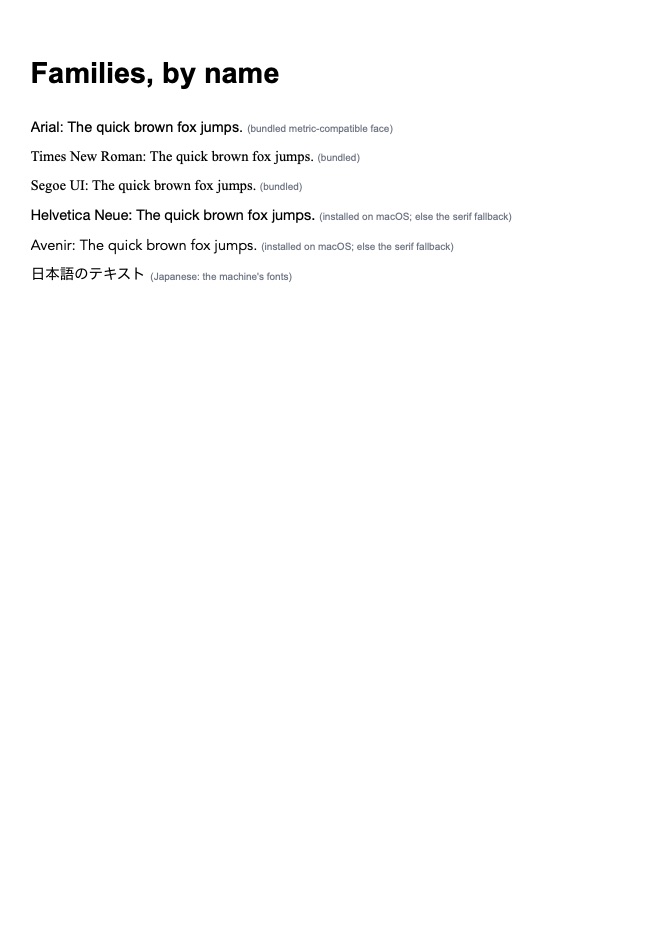
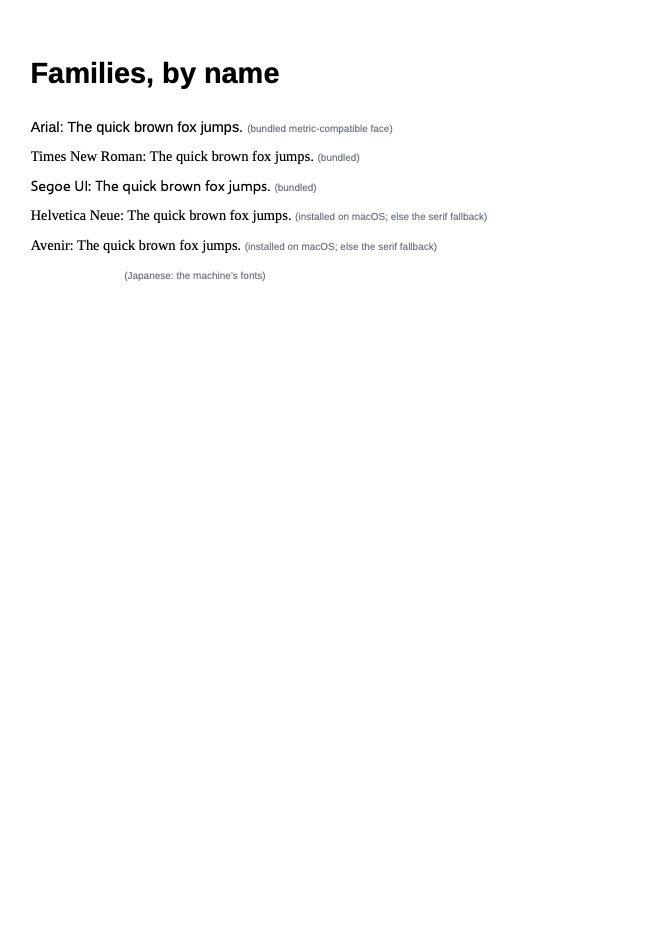
<html lang="en"><head><meta charset="utf-8"><title>Fonts</title>
<style>body { font: 13pt/1.6 Arial, sans-serif; margin: 0; } p { margin: 2mm 0; } span { color: #6b7280; font: 9pt Arial; }</style></head>
<body>
<h1>Families, by name</h1>
<p style="font-family: Arial">Arial: The quick brown fox jumps. <span>(bundled metric-compatible face)</span></p>
<p style="font-family: 'Times New Roman'">Times New Roman: The quick brown fox jumps. <span>(bundled)</span></p>
<p style="font-family: 'Segoe UI'">Segoe UI: The quick brown fox jumps. <span>(bundled)</span></p>
<p style="font-family: 'Helvetica Neue', serif">Helvetica Neue: The quick brown fox jumps. <span>(installed on macOS; else the serif fallback)</span></p>
<p style="font-family: Avenir, serif">Avenir: The quick brown fox jumps. <span>(installed on macOS; else the serif fallback)</span></p>
<p style="font-family: 'Hiragino Sans', serif">日本語のテキスト <span>(Japanese: the machine's fonts)</span></p>
</body></html>
Info fontFamilyMissing: The font family "Helvetica Neue" is not in the font profile "reference": its text goes to the next family.
Info fontFamilyMissing: The font family "Avenir" is not in the font profile "reference": its text goes to the next family.
Info fontFamilyMissing: The font family "Hiragino Sans" is not in the font profile "reference": its text goes to the next family.
Warning missingGlyph: No font of 'Hiragino Sans, serif' nor the fallback has a glyph for a character: drawn as .notdef.
قوائم تُحمَّل أثناء التمرير
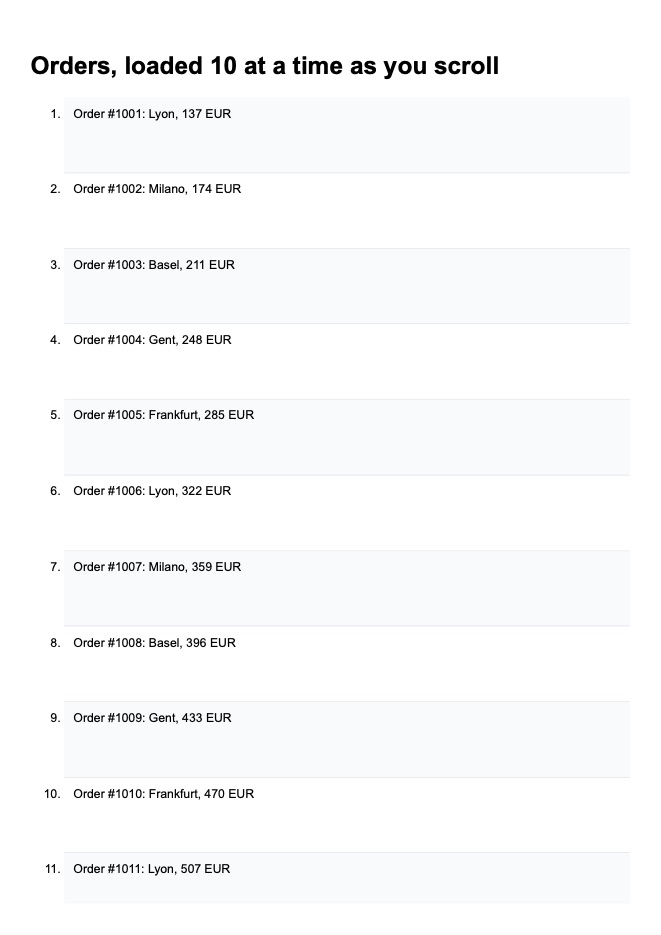
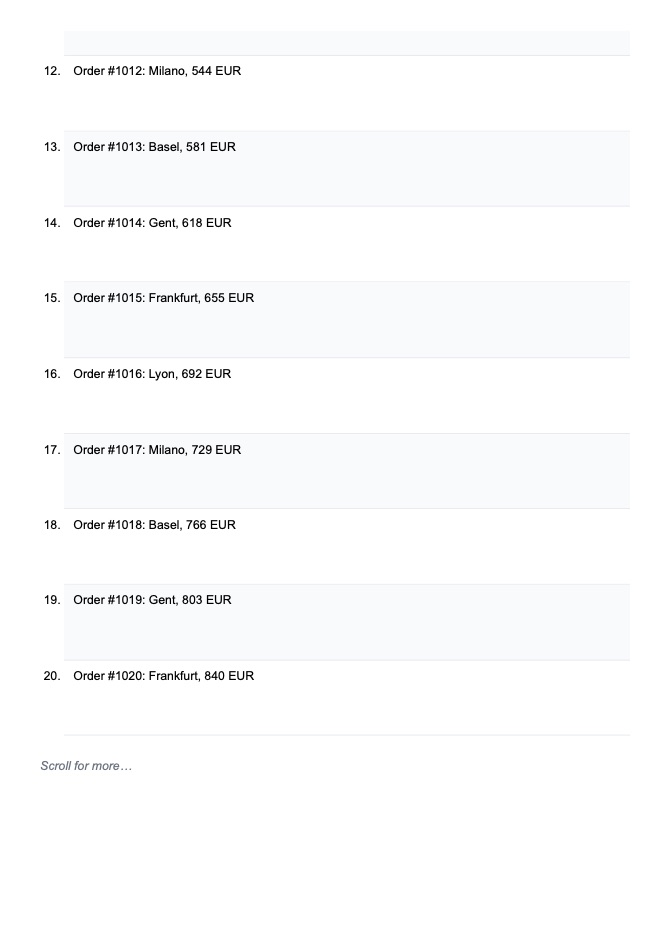
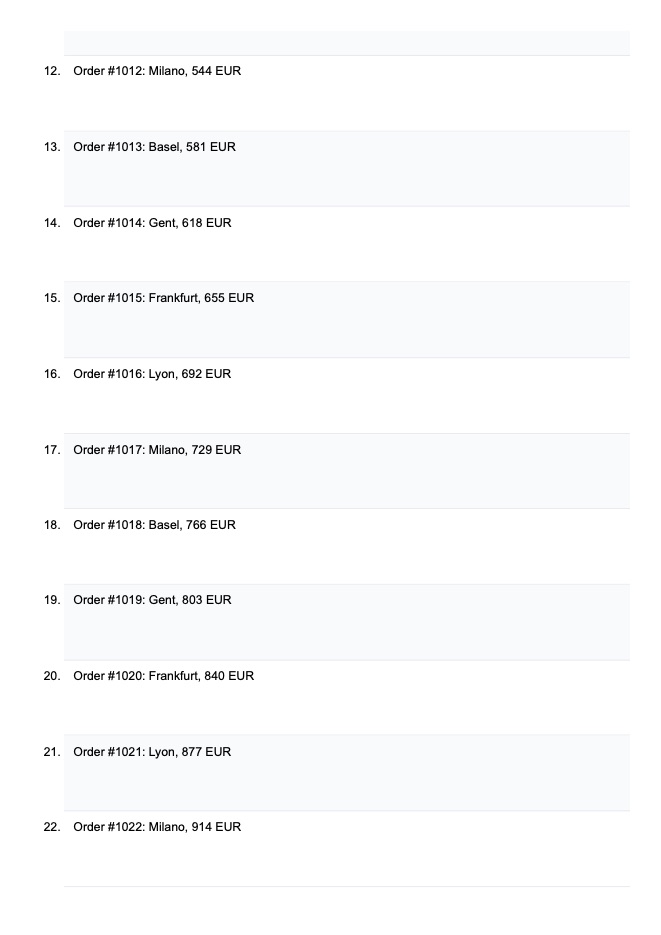
تحمّل قائمة لا نهائية الطلبات العشرة التالية في كل مرة يظهر فيها أسفلها. من دون خيار تمرير، يُبلغ IntersectionObserver في Weblitz عن ظهور الأسفل مرة واحدة، فيحتوي ملف PDF على عشرين طلبًا؛ أما ScrollThrough فيمرّر النافذة إلى الأسفل بمقدار ارتفاع نافذة في كل مرة، وتنتظر كل خطوة مدة ScrollStepWait من الوقت الافتراضي، فتُحمَّل القائمة إلى نهايتها وتُطبع الطلبات الستون كلها.
<!DOCTYPE html>
<html lang="en"><head><meta charset="utf-8"><title>A list that loads as you scroll</title>
<style>
  body { font: 11pt/1.4 Arial, sans-serif; margin: 0; }
  li { padding: 2.2mm 3mm; min-height: 24mm; box-sizing: border-box; border-bottom: 1px solid #e5e7eb; }
  li:nth-child(odd) { background: #f8fafc; }
  #more { padding: 3mm; color: #6b7280; font-style: italic; }
</style></head>
<body>
<h1>Orders, loaded 10 at a time as you scroll</h1>
<ol id="list"></ol>
<p id="more">Scroll for more…</p>
<script>
  // An infinite list as sites write it: the next ten orders load when the bottom comes into view, up to 60
  let loaded = 0;
  const list = document.getElementById('list');
  function loadMore() {
    for (let i = 0; i < 10 && loaded < 60; i++) {
      loaded++;
      const li = document.createElement('li');
      li.textContent = `Order #${1000 + loaded}: ${['Frankfurt', 'Lyon', 'Milano', 'Basel', 'Gent'][loaded % 5]}, ${(loaded * 37) % 900 + 100} EUR`;
      list.append(li);
    }
    if (loaded >= 60) document.getElementById('more').textContent = 'All 60 orders loaded.';
  }
  loadMore();
  new IntersectionObserver((entries) => { if (entries.some(e => e.isIntersecting)) setTimeout(loadMore, 100); })
    .observe(document.getElementById('more'));
</script>
</body></html>
Info scriptsRan: The page's scripts ran (883 ms of virtual time, 40 tasks; 0 canvases drawn).
التمرير إلى قسم أولًا
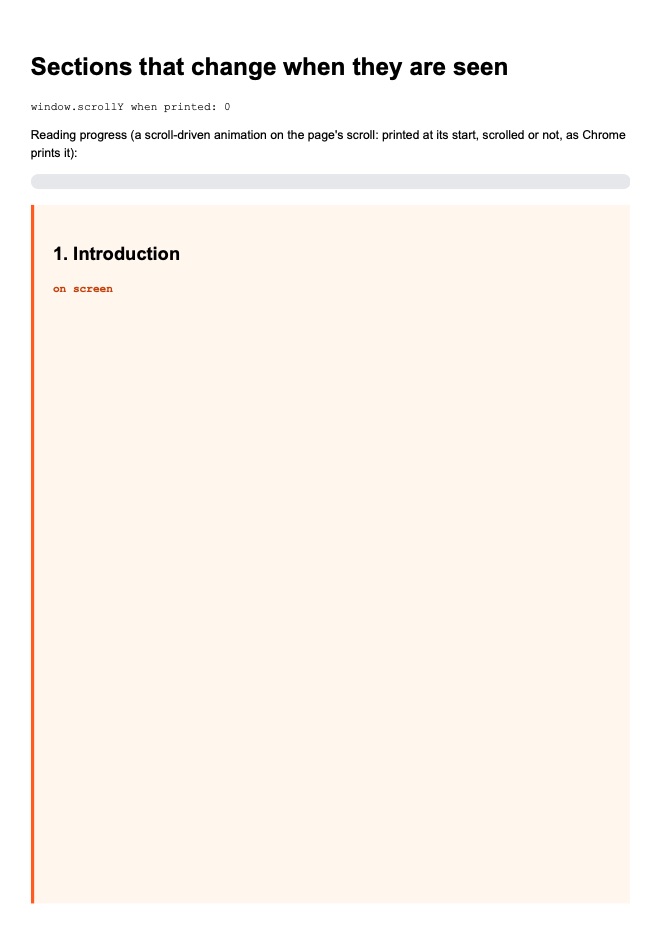
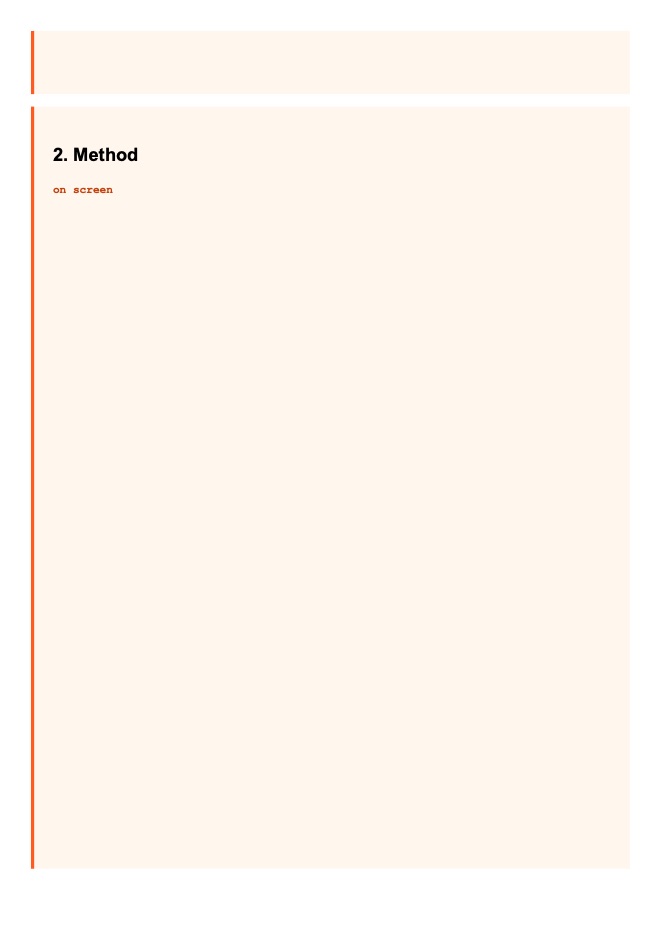
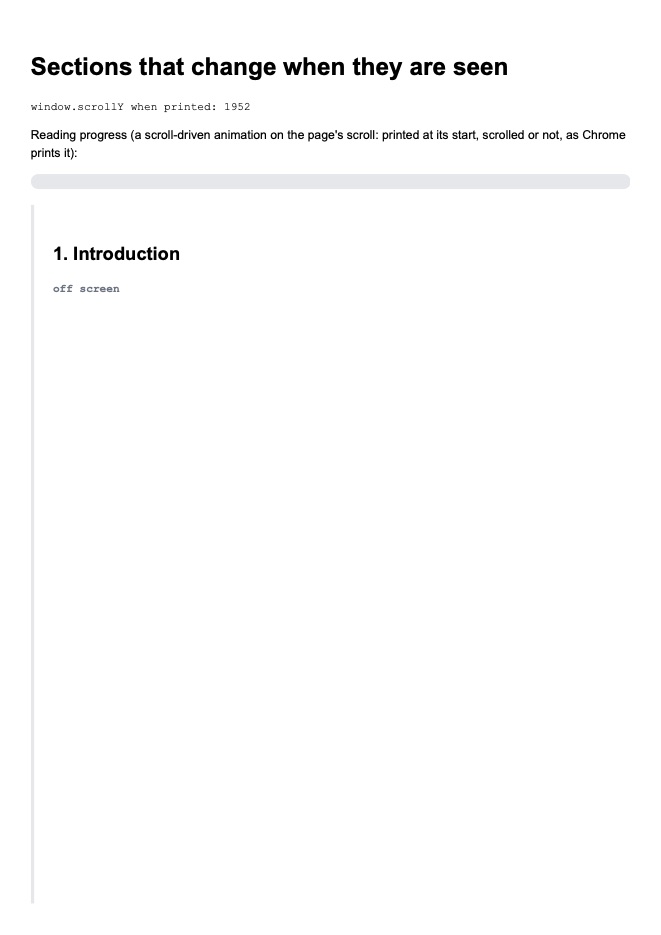
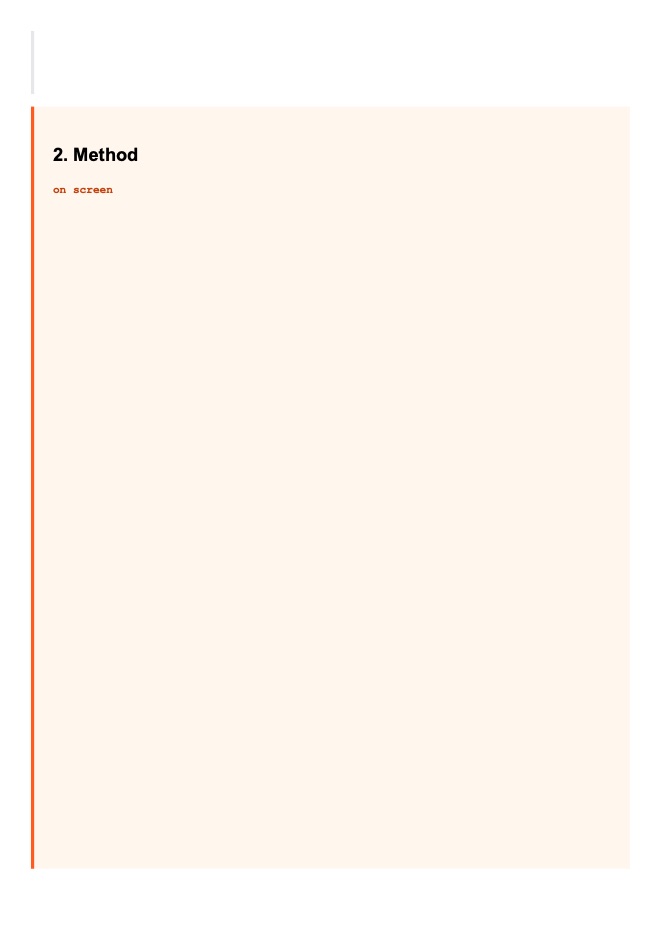
يمرّر ScrollTo النافذة قبل الطباعة، كما يفعل المستخدم قبل الضغط على «طباعة»: تراه أحداث التمرير في الصفحة واستدعاءات IntersectionObserver (هنا الأقسام التي خرجت من الشاشة، و scrollY). أما الخط الزمني للتمرير المرتبط بتمرير الصفحة نفسها فيُطبع عند بدايته في الحالتين، كما يطبعه Chrome. ويظل ملف PDF يحتوي على المستند كاملًا من أعلاه.
Info scriptsRan: The page's scripts ran (33 ms of virtual time, 4 tasks; 0 canvases drawn).
طباعة جزء من الصفحة
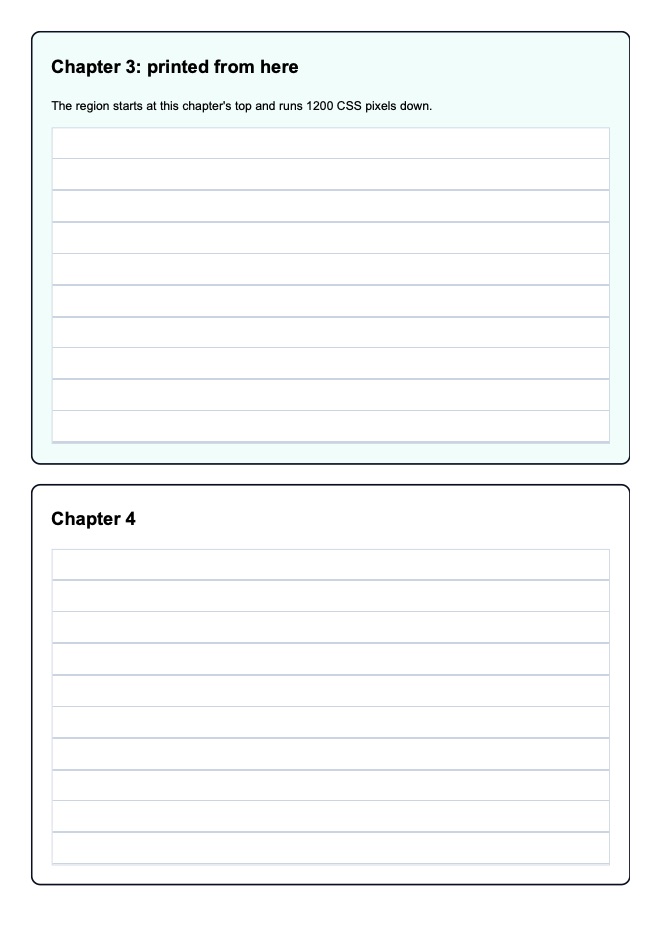
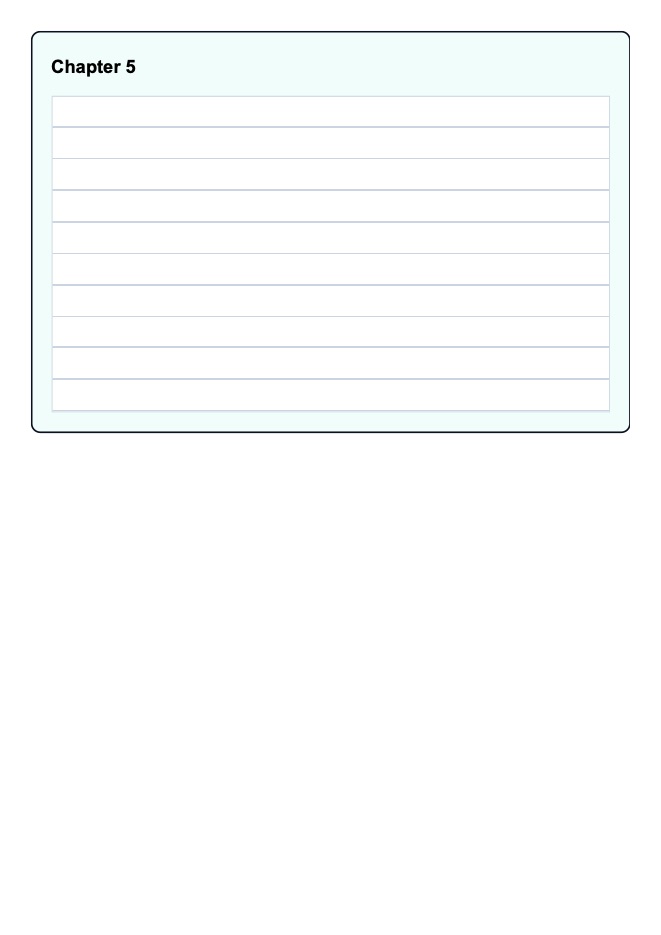
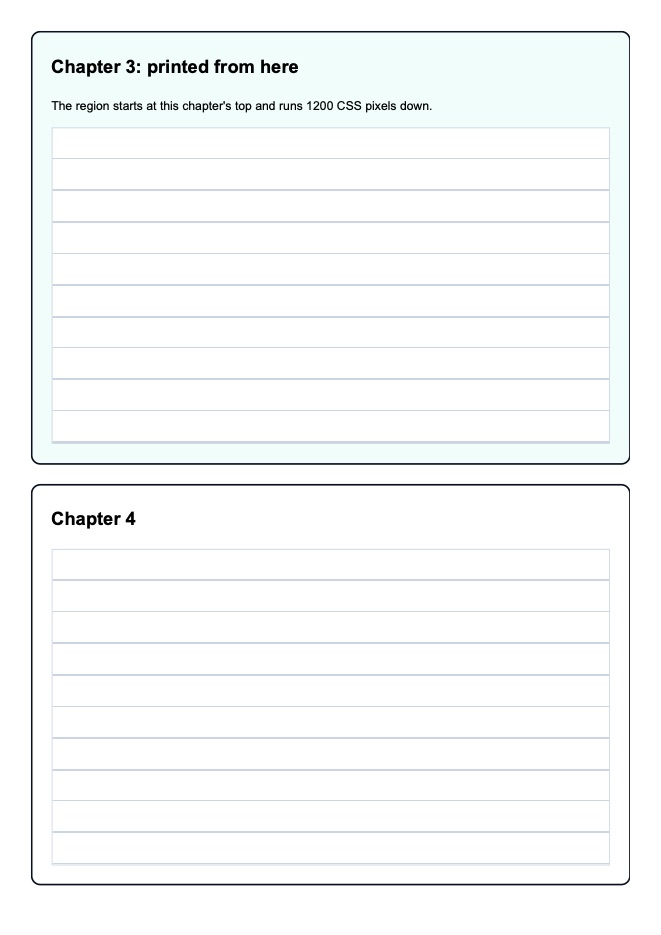
يطبع Region جزءًا من المستند، من نقطة بداية (موضع التمرير، أو طول، أو عنصر) لارتفاع معيّن؛ ويُستبعد ما فوقه وما تحته، ويُوزَّع الجزء على الصفحات كما يُوزَّع مستند كامل.
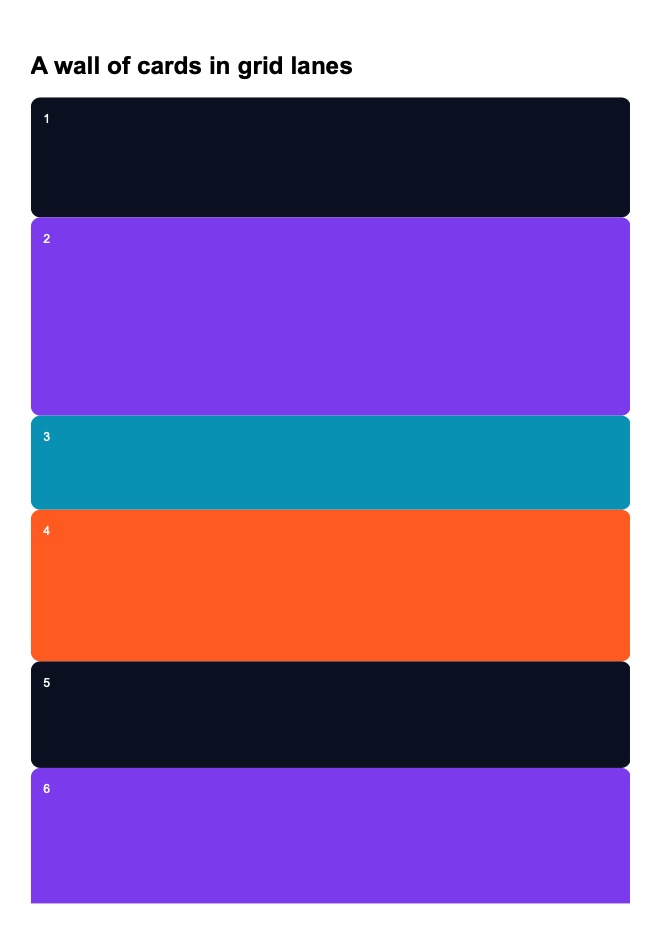
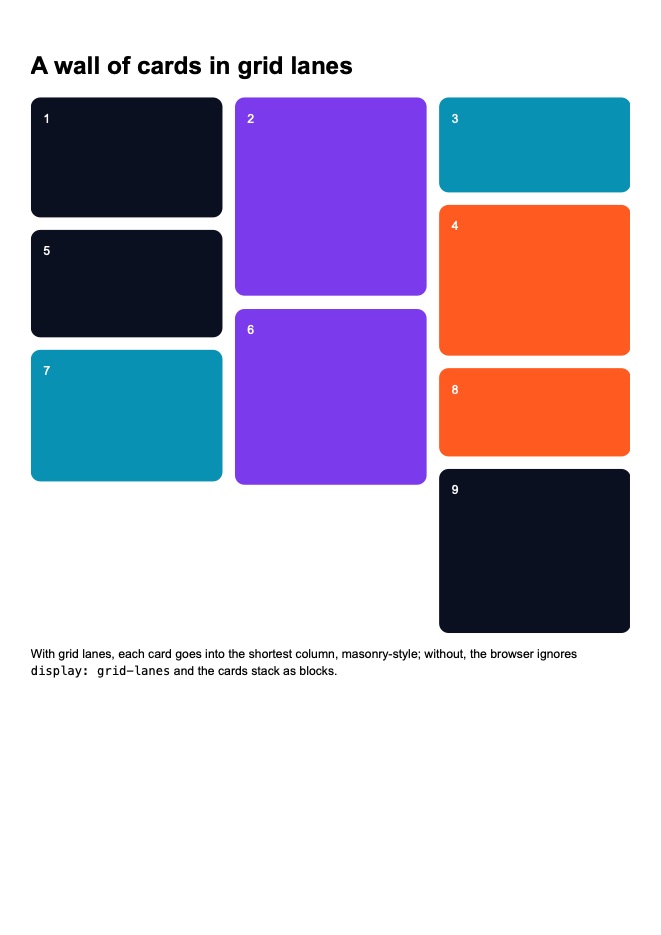
معطّل افتراضيًا، كما يطبع إصدار Chrome المستقر؛ وعند تفعيله تعمل الميزات التي يضعها Chrome 156 خلف علامة «Experimental Web Platform features» والتي بناها Weblitz، ومنها grid lanes.
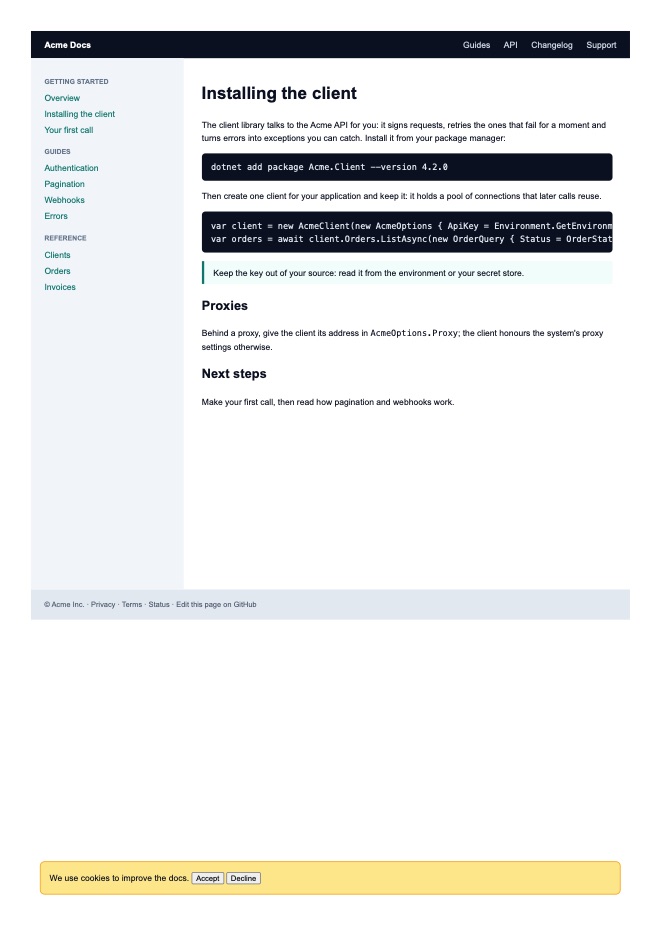
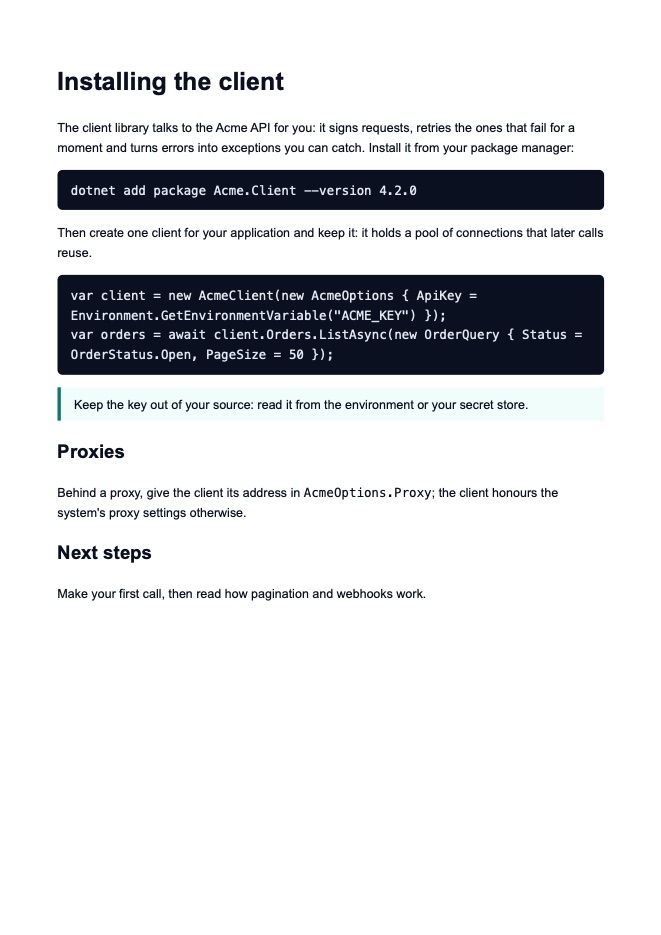
صفحة التوثيق التي لا أنماط طباعة خاصة بها تطبع شريطها العلوي وشريطها الجانبي وتذييلها وشريط ملفات تعريف الارتباط. يحذف Hide العناصر حسب محدِّد CSS (كل منها قاعدة display: none !important)؛ ويضيف Styles شيفرة CSS خاصة بك، وهنا نمط طباعة يدع النص يأخذ عرض الصفحة ويلفّ أسطر الشيفرة الطويلة. ويُضاف كلاهما كما يضيف page.addStyleTag في Puppeteer شيفرة CSS قبل page.pdf(): بعد أن تستقر النصوص البرمجية للصفحة، وقبل beforeprint.
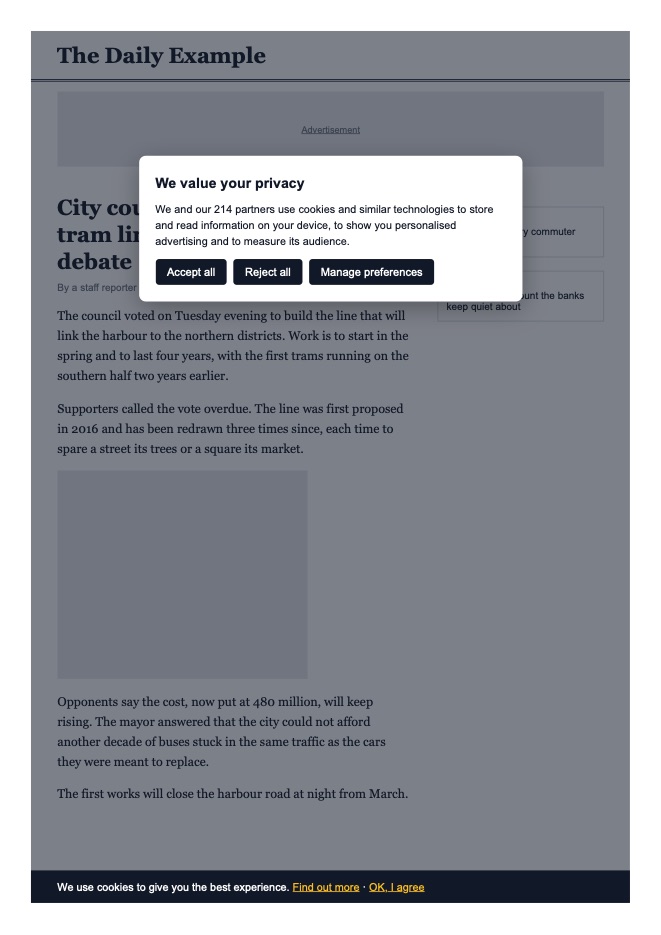
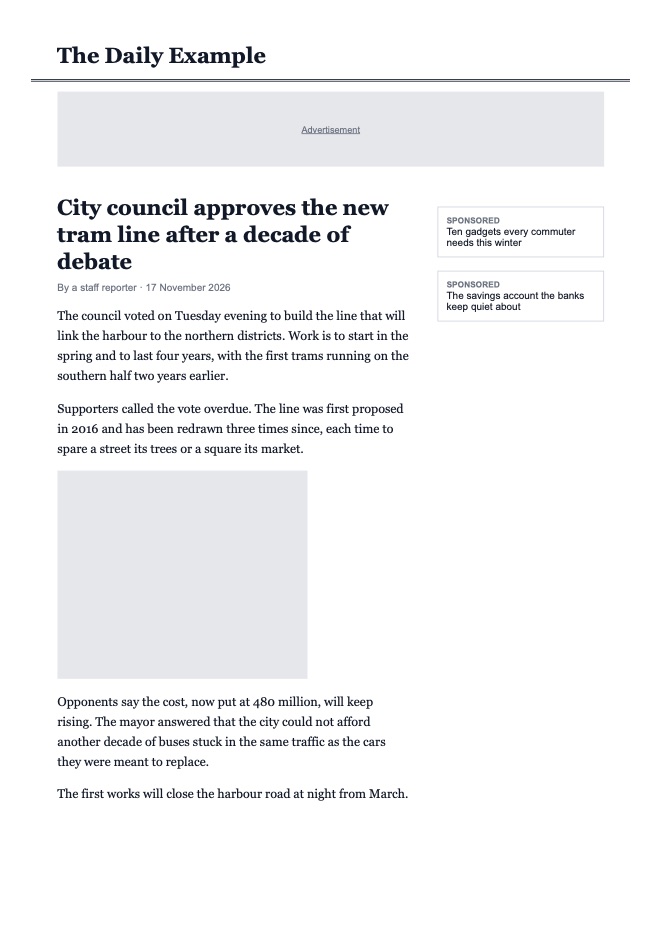
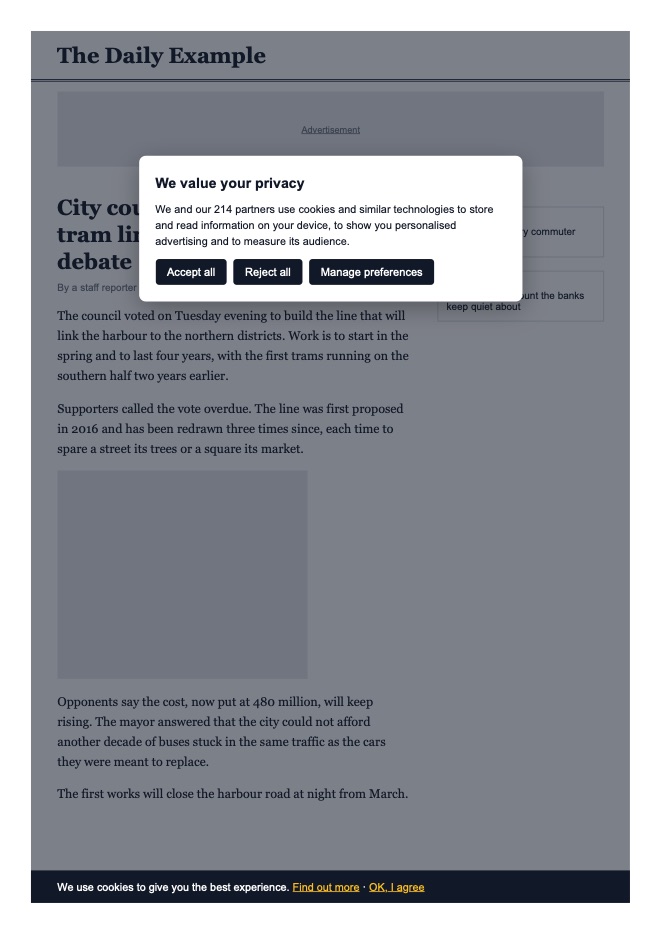
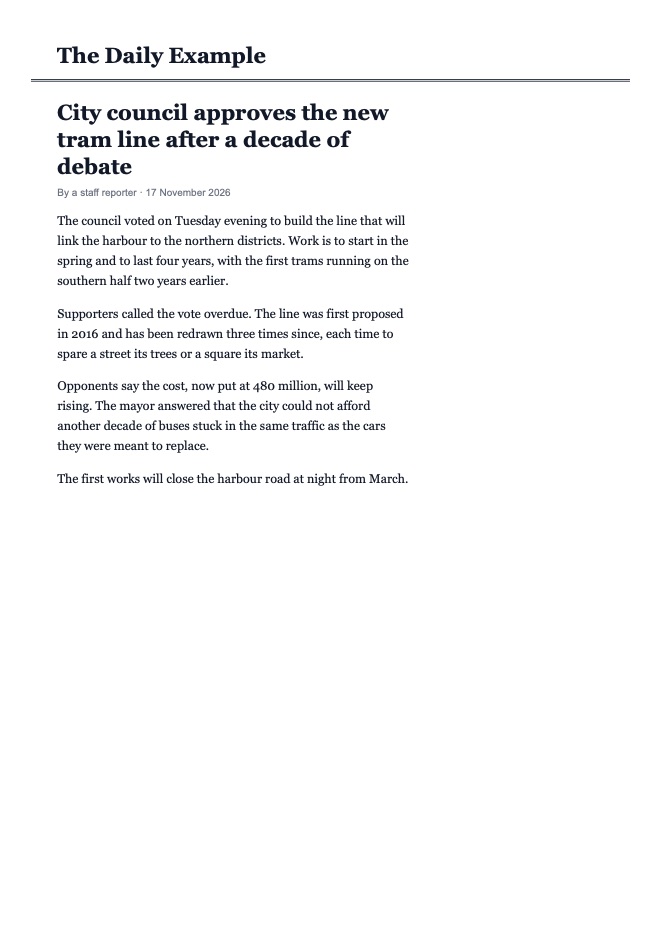
كثيرًا ما تأتي صفحة من الويب ومعها مربع حوار للموافقة فوقها وشريط لملفات تعريف الارتباط أسفلها. يستبعدها الخيار Consent = Hide من الطباعة دون النقر على أي شيء: تعمل الصفحة ومنصة الموافقة الخاصة بها كما هي، ولا تُقدَّم أي إجابة باسم القارئ. ويُخفي مربعات منصات الموافقة نفسها، والمربعات التي تسمّيها قائمة EasyList Cookie List، ومربعًا من الصفحة نفسها (مثبّتًا على النافذة، أو مربع حوار، يتحدث عن ملفات تعريف الارتباط أو الموافقة أو الخصوصية ويحتوي على زر للإجابة)، مع الحجاب الذي خلفه والقفل الذي يفرضه على تمرير الصفحة. وتذكر ملاحظة consentHidden ما أُخفي.
<!DOCTYPE html>
<html lang="en"><head><meta charset="utf-8"><title>The Daily Example</title>
<style>
  body { font: 15px/1.6 Georgia, serif; margin: 0; color: #111827; }
  header { padding: 14px 32px; border-bottom: 3px double #111827; font: bold 26px Georgia, serif; }
  main { display: flex; gap: 32px; padding: 20px 32px; }
  article { flex: 1; }
  h1 { font-size: 26px; line-height: 1.25; margin: 0 0 8px; }
  .byline { color: #6b7280; font: 12px Arial, sans-serif; margin-bottom: 12px; }
  aside { width: 200px; flex: none; }
  .slot { display: block; background: #e5e7eb; color: #6b7280; font: 11px Arial, sans-serif; text-align: center; }
  .sponsored { margin-top: 16px; padding: 10px; border: 1px solid #d1d5db; font: 12px Arial, sans-serif; }
  .sponsored b { display: block; color: #6b7280; text-transform: uppercase; font-size: 10px; }
  #veil { position: fixed; inset: 0; background: rgba(17, 24, 39, .55); }
  #consent { position: fixed; top: 150px; left: 50%; width: 420px; margin-left: -230px; padding: 20px; background: #fff;
    border-radius: 8px; font: 13px/1.5 Arial, sans-serif; box-shadow: 0 8px 30px rgba(0, 0, 0, .3); }
  #consent h2 { margin: 0 0 8px; font-size: 17px; }
  #consent button { margin: 12px 8px 0 0; padding: 8px 14px; border: 0; border-radius: 4px; background: #111827; color: #fff; }
  #cookie-bar { position: fixed; left: 0; right: 0; bottom: 0; padding: 12px 32px; background: #111827; color: #fff;
    font: 13px Arial, sans-serif; }
  #cookie-bar a { color: #fbbf24; }
</style></head>
<body>
<header>The Daily Example</header>
<ins class="adsbygoogle slot" data-ad-slot="1234567890" style="height: 90px; line-height: 90px; margin: 12px 32px;">Advertisement</ins>
<main>
  <article>
    <h1>City council approves the new tram line after a decade of debate</h1>
    <div class="byline">By a staff reporter · 17 November 2026</div>
    <p>The council voted on Tuesday evening to build the line that will link the harbour to the northern districts.
    Work is to start in the spring and to last four years, with the first trams running on the southern half two years
    earlier.</p>
    <p>Supporters called the vote overdue. The line was first proposed in 2016 and has been redrawn three times since,
    each time to spare a street its trees or a square its market.</p>
    <iframe class="slot" src="https://securepubads.g.doubleclick.net/gampad/adx?slot=inline" width="300" height="250" style="border: 0; margin: 8px 0;"></iframe>
    <p>Opponents say the cost, now put at 480 million, will keep rising. The mayor answered that the city could not
    afford another decade of buses stuck in the same traffic as the cars they were meant to replace.</p>
    <p>The first works will close the harbour road at night from March.</p>
  </article>
  <aside>
    <div class="sponsored"><b>Sponsored</b>Ten gadgets every commuter needs this winter</div>
    <div class="sponsored"><b>Sponsored</b>The savings account the banks keep quiet about</div>
  </aside>
</main>
<div id="veil" hidden></div>
<div id="consent" role="dialog" aria-modal="true" hidden>
  <h2>We value your privacy</h2>
  We and our 214 partners use cookies and similar technologies to store and read information on your device, to show
  you personalised advertising and to measure its audience.
  <div><button>Accept all</button><button>Reject all</button><button>Manage preferences</button></div>
</div>
<div id="cookie-bar" hidden>We use cookies to give you the best experience. <a href="#">Find out more</a> · <a href="#" role="button">OK, I agree</a></div>
<script src="https://www.google-analytics.com/analytics.js" async></script>
<script>
  // (as a consent platform does: its boxes appear once the page has loaded)
  window.addEventListener('load', function () {
    for (const id of ['veil', 'consent', 'cookie-bar']) document.getElementById(id).hidden = false;
  });
</script>
</body></html>
Info resourceRefused: Script https://www.google-analytics.com/analytics.js: no resource loader was given (only data: URLs load).
Info resourceRefused: Frame https://securepubads.g.doubleclick.net/gampad/adx?slot=inline: no resource loader was given (only data: URLs load).
Info consentHidden: Consent boxes are not printed (Consent = Hide): the page's own div#consent, the page's own div#cookie-bar.
Info scriptsRan: The page's scripts ran (33 ms of virtual time, 6 tasks; 0 canvases drawn).
دون إعلانات وأدوات تتبّع
يطبع الخيار Ads = Block الصفحة كما يعرضها مانع الإعلانات، وفق قائمتي التصفية EasyList و EasyPrivacy (من عمل مؤلفي EasyList، وتحمل الحزمة نسخة منهما): لا يُرسل الطلب الذي تحظره القائمتان، ولا يُطبع العنصر الذي تخفيانه، ولا يترك الإطار الذي رُفض طلبه مربعًا فارغًا. ويضيف AdFilters قواعدك الخاصة بالصيغة نفسها، هنا للمربعات الممولة في الصفحة. وتحصي ملاحظة adsBlocked ما استُبعد. وهنا مع Consent = Hide أيضًا.
<!DOCTYPE html>
<html lang="en"><head><meta charset="utf-8"><title>The Daily Example</title>
<style>
  body { font: 15px/1.6 Georgia, serif; margin: 0; color: #111827; }
  header { padding: 14px 32px; border-bottom: 3px double #111827; font: bold 26px Georgia, serif; }
  main { display: flex; gap: 32px; padding: 20px 32px; }
  article { flex: 1; }
  h1 { font-size: 26px; line-height: 1.25; margin: 0 0 8px; }
  .byline { color: #6b7280; font: 12px Arial, sans-serif; margin-bottom: 12px; }
  aside { width: 200px; flex: none; }
  .slot { display: block; background: #e5e7eb; color: #6b7280; font: 11px Arial, sans-serif; text-align: center; }
  .sponsored { margin-top: 16px; padding: 10px; border: 1px solid #d1d5db; font: 12px Arial, sans-serif; }
  .sponsored b { display: block; color: #6b7280; text-transform: uppercase; font-size: 10px; }
  #veil { position: fixed; inset: 0; background: rgba(17, 24, 39, .55); }
  #consent { position: fixed; top: 150px; left: 50%; width: 420px; margin-left: -230px; padding: 20px; background: #fff;
    border-radius: 8px; font: 13px/1.5 Arial, sans-serif; box-shadow: 0 8px 30px rgba(0, 0, 0, .3); }
  #consent h2 { margin: 0 0 8px; font-size: 17px; }
  #consent button { margin: 12px 8px 0 0; padding: 8px 14px; border: 0; border-radius: 4px; background: #111827; color: #fff; }
  #cookie-bar { position: fixed; left: 0; right: 0; bottom: 0; padding: 12px 32px; background: #111827; color: #fff;
    font: 13px Arial, sans-serif; }
  #cookie-bar a { color: #fbbf24; }
</style></head>
<body>
<header>The Daily Example</header>
<ins class="adsbygoogle slot" data-ad-slot="1234567890" style="height: 90px; line-height: 90px; margin: 12px 32px;">Advertisement</ins>
<main>
  <article>
    <h1>City council approves the new tram line after a decade of debate</h1>
    <div class="byline">By a staff reporter · 17 November 2026</div>
    <p>The council voted on Tuesday evening to build the line that will link the harbour to the northern districts.
    Work is to start in the spring and to last four years, with the first trams running on the southern half two years
    earlier.</p>
    <p>Supporters called the vote overdue. The line was first proposed in 2016 and has been redrawn three times since,
    each time to spare a street its trees or a square its market.</p>
    <iframe class="slot" src="https://securepubads.g.doubleclick.net/gampad/adx?slot=inline" width="300" height="250" style="border: 0; margin: 8px 0;"></iframe>
    <p>Opponents say the cost, now put at 480 million, will keep rising. The mayor answered that the city could not
    afford another decade of buses stuck in the same traffic as the cars they were meant to replace.</p>
    <p>The first works will close the harbour road at night from March.</p>
  </article>
  <aside>
    <div class="sponsored"><b>Sponsored</b>Ten gadgets every commuter needs this winter</div>
    <div class="sponsored"><b>Sponsored</b>The savings account the banks keep quiet about</div>
  </aside>
</main>
<div id="veil" hidden></div>
<div id="consent" role="dialog" aria-modal="true" hidden>
  <h2>We value your privacy</h2>
  We and our 214 partners use cookies and similar technologies to store and read information on your device, to show
  you personalised advertising and to measure its audience.
  <div><button>Accept all</button><button>Reject all</button><button>Manage preferences</button></div>
</div>
<div id="cookie-bar" hidden>We use cookies to give you the best experience. <a href="#">Find out more</a> · <a href="#" role="button">OK, I agree</a></div>
<script src="https://www.google-analytics.com/analytics.js" async></script>
<script>
  // (as a consent platform does: its boxes appear once the page has loaded)
  window.addEventListener('load', function () {
    for (const id of ['veil', 'consent', 'cookie-bar']) document.getElementById(id).hidden = false;
  });
</script>
</body></html>