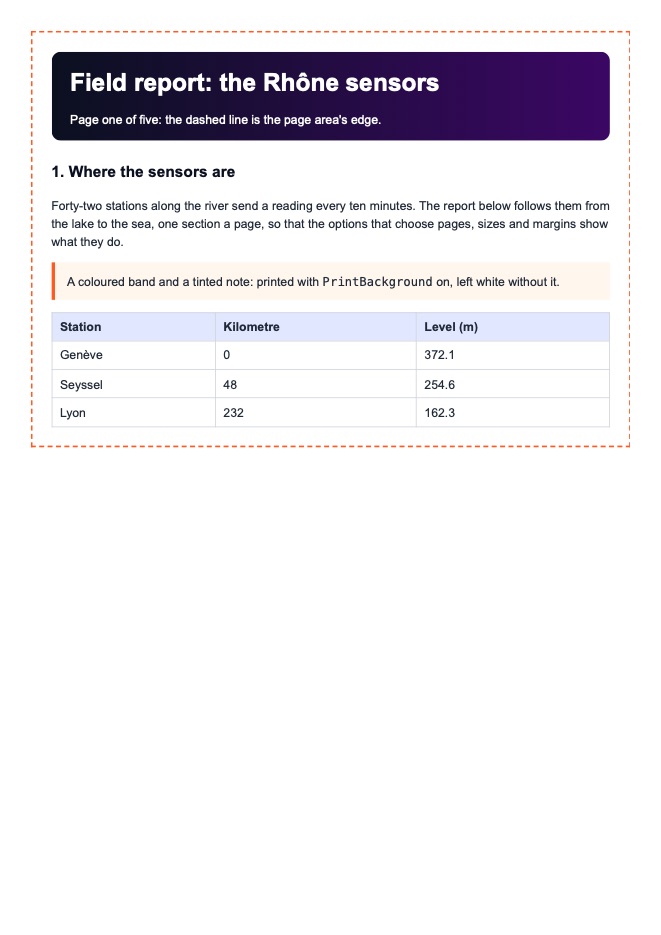
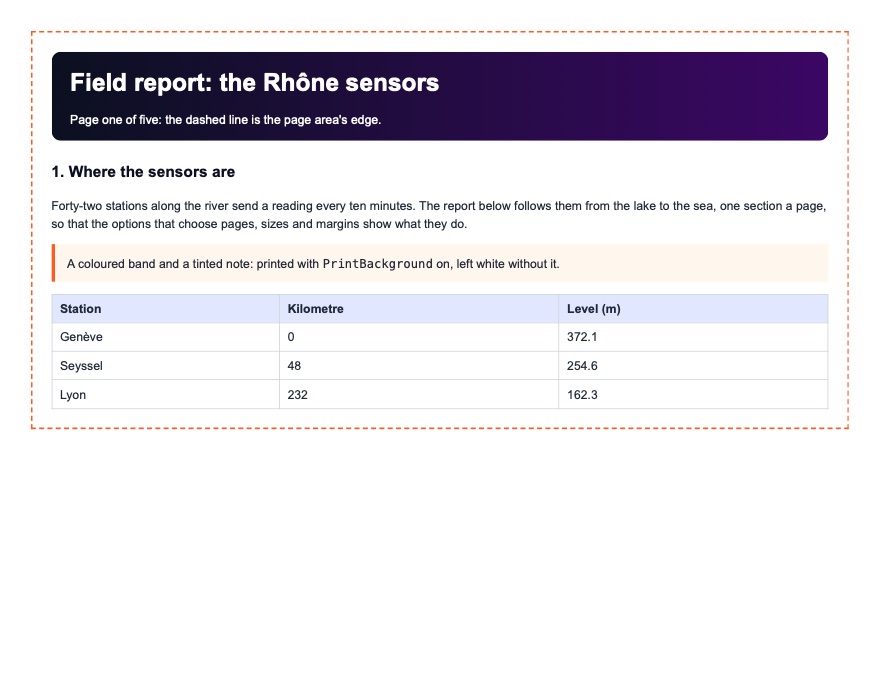
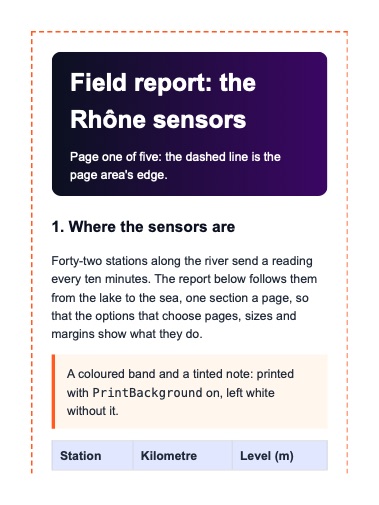
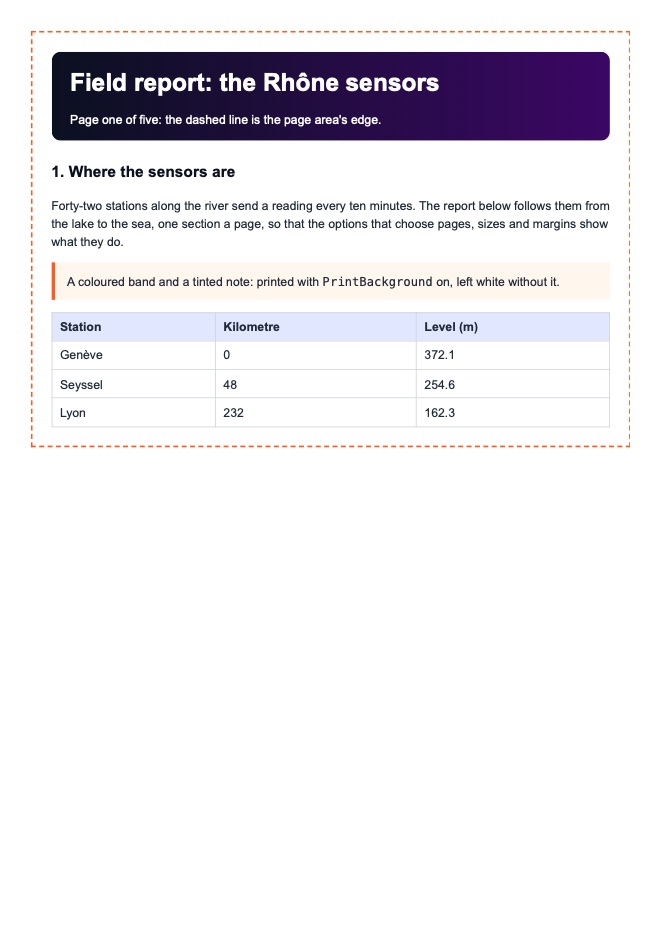
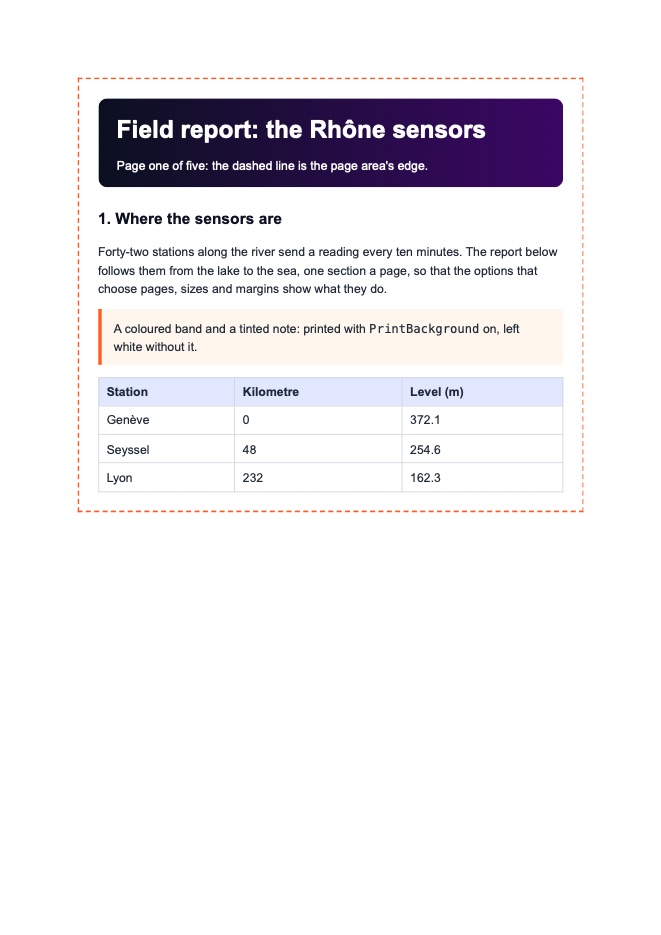
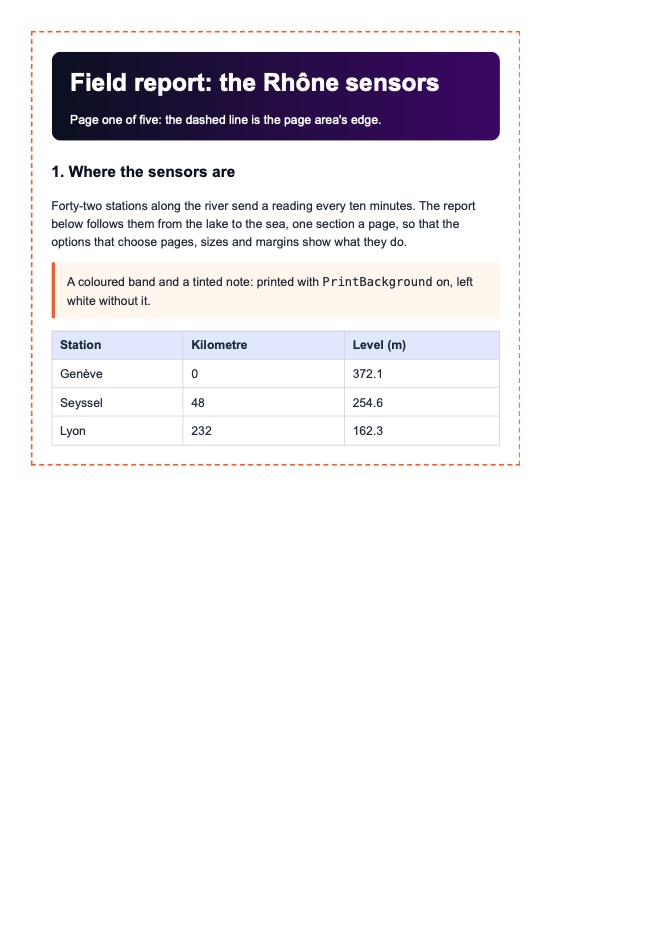
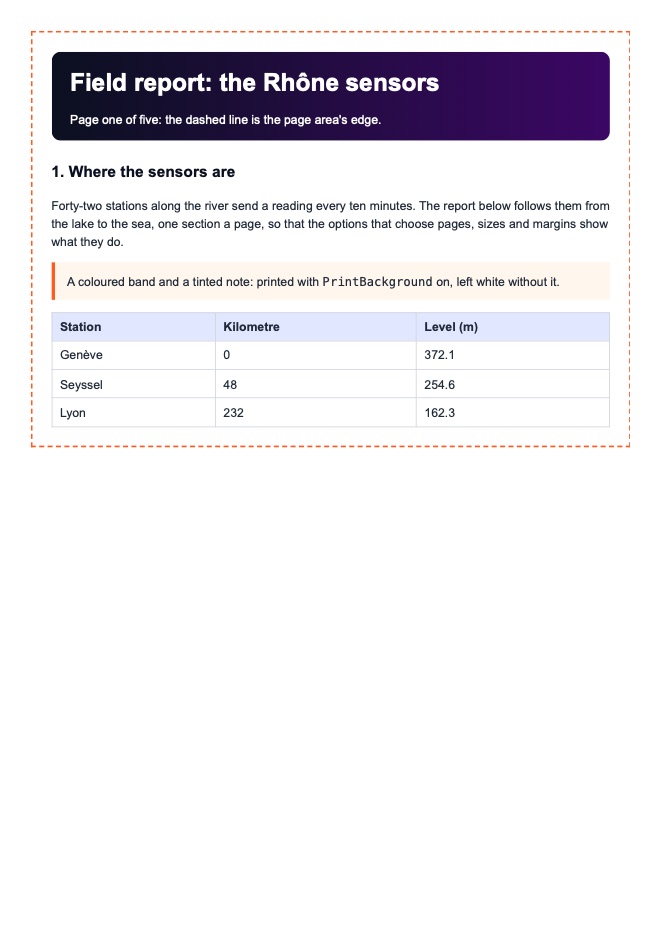
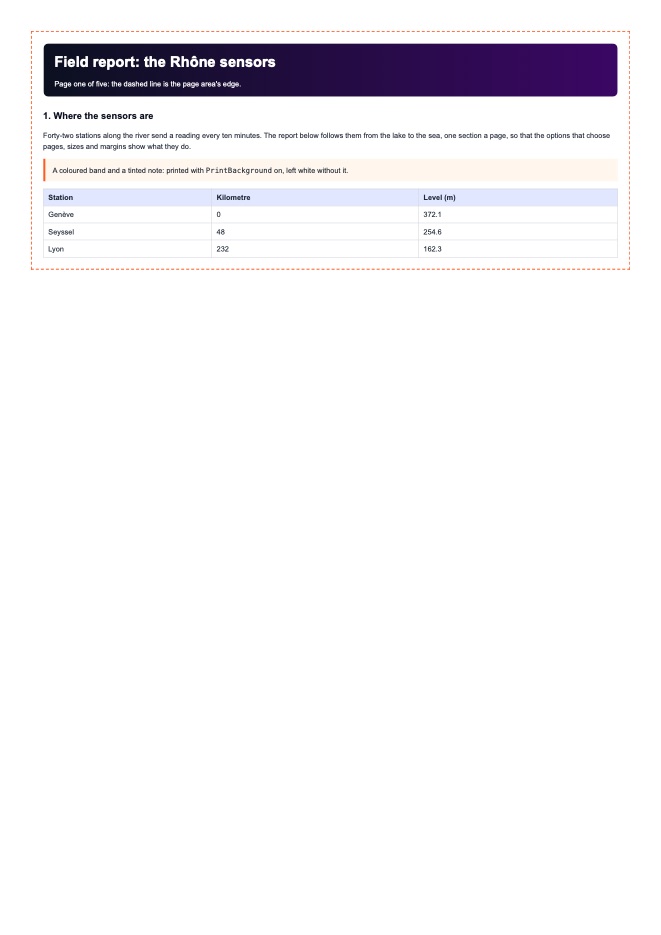
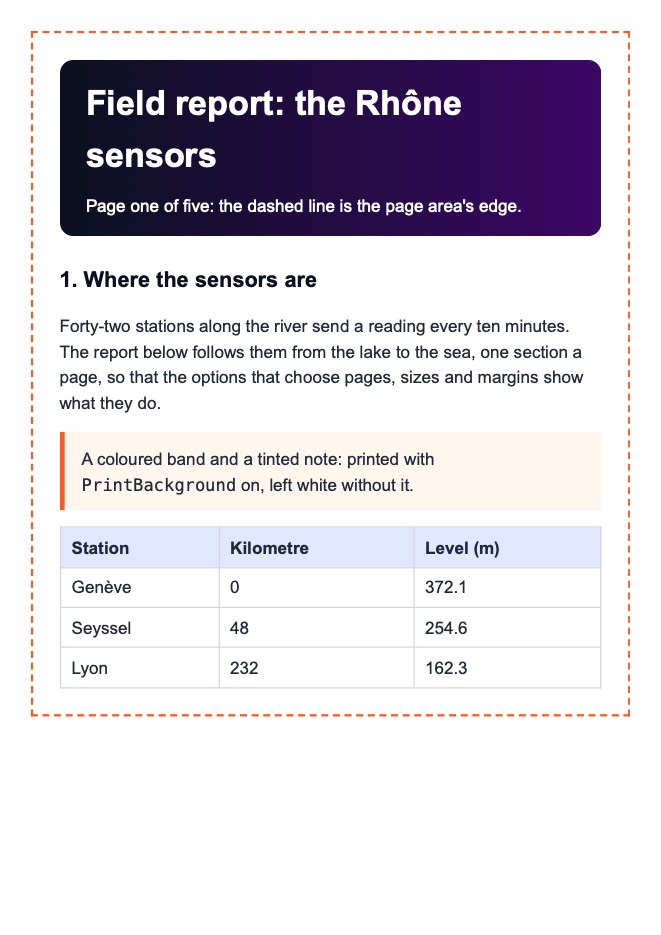
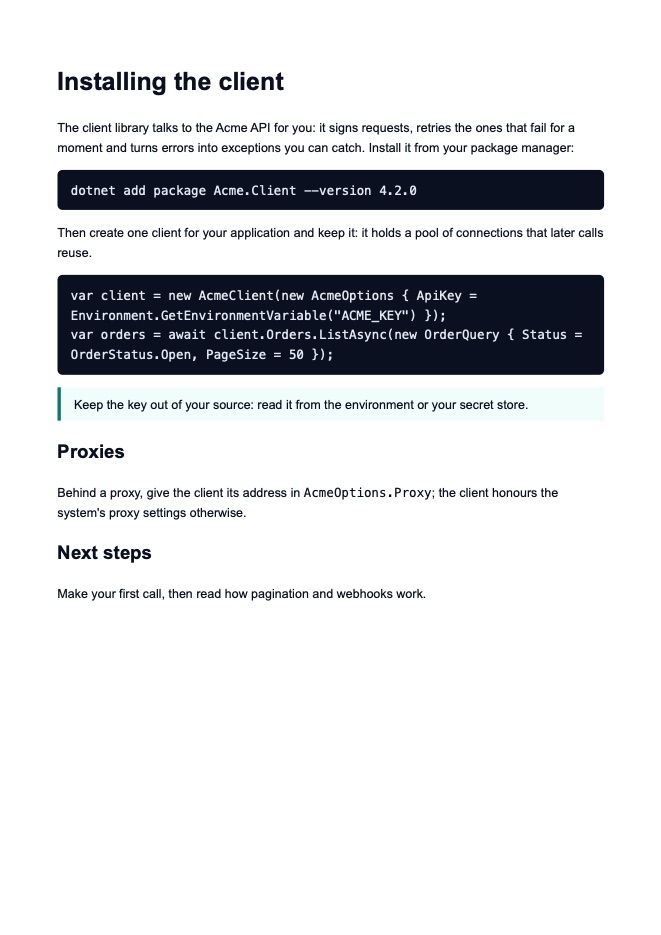
Pour chaque option qui change le résultat : une petite page, le C# qui règle l'option et les pages que Weblitz a imprimées, à côté de la valeur par défaut quand cela montre la différence. Réalisé le 2026-11-23 sur macOS ; les pages sont dessinées à partir des PDF, que vous pouvez télécharger. Ce que le moteur a signalé est montré tel quel (en anglais), y compris ce qu'il ne fait pas encore.
<!DOCTYPE html>
<html lang="en"><head><meta charset="utf-8"><title>Field report: the Rhône sensors</title>
<style>
  body { font: 11pt/1.5 Arial, sans-serif; color: #1f2937; margin: 0; }
  .frame { border: 2px dashed #ff5a1f; padding: 6mm; }
  h1 { font-size: 22pt; margin: 0 0 3mm; color: #0b1020; }
  h2 { font-size: 14pt; margin: 6mm 0 2mm; color: #0b1020; }
  .band { background: linear-gradient(90deg, #0b1020, #3b0764); color: #fff; padding: 4mm 6mm; border-radius: 3mm; }
  .note { background: #fff7ed; border-left: 4px solid #ff5a1f; padding: 3mm 4mm; }
  table { border-collapse: collapse; width: 100%; margin-top: 3mm; }
  th, td { border: 1px solid #d1d5db; padding: 1.5mm 2.5mm; text-align: left; }
  th { background: #e0e7ff; }
  .page-break { break-before: page; }
</style></head>
<body>
<div class="frame">
  <div class="band"><h1 style="color:#fff">Field report: the Rhône sensors</h1>Page one of five: the dashed line is the page area's edge.</div>
  <h2>1. Where the sensors are</h2>
  <p>Forty-two stations along the river send a reading every ten minutes. The report below follows them from the lake to the sea, one section a page, so that the options that choose pages, sizes and margins show what they do.</p>
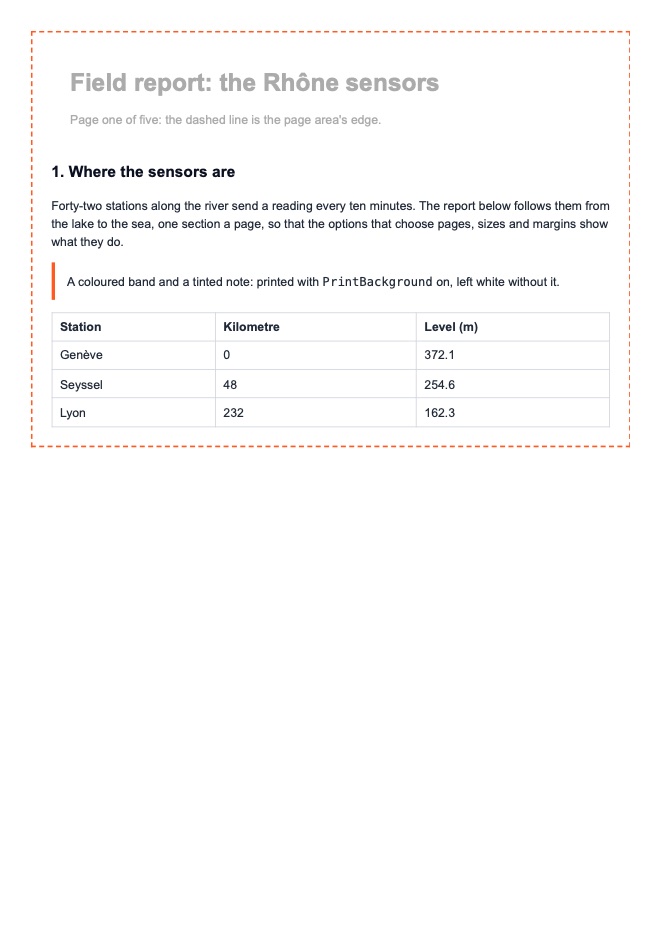
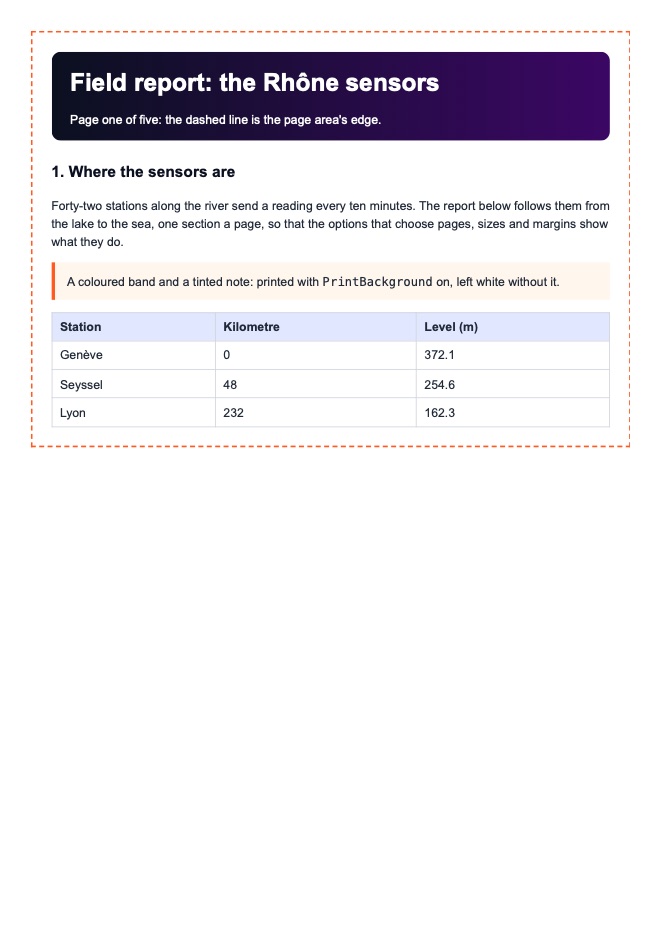
  <p class="note">A coloured band and a tinted note: printed with <code>PrintBackground</code> on, left white without it.</p>
  <table><tr><th>Station</th><th>Kilometre</th><th>Level (m)</th></tr>
    <tr><td>Genève</td><td>0</td><td>372.1</td></tr><tr><td>Seyssel</td><td>48</td><td>254.6</td></tr><tr><td>Lyon</td><td>232</td><td>162.3</td></tr></table>
</div>
<div class="frame page-break"><div class="band">Page two of five</div><h2>2. The upper river</h2><p>The upper river is fast and cold: its stations read the level every ten minutes and the temperature every hour.</p></div>
<div class="frame page-break"><div class="band">Page three of five</div><h2>3. Lyon</h2><p>At Lyon the Saône joins: the station reads both rivers.</p></div>
<div class="frame page-break"><div class="band">Page four of five</div><h2>4. The lower river</h2><p>Dams turn the lower river into a staircase of reaches.</p></div>
<div class="frame page-break"><div class="band">Page five of five</div><h2>5. The delta</h2><p>In the Camargue the river splits in two before the sea.</p></div>
</body></html>
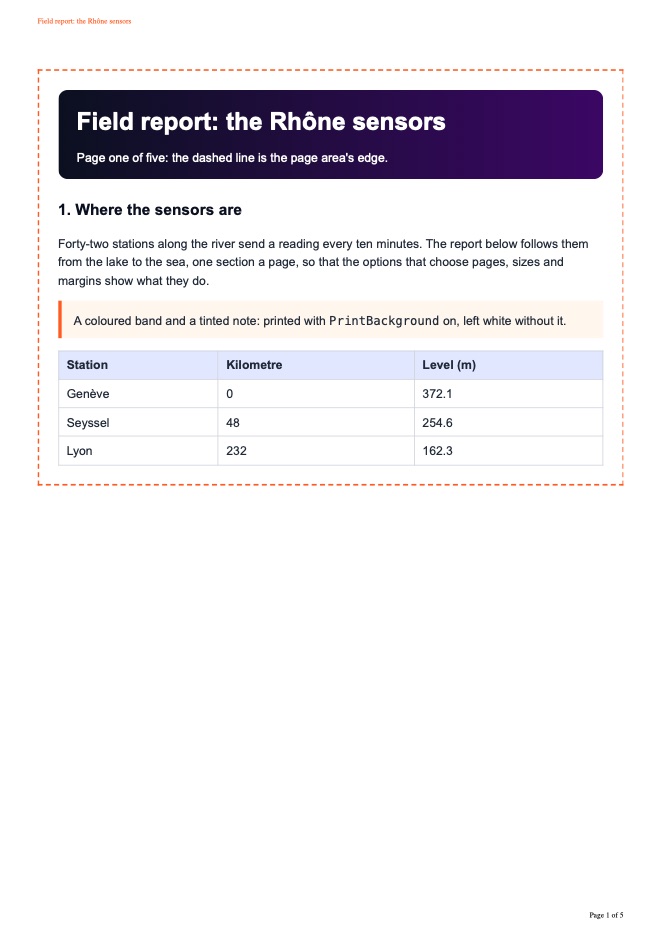
Les modèles sont du HTML imprimé dans les marges du haut et du bas de chaque page, comme Chrome les imprime ; les éléments portant les classes pageNumber, totalPages, title, url et date sont remplis. Un modèle qui ne fixe aucune taille de police reçoit la minuscule taille par défaut de Chrome : fixez-en une. Laissez-leur de la place dans les marges.
<!DOCTYPE html>
<html lang="en"><head><meta charset="utf-8"><title>Field report: the Rhône sensors</title>
<style>
  body { font: 11pt/1.5 Arial, sans-serif; color: #1f2937; margin: 0; }
  .frame { border: 2px dashed #ff5a1f; padding: 6mm; }
  h1 { font-size: 22pt; margin: 0 0 3mm; color: #0b1020; }
  h2 { font-size: 14pt; margin: 6mm 0 2mm; color: #0b1020; }
  .band { background: linear-gradient(90deg, #0b1020, #3b0764); color: #fff; padding: 4mm 6mm; border-radius: 3mm; }
  .note { background: #fff7ed; border-left: 4px solid #ff5a1f; padding: 3mm 4mm; }
  table { border-collapse: collapse; width: 100%; margin-top: 3mm; }
  th, td { border: 1px solid #d1d5db; padding: 1.5mm 2.5mm; text-align: left; }
  th { background: #e0e7ff; }
  .page-break { break-before: page; }
</style></head>
<body>
<div class="frame">
  <div class="band"><h1 style="color:#fff">Field report: the Rhône sensors</h1>Page one of five: the dashed line is the page area's edge.</div>
  <h2>1. Where the sensors are</h2>
  <p>Forty-two stations along the river send a reading every ten minutes. The report below follows them from the lake to the sea, one section a page, so that the options that choose pages, sizes and margins show what they do.</p>
  <p class="note">A coloured band and a tinted note: printed with <code>PrintBackground</code> on, left white without it.</p>
  <table><tr><th>Station</th><th>Kilometre</th><th>Level (m)</th></tr>
    <tr><td>Genève</td><td>0</td><td>372.1</td></tr><tr><td>Seyssel</td><td>48</td><td>254.6</td></tr><tr><td>Lyon</td><td>232</td><td>162.3</td></tr></table>
</div>
<div class="frame page-break"><div class="band">Page two of five</div><h2>2. The upper river</h2><p>The upper river is fast and cold: its stations read the level every ten minutes and the temperature every hour.</p></div>
<div class="frame page-break"><div class="band">Page three of five</div><h2>3. Lyon</h2><p>At Lyon the Saône joins: the station reads both rivers.</p></div>
<div class="frame page-break"><div class="band">Page four of five</div><h2>4. The lower river</h2><p>Dams turn the lower river into a staircase of reaches.</p></div>
<div class="frame page-break"><div class="band">Page five of five</div><h2>5. The delta</h2><p>In the Camargue the river splits in two before the sea.</p></div>
</body></html>
En-tête et pied de page
var result = HtmlToPdf.Render(html, new HtmlPdfOptions
{
    DisplayHeaderFooter = true,
    Margin = new HtmlMargins("22mm", "12mm", "20mm", "12mm"),
    HeaderTemplate = "<div style='font-size:9px; width:100%; padding:0 12mm; color:#ff5a1f'><span class='title'></span></div>",
    FooterTemplate = "<div style='font-size:9px; width:100%; padding:0 12mm; text-align:right'>Page <span class='pageNumber'></span> of <span class='totalPages'></span></div>",
});
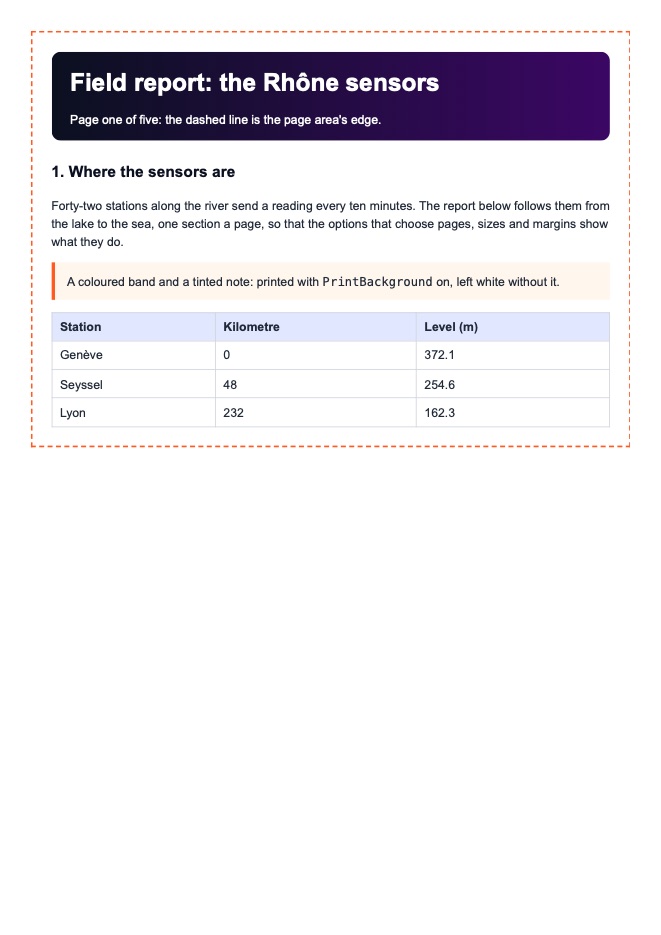
Les couleurs, dégradés et images d'arrière-plan sont imprimés par défaut ; désactivés, ils sont omis, comme lorsque la case « Graphiques d'arrière-plan » de Chrome est décochée.
<!DOCTYPE html>
<html lang="en"><head><meta charset="utf-8"><title>Field report: the Rhône sensors</title>
<style>
  body { font: 11pt/1.5 Arial, sans-serif; color: #1f2937; margin: 0; }
  .frame { border: 2px dashed #ff5a1f; padding: 6mm; }
  h1 { font-size: 22pt; margin: 0 0 3mm; color: #0b1020; }
  h2 { font-size: 14pt; margin: 6mm 0 2mm; color: #0b1020; }
  .band { background: linear-gradient(90deg, #0b1020, #3b0764); color: #fff; padding: 4mm 6mm; border-radius: 3mm; }
  .note { background: #fff7ed; border-left: 4px solid #ff5a1f; padding: 3mm 4mm; }
  table { border-collapse: collapse; width: 100%; margin-top: 3mm; }
  th, td { border: 1px solid #d1d5db; padding: 1.5mm 2.5mm; text-align: left; }
  th { background: #e0e7ff; }
  .page-break { break-before: page; }
</style></head>
<body>
<div class="frame">
  <div class="band"><h1 style="color:#fff">Field report: the Rhône sensors</h1>Page one of five: the dashed line is the page area's edge.</div>
  <h2>1. Where the sensors are</h2>
  <p>Forty-two stations along the river send a reading every ten minutes. The report below follows them from the lake to the sea, one section a page, so that the options that choose pages, sizes and margins show what they do.</p>
  <p class="note">A coloured band and a tinted note: printed with <code>PrintBackground</code> on, left white without it.</p>
  <table><tr><th>Station</th><th>Kilometre</th><th>Level (m)</th></tr>
    <tr><td>Genève</td><td>0</td><td>372.1</td></tr><tr><td>Seyssel</td><td>48</td><td>254.6</td></tr><tr><td>Lyon</td><td>232</td><td>162.3</td></tr></table>
</div>
<div class="frame page-break"><div class="band">Page two of five</div><h2>2. The upper river</h2><p>The upper river is fast and cold: its stations read the level every ten minutes and the temperature every hour.</p></div>
<div class="frame page-break"><div class="band">Page three of five</div><h2>3. Lyon</h2><p>At Lyon the Saône joins: the station reads both rivers.</p></div>
<div class="frame page-break"><div class="band">Page four of five</div><h2>4. The lower river</h2><p>Dams turn the lower river into a staircase of reaches.</p></div>
<div class="frame page-break"><div class="band">Page five of five</div><h2>5. The delta</h2><p>In the Camargue the river splits in two before the sea.</p></div>
</body></html>
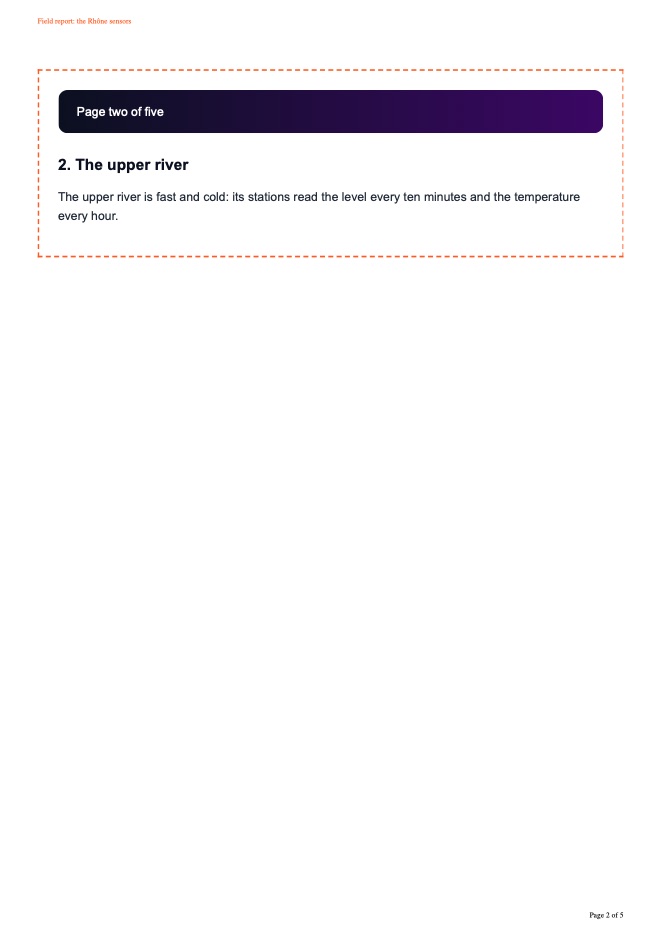
"2-3, 5"
var result = HtmlToPdf.Render(html, new HtmlPdfOptions { PageRanges = "2-3, 5" });
Les scripts s'exécutent une fois avant l'impression ; les minuteries tournent en temps virtuel pendant WaitFor (5 secondes par défaut), si bien que la minuterie de 2 secondes d'une page se déclenche, et celle de 8 secondes seulement avec une attente plus longue. beforeprint s'exécute juste avant la création du PDF.
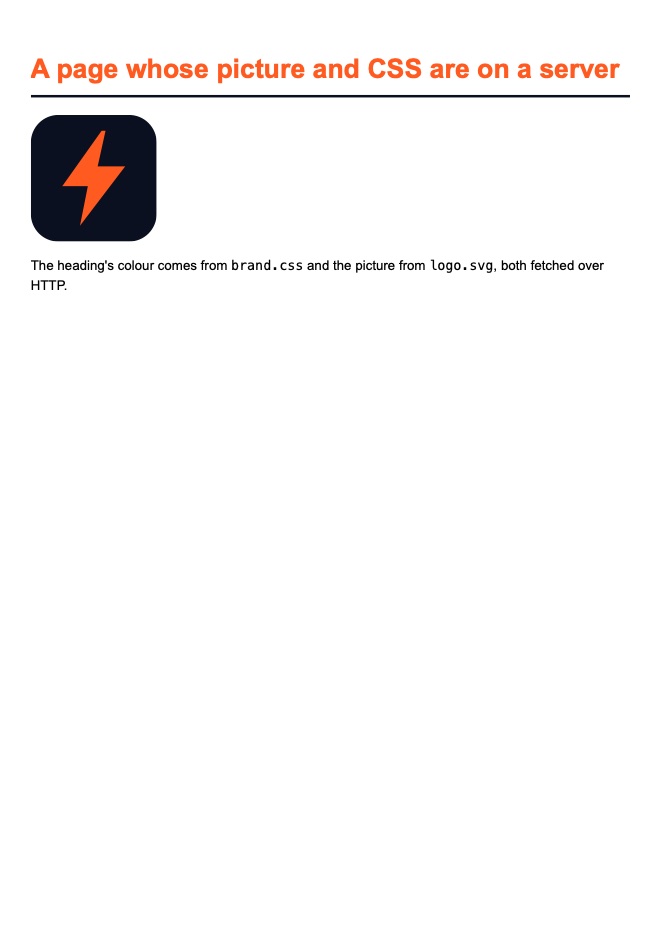
Le réseau est coupé par défaut : les adresses web d'une page ne sont pas chargées, elles sont signalées dans les notes. Autorisez les hôtes depuis lesquels une page peut charger (assets est un serveur que le générateur démarre sur cette machine).
<!DOCTYPE html>
<html lang="en"><head><meta charset="utf-8"><title>Network</title>
<link rel="stylesheet" href="brand.css">
<style>body { font: 12pt/1.5 Arial, sans-serif; margin: 0; } img { width: 40mm; display: block; margin: 4mm 0; }</style></head>
<body>
<h1 class="brand">A page whose picture and CSS are on a server</h1>
<img src="logo.svg" alt="The logo, fetched from the server">
<p>The heading's colour comes from <code>brand.css</code> and the picture from <code>logo.svg</code>, both fetched over HTTP.</p>
</body></html>
Désactivé (par défaut)
var result = HtmlToPdf.Render(html, new HtmlPdfOptions { BaseUrl = assets });
Une page que votre serveur ne montre qu'aux utilisateurs connectés s'imprime avec ce qu'un navigateur enverrait : un jeton bearer, un cookie de session ou un mot de passe pour l'authentification HTTP. Chacun ne va qu'aux hôtes qu'il nomme, par défaut celui du document (assets est un serveur que le générateur démarre sur cette machine ; ses pages de compte en demandent un).
<!DOCTYPE html>
<html lang="en"><head><meta charset="utf-8"><title>Account statement</title>
<link rel="stylesheet" href="../brand.css">
<style>
  body { font: 11pt/1.5 Arial, sans-serif; margin: 0; }
  table { border-collapse: collapse; width: 100%; margin-top: 6mm; }
  th, td { border-bottom: 1px solid #d0d4dc; padding: 2mm 3mm; text-align: left; }
  td.n { text-align: right; font-variant-numeric: tabular-nums; }
  .who { color: #555; }
</style></head>
<body>
<h1 class="brand">Account statement, October 2026</h1>
<p class="who">Signed in as <strong id="user">a customer</strong>: this page is served only with a valid session.</p>
<table>
  <tr><th>Date</th><th>Description</th><th class="n">Amount</th></tr>
  <tr><td>2026-10-03</td><td>Subscription, October</td><td class="n">-49.00</td></tr>
  <tr><td>2026-10-14</td><td>Refund, order 1182</td><td class="n">12.50</td></tr>
  <tr><td>2026-10-28</td><td>Top-up</td><td class="n">200.00</td></tr>
</table>
<script>
  // what the page's own scripts see of the session (an HttpOnly cookie never shows here)
  const theme = document.cookie.split('; ').find(c => c.startsWith('theme='));
  if (theme) document.getElementById('user').textContent += ' (theme ' + theme.slice(6) + ')';
</script>
</body></html>
Un jeton bearer
var result = HtmlToPdf.RenderUrl(new Uri(assets, "account/statement.html"), new HtmlPdfOptions
{
    Network = HtmlNetwork.Allow(assets.Host).WithBearerToken(accessToken),
});
<!DOCTYPE html>
<html lang="en"><head><meta charset="utf-8"><title>Field report: the Rhône sensors</title>
<style>
  body { font: 11pt/1.5 Arial, sans-serif; color: #1f2937; margin: 0; }
  .frame { border: 2px dashed #ff5a1f; padding: 6mm; }
  h1 { font-size: 22pt; margin: 0 0 3mm; color: #0b1020; }
  h2 { font-size: 14pt; margin: 6mm 0 2mm; color: #0b1020; }
  .band { background: linear-gradient(90deg, #0b1020, #3b0764); color: #fff; padding: 4mm 6mm; border-radius: 3mm; }
  .note { background: #fff7ed; border-left: 4px solid #ff5a1f; padding: 3mm 4mm; }
  table { border-collapse: collapse; width: 100%; margin-top: 3mm; }
  th, td { border: 1px solid #d1d5db; padding: 1.5mm 2.5mm; text-align: left; }
  th { background: #e0e7ff; }
  .page-break { break-before: page; }
</style></head>
<body>
<div class="frame">
  <div class="band"><h1 style="color:#fff">Field report: the Rhône sensors</h1>Page one of five: the dashed line is the page area's edge.</div>
  <h2>1. Where the sensors are</h2>
  <p>Forty-two stations along the river send a reading every ten minutes. The report below follows them from the lake to the sea, one section a page, so that the options that choose pages, sizes and margins show what they do.</p>
  <p class="note">A coloured band and a tinted note: printed with <code>PrintBackground</code> on, left white without it.</p>
  <table><tr><th>Station</th><th>Kilometre</th><th>Level (m)</th></tr>
    <tr><td>Genève</td><td>0</td><td>372.1</td></tr><tr><td>Seyssel</td><td>48</td><td>254.6</td></tr><tr><td>Lyon</td><td>232</td><td>162.3</td></tr></table>
</div>
<div class="frame page-break"><div class="band">Page two of five</div><h2>2. The upper river</h2><p>The upper river is fast and cold: its stations read the level every ten minutes and the temperature every hour.</p></div>
<div class="frame page-break"><div class="band">Page three of five</div><h2>3. Lyon</h2><p>At Lyon the Saône joins: the station reads both rivers.</p></div>
<div class="frame page-break"><div class="band">Page four of five</div><h2>4. The lower river</h2><p>Dams turn the lower river into a staircase of reaches.</p></div>
<div class="frame page-break"><div class="band">Page five of five</div><h2>5. The delta</h2><p>In the Camargue the river splits in two before the sea.</p></div>
</body></html>
None
var result = HtmlToPdf.Render(html, new HtmlPdfOptions { Compression = HtmlPdfCompression.None });
<!DOCTYPE html>
<html lang="en"><head><meta charset="utf-8"><title>Field report: the Rhône sensors</title>
<style>
  body { font: 11pt/1.5 Arial, sans-serif; color: #1f2937; margin: 0; }
  .frame { border: 2px dashed #ff5a1f; padding: 6mm; }
  h1 { font-size: 22pt; margin: 0 0 3mm; color: #0b1020; }
  h2 { font-size: 14pt; margin: 6mm 0 2mm; color: #0b1020; }
  .band { background: linear-gradient(90deg, #0b1020, #3b0764); color: #fff; padding: 4mm 6mm; border-radius: 3mm; }
  .note { background: #fff7ed; border-left: 4px solid #ff5a1f; padding: 3mm 4mm; }
  table { border-collapse: collapse; width: 100%; margin-top: 3mm; }
  th, td { border: 1px solid #d1d5db; padding: 1.5mm 2.5mm; text-align: left; }
  th { background: #e0e7ff; }
  .page-break { break-before: page; }
</style></head>
<body>
<div class="frame">
  <div class="band"><h1 style="color:#fff">Field report: the Rhône sensors</h1>Page one of five: the dashed line is the page area's edge.</div>
  <h2>1. Where the sensors are</h2>
  <p>Forty-two stations along the river send a reading every ten minutes. The report below follows them from the lake to the sea, one section a page, so that the options that choose pages, sizes and margins show what they do.</p>
  <p class="note">A coloured band and a tinted note: printed with <code>PrintBackground</code> on, left white without it.</p>
  <table><tr><th>Station</th><th>Kilometre</th><th>Level (m)</th></tr>
    <tr><td>Genève</td><td>0</td><td>372.1</td></tr><tr><td>Seyssel</td><td>48</td><td>254.6</td></tr><tr><td>Lyon</td><td>232</td><td>162.3</td></tr></table>
</div>
<div class="frame page-break"><div class="band">Page two of five</div><h2>2. The upper river</h2><p>The upper river is fast and cold: its stations read the level every ten minutes and the temperature every hour.</p></div>
<div class="frame page-break"><div class="band">Page three of five</div><h2>3. Lyon</h2><p>At Lyon the Saône joins: the station reads both rivers.</p></div>
<div class="frame page-break"><div class="band">Page four of five</div><h2>4. The lower river</h2><p>Dams turn the lower river into a staircase of reaches.</p></div>
<div class="frame page-break"><div class="band">Page five of five</div><h2>5. The delta</h2><p>In the Camargue the river splits in two before the sea.</p></div>
</body></html>
Un mot de passe utilisateur, sans copie
var result = HtmlToPdf.Render(html, new HtmlPdfOptions
{
    Security = new HtmlPdfSecurity { UserPassword = "open-me", OwnerPassword = "owner-secret", PermitCopying = false },
});
<!DOCTYPE html>
<html lang="en"><head><meta charset="utf-8"><title>Field report: the Rhône sensors</title>
<style>
  body { font: 11pt/1.5 Arial, sans-serif; color: #1f2937; margin: 0; }
  .frame { border: 2px dashed #ff5a1f; padding: 6mm; }
  h1 { font-size: 22pt; margin: 0 0 3mm; color: #0b1020; }
  h2 { font-size: 14pt; margin: 6mm 0 2mm; color: #0b1020; }
  .band { background: linear-gradient(90deg, #0b1020, #3b0764); color: #fff; padding: 4mm 6mm; border-radius: 3mm; }
  .note { background: #fff7ed; border-left: 4px solid #ff5a1f; padding: 3mm 4mm; }
  table { border-collapse: collapse; width: 100%; margin-top: 3mm; }
  th, td { border: 1px solid #d1d5db; padding: 1.5mm 2.5mm; text-align: left; }
  th { background: #e0e7ff; }
  .page-break { break-before: page; }
</style></head>
<body>
<div class="frame">
  <div class="band"><h1 style="color:#fff">Field report: the Rhône sensors</h1>Page one of five: the dashed line is the page area's edge.</div>
  <h2>1. Where the sensors are</h2>
  <p>Forty-two stations along the river send a reading every ten minutes. The report below follows them from the lake to the sea, one section a page, so that the options that choose pages, sizes and margins show what they do.</p>
  <p class="note">A coloured band and a tinted note: printed with <code>PrintBackground</code> on, left white without it.</p>
  <table><tr><th>Station</th><th>Kilometre</th><th>Level (m)</th></tr>
    <tr><td>Genève</td><td>0</td><td>372.1</td></tr><tr><td>Seyssel</td><td>48</td><td>254.6</td></tr><tr><td>Lyon</td><td>232</td><td>162.3</td></tr></table>
</div>
<div class="frame page-break"><div class="band">Page two of five</div><h2>2. The upper river</h2><p>The upper river is fast and cold: its stations read the level every ten minutes and the temperature every hour.</p></div>
<div class="frame page-break"><div class="band">Page three of five</div><h2>3. Lyon</h2><p>At Lyon the Saône joins: the station reads both rivers.</p></div>
<div class="frame page-break"><div class="band">Page four of five</div><h2>4. The lower river</h2><p>Dams turn the lower river into a staircase of reaches.</p></div>
<div class="frame page-break"><div class="band">Page five of five</div><h2>5. The delta</h2><p>In the Camargue the river splits in two before the sea.</p></div>
</body></html>
Titre, auteur, PDF/A
var result = HtmlToPdf.Render(html, new HtmlPdfOptions { Title = "Rhône field report", Author = "Hydrology team", PdfA = true });
Une page tenue à ses limites : ici deux pages au plus. Le rendu s'arrête là, imprime ce qu'il a et le dit : Completed vaut false et une note indique quelle limite.
<!DOCTYPE html>
<html lang="en"><head><meta charset="utf-8"><title>Field report: the Rhône sensors</title>
<style>
  body { font: 11pt/1.5 Arial, sans-serif; color: #1f2937; margin: 0; }
  .frame { border: 2px dashed #ff5a1f; padding: 6mm; }
  h1 { font-size: 22pt; margin: 0 0 3mm; color: #0b1020; }
  h2 { font-size: 14pt; margin: 6mm 0 2mm; color: #0b1020; }
  .band { background: linear-gradient(90deg, #0b1020, #3b0764); color: #fff; padding: 4mm 6mm; border-radius: 3mm; }
  .note { background: #fff7ed; border-left: 4px solid #ff5a1f; padding: 3mm 4mm; }
  table { border-collapse: collapse; width: 100%; margin-top: 3mm; }
  th, td { border: 1px solid #d1d5db; padding: 1.5mm 2.5mm; text-align: left; }
  th { background: #e0e7ff; }
  .page-break { break-before: page; }
</style></head>
<body>
<div class="frame">
  <div class="band"><h1 style="color:#fff">Field report: the Rhône sensors</h1>Page one of five: the dashed line is the page area's edge.</div>
  <h2>1. Where the sensors are</h2>
  <p>Forty-two stations along the river send a reading every ten minutes. The report below follows them from the lake to the sea, one section a page, so that the options that choose pages, sizes and margins show what they do.</p>
  <p class="note">A coloured band and a tinted note: printed with <code>PrintBackground</code> on, left white without it.</p>
  <table><tr><th>Station</th><th>Kilometre</th><th>Level (m)</th></tr>
    <tr><td>Genève</td><td>0</td><td>372.1</td></tr><tr><td>Seyssel</td><td>48</td><td>254.6</td></tr><tr><td>Lyon</td><td>232</td><td>162.3</td></tr></table>
</div>
<div class="frame page-break"><div class="band">Page two of five</div><h2>2. The upper river</h2><p>The upper river is fast and cold: its stations read the level every ten minutes and the temperature every hour.</p></div>
<div class="frame page-break"><div class="band">Page three of five</div><h2>3. Lyon</h2><p>At Lyon the Saône joins: the station reads both rivers.</p></div>
<div class="frame page-break"><div class="band">Page four of five</div><h2>4. The lower river</h2><p>Dams turn the lower river into a staircase of reaches.</p></div>
<div class="frame page-break"><div class="band">Page five of five</div><h2>5. The delta</h2><p>In the Camargue the river splits in two before the sea.</p></div>
</body></html>
MaxPages = 2
var result = HtmlToPdf.Render(html, new HtmlPdfOptions { Limits = HtmlPdfLimits.Default with { MaxPages = 2 } });
Console.WriteLine($"{result.PageCount} pages, completed: {result.Completed}");
Warning limitReached: the document was cut after 2 pages.
Notes : ce qui n'a pas pu être fait
Les problèmes propres à une page ne lèvent jamais d'exception : une image manquante, un hôte non autorisé, une police absente de la machine, un script qui lève une exception. Chacun devient une note.
<!DOCTYPE html>
<html lang="en"><head><meta charset="utf-8"><title>Notes</title>
<style>body { font: 12pt/1.5 Arial, sans-serif; margin: 0; } .odd { font-family: "Some Font Nobody Has", serif; }</style></head>
<body>
<h1>A page with problems</h1>
<p><img src="missing-picture.png" alt="A picture that is not there" width="120" height="60"></p>
<p class="odd">Text in a font family the machine does not have.</p>
<p><img src="https://cdn.example.com/banner.png" alt="A picture on another host" width="120" height="60"></p>
<script>
  document.body.append('The script ran up to here; ');
  undefinedFunction();
</script>
</body></html>
Une page qui pose problème
var result = HtmlToPdf.Render(html);
foreach (var note in result.Notes)
    Console.WriteLine($"{note.Severity} {note.Code}: {note.Message}");
Warning scriptError: ReferenceError: undefinedFunction is not defined | at about:blank#script-25:11:3 | at HostDelegate.<anonymous> (<anonymous>) | at Object.hostCall (ssrs2-dom.js:15562:11)
Warning resourceFailed: Image "missing-picture.png" is not a URL that resolves against no base URL.
Info resourceRefused: Image https://cdn.example.com/banner.png: no resource loader was given (only data: URLs load).
Info scriptsRan: The page's scripts ran (17 ms of virtual time, 4 tasks; 0 canvases drawn).
Info notImplemented: A picture that did not load shows its alternative text; Chrome's broken-image icon beside it is laid out but not drawn.
Info fontFamilyMissing: The font family "Some Font Nobody Has" is not on this machine: its text goes to the next family.
Le navigateur que voit la page
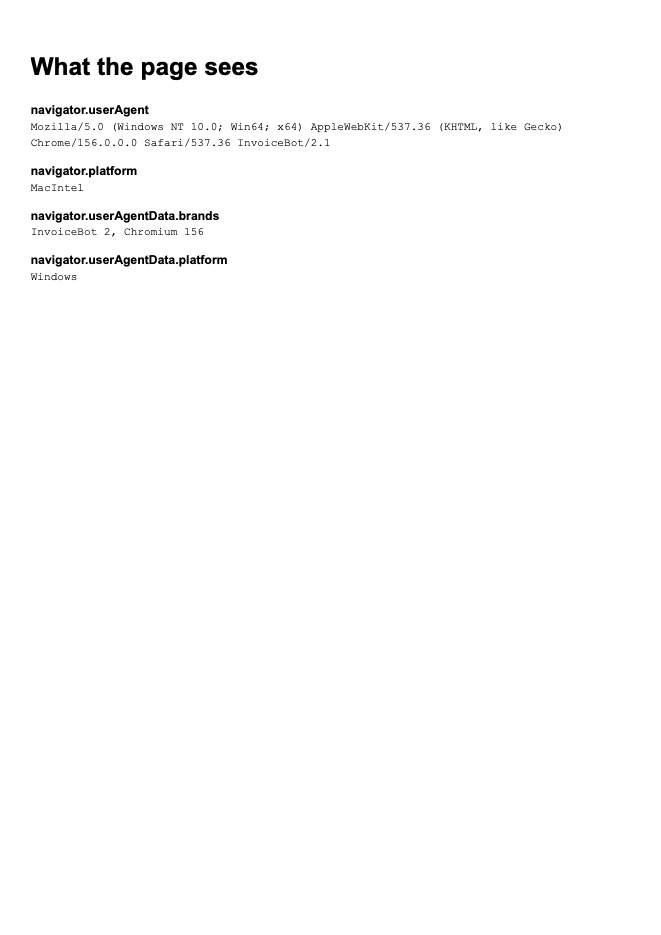
Par défaut, une page voit Chrome 156 pour ordinateur, sur le système de la machine. Ces pages ont été réalisées sur macOS.
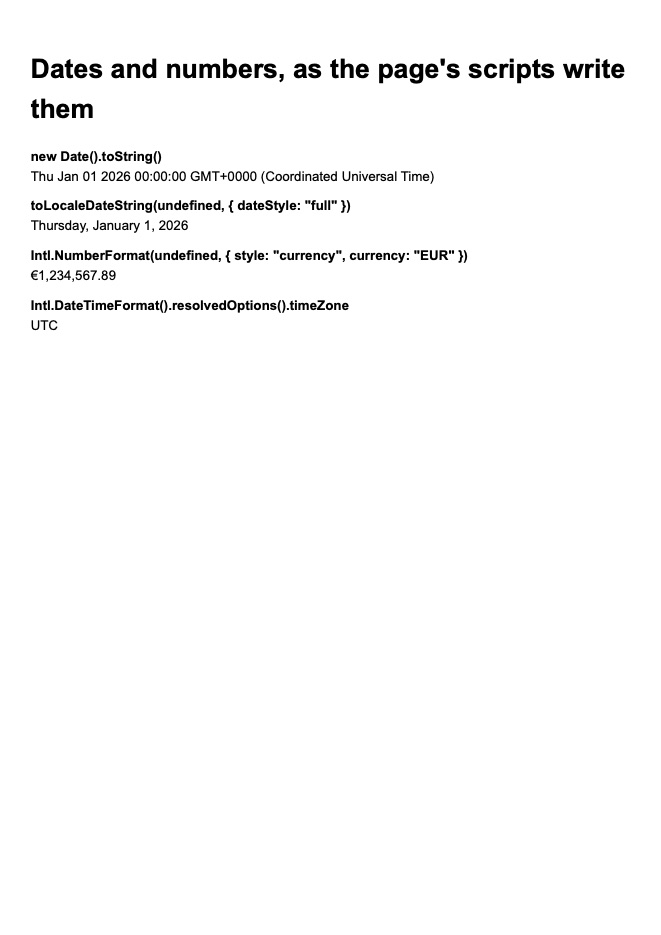
Info scriptsRan: The page's scripts ran (17 ms of virtual time, 2 tasks; 0 canvases drawn).
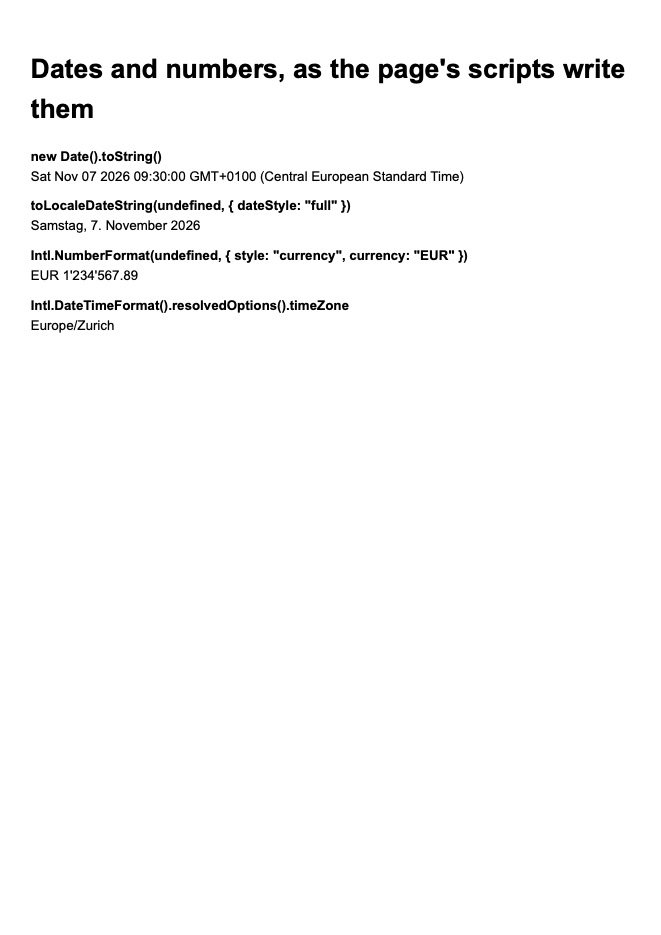
de-CH, Europe/Zurich, une horloge fixe
var result = HtmlToPdf.Render(html, new HtmlPdfOptions
{
    Locale = "de-CH",
    TimeZone = "Europe/Zurich",
    Now = new DateTimeOffset(2026, 11, 7, 9, 30, 0, TimeSpan.FromHours(1)),
});
Info scriptsRan: The page's scripts ran (17 ms of virtual time, 2 tasks; 0 canvases drawn).
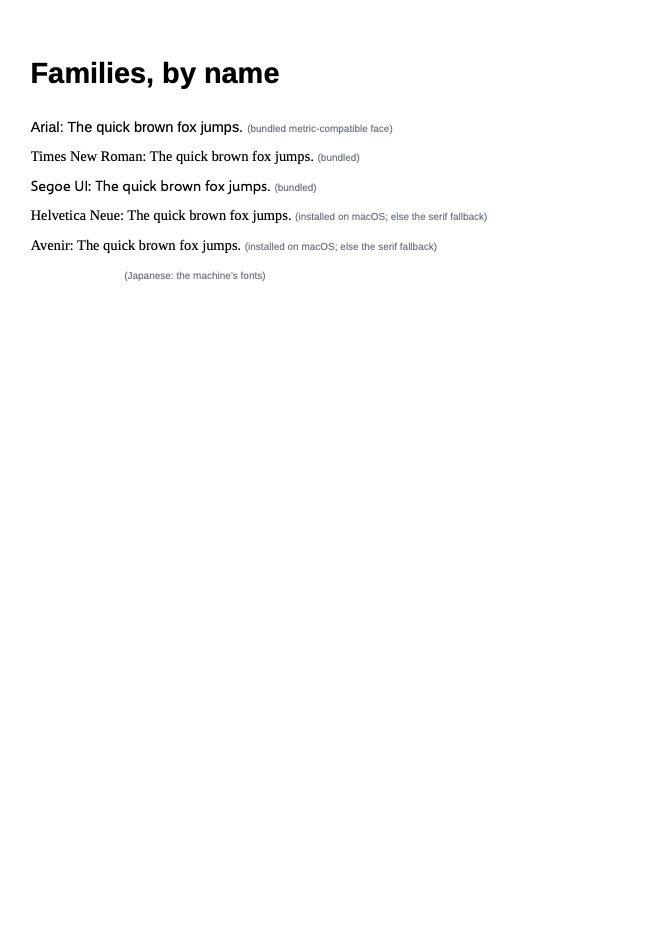
Polices installées
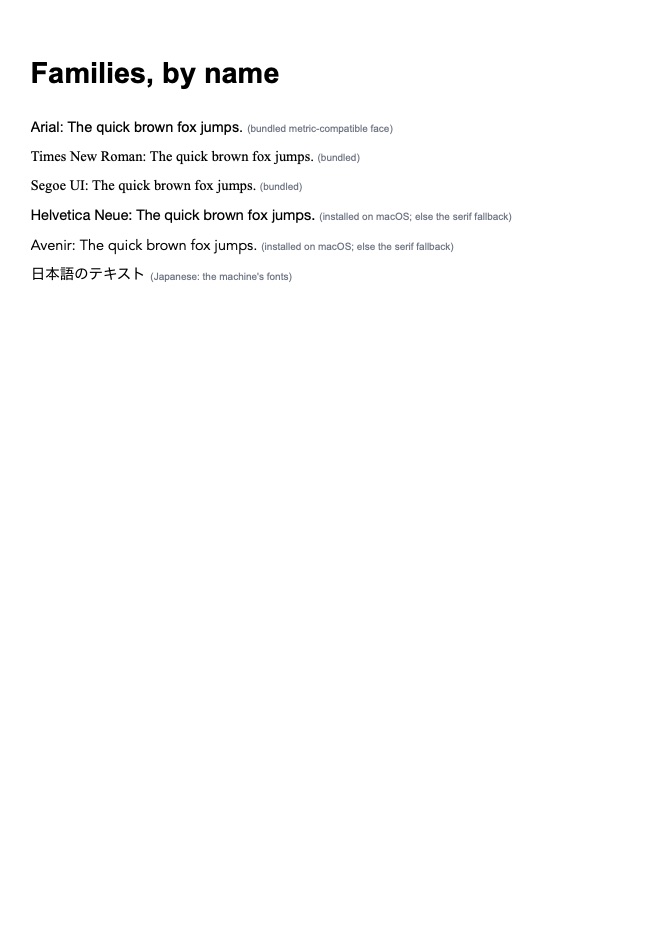
Par défaut, les polices de la machine sont utilisées après les polices @font-face de la page ; désactivé, il ne reste que les polices fournies. Ces pages ont été réalisées sur macOS.
<!DOCTYPE html>
<html lang="en"><head><meta charset="utf-8"><title>Fonts</title>
<style>body { font: 13pt/1.6 Arial, sans-serif; margin: 0; } p { margin: 2mm 0; } span { color: #6b7280; font: 9pt Arial; }</style></head>
<body>
<h1>Families, by name</h1>
<p style="font-family: Arial">Arial: The quick brown fox jumps. <span>(bundled metric-compatible face)</span></p>
<p style="font-family: 'Times New Roman'">Times New Roman: The quick brown fox jumps. <span>(bundled)</span></p>
<p style="font-family: 'Segoe UI'">Segoe UI: The quick brown fox jumps. <span>(bundled)</span></p>
<p style="font-family: 'Helvetica Neue', serif">Helvetica Neue: The quick brown fox jumps. <span>(installed on macOS; else the serif fallback)</span></p>
<p style="font-family: Avenir, serif">Avenir: The quick brown fox jumps. <span>(installed on macOS; else the serif fallback)</span></p>
<p style="font-family: 'Hiragino Sans', serif">日本語のテキスト <span>(Japanese: the machine's fonts)</span></p>
</body></html>
Info fontFamilyMissing: The font family "Helvetica Neue" is not in the font profile "reference": its text goes to the next family.
Info fontFamilyMissing: The font family "Avenir" is not in the font profile "reference": its text goes to the next family.
Info fontFamilyMissing: The font family "Hiragino Sans" is not in the font profile "reference": its text goes to the next family.
Warning missingGlyph: No font of 'Hiragino Sans, serif' nor the fallback has a glyph for a character: drawn as .notdef.
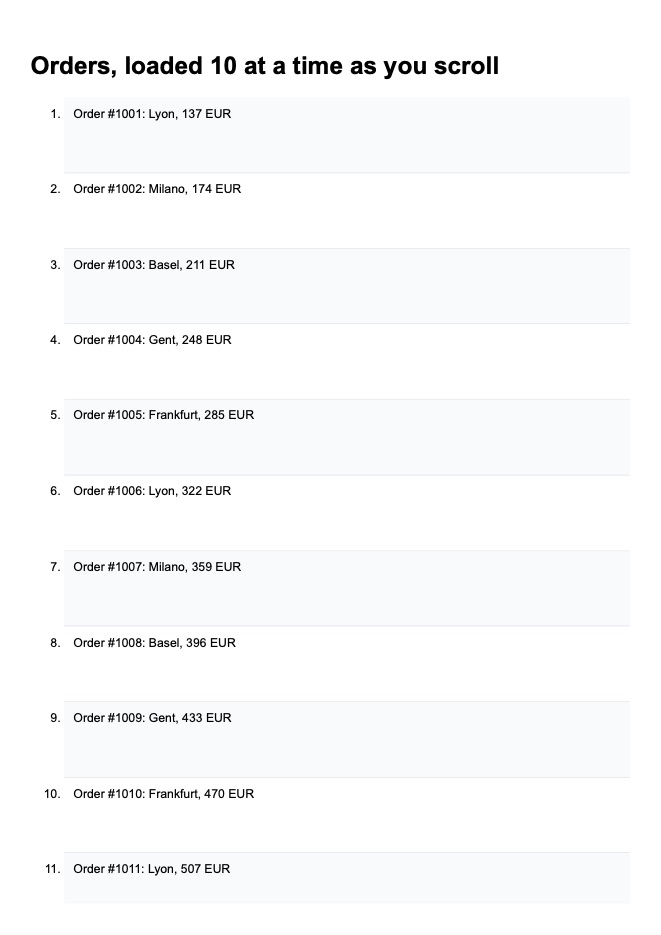
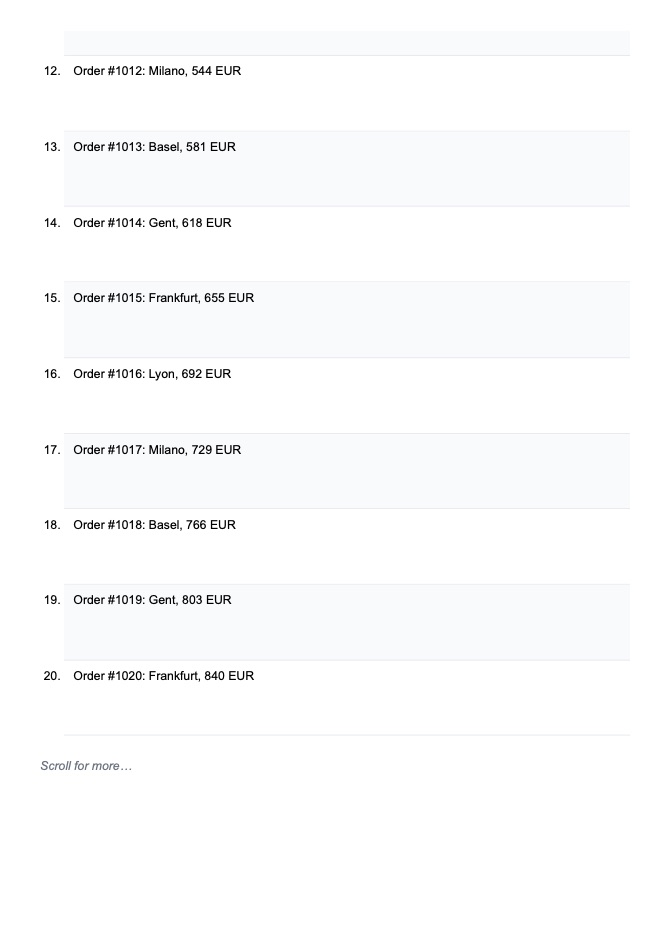
Listes qui se chargent au défilement
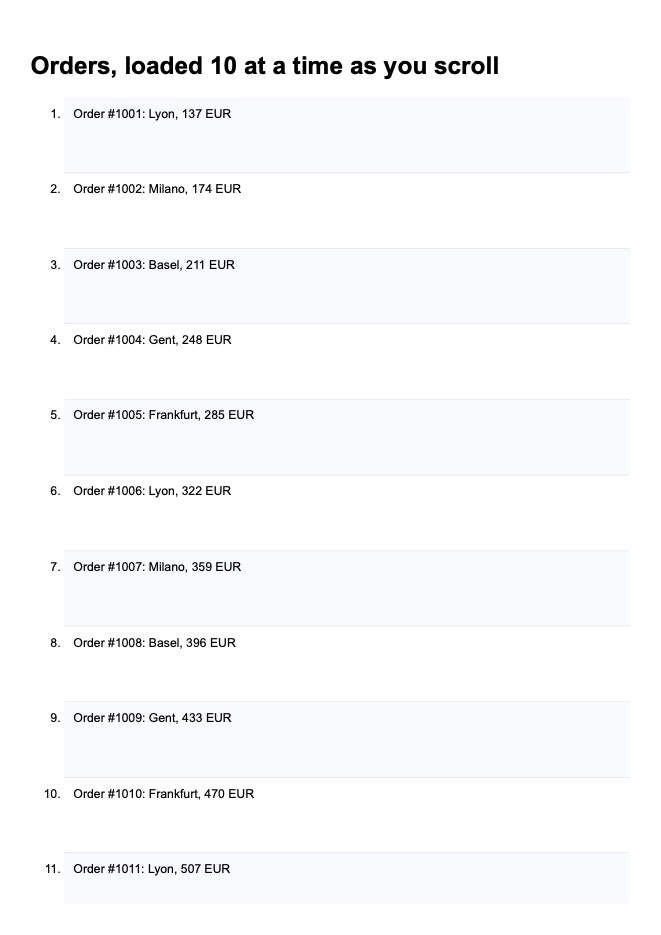
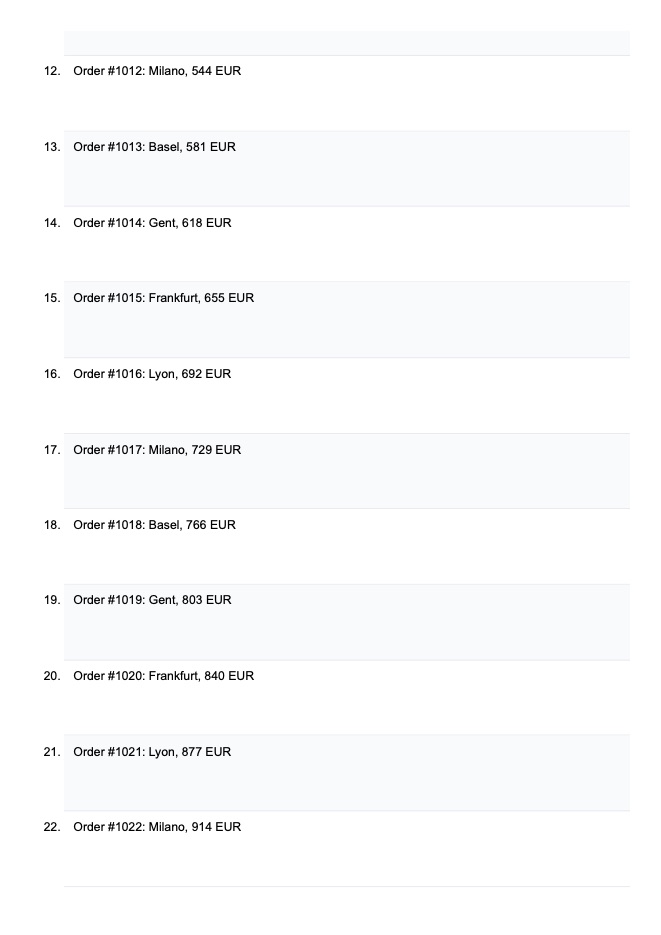
Une liste infinie charge les dix commandes suivantes chaque fois que son bas devient visible. Sans option de défilement, l'IntersectionObserver de Weblitz signale une fois le bas comme visible, le PDF en contient donc vingt ; ScrollThrough fait défiler la fenêtre d'une hauteur de fenêtre à la fois, chaque pas attendant ScrollStepWait de temps virtuel, de sorte que la liste se charge jusqu'au bout et que les soixante sont imprimées.
<!DOCTYPE html>
<html lang="en"><head><meta charset="utf-8"><title>A list that loads as you scroll</title>
<style>
  body { font: 11pt/1.4 Arial, sans-serif; margin: 0; }
  li { padding: 2.2mm 3mm; min-height: 24mm; box-sizing: border-box; border-bottom: 1px solid #e5e7eb; }
  li:nth-child(odd) { background: #f8fafc; }
  #more { padding: 3mm; color: #6b7280; font-style: italic; }
</style></head>
<body>
<h1>Orders, loaded 10 at a time as you scroll</h1>
<ol id="list"></ol>
<p id="more">Scroll for more…</p>
<script>
  // An infinite list as sites write it: the next ten orders load when the bottom comes into view, up to 60
  let loaded = 0;
  const list = document.getElementById('list');
  function loadMore() {
    for (let i = 0; i < 10 && loaded < 60; i++) {
      loaded++;
      const li = document.createElement('li');
      li.textContent = `Order #${1000 + loaded}: ${['Frankfurt', 'Lyon', 'Milano', 'Basel', 'Gent'][loaded % 5]}, ${(loaded * 37) % 900 + 100} EUR`;
      list.append(li);
    }
    if (loaded >= 60) document.getElementById('more').textContent = 'All 60 orders loaded.';
  }
  loadMore();
  new IntersectionObserver((entries) => { if (entries.some(e => e.isIntersecting)) setTimeout(loadMore, 100); })
    .observe(document.getElementById('more'));
</script>
</body></html>
Info scriptsRan: The page's scripts ran (883 ms of virtual time, 40 tasks; 0 canvases drawn).
Faire défiler d'abord jusqu'à une section
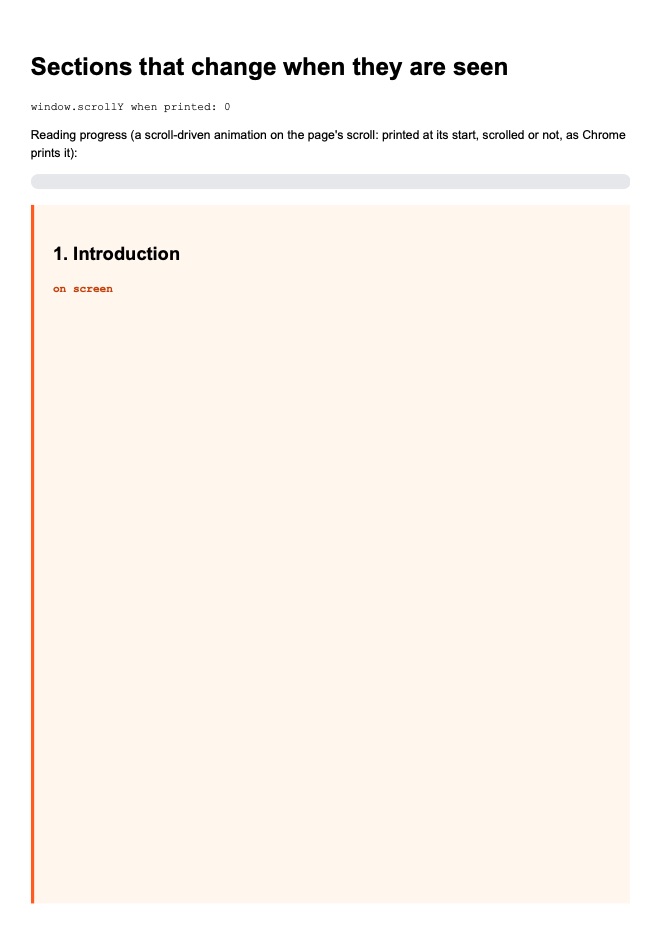
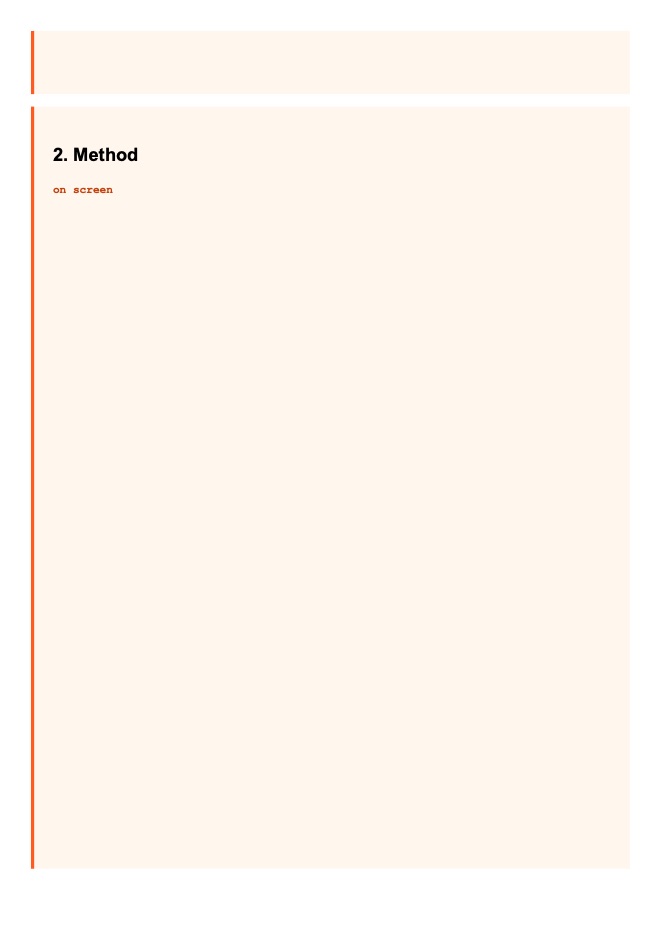
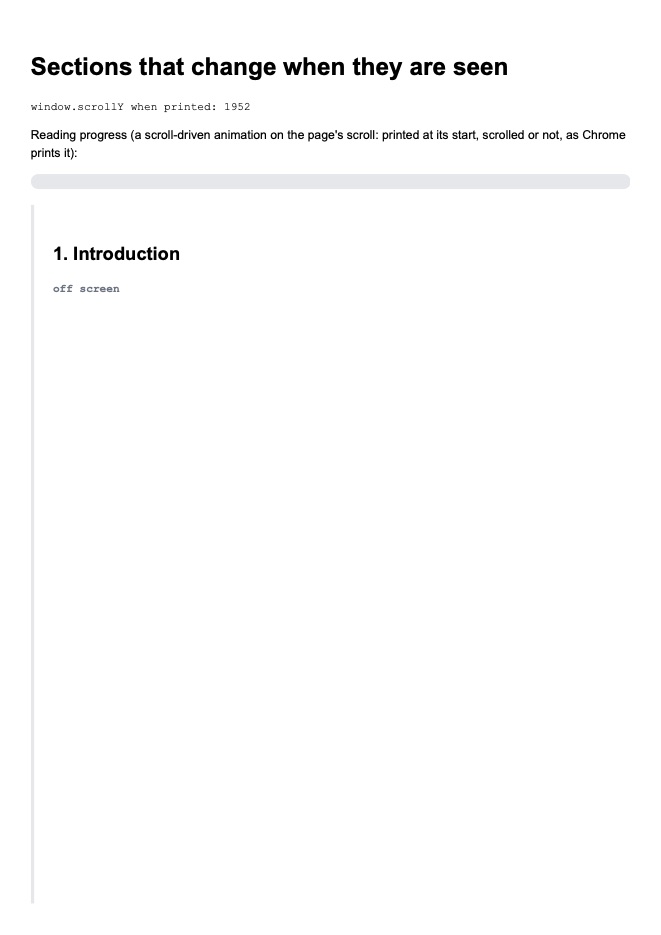
ScrollTo fait défiler la fenêtre avant l'impression, comme le ferait un utilisateur avant d'appuyer sur Imprimer : les événements de défilement de la page et les rappels de l'IntersectionObserver le voient (ici les sections sorties de l'écran, et scrollY). Une timeline de défilement liée au défilement de la page s'imprime de toute façon à son début, comme Chrome l'imprime. Le PDF contient toujours le document entier depuis son début.
Info scriptsRan: The page's scripts ran (33 ms of virtual time, 4 tasks; 0 canvases drawn).
Imprimer une partie de la page
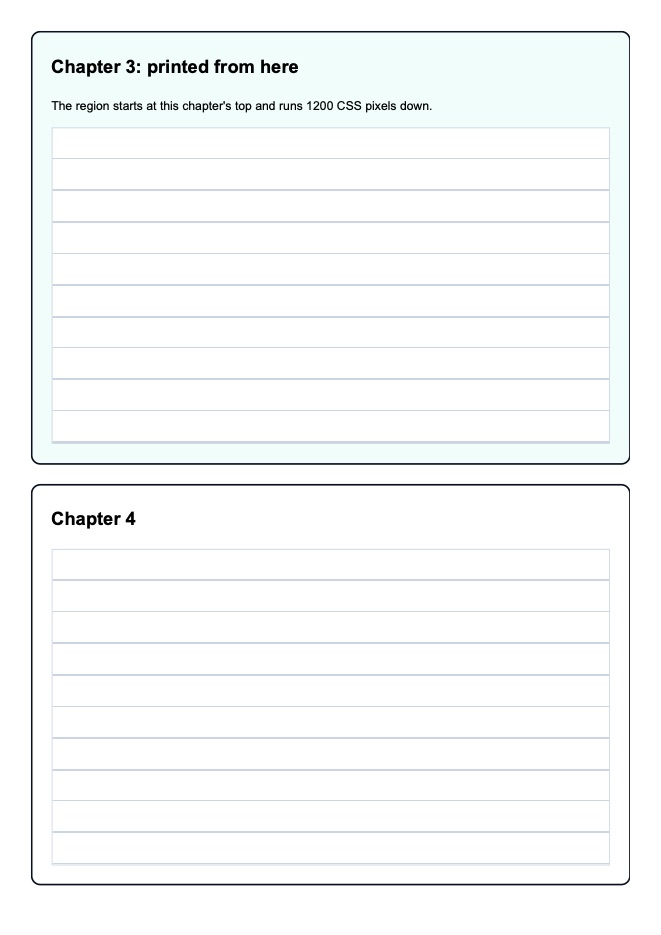
Region imprime une partie du document, à partir d'un début (la position de défilement, une longueur, un élément) sur une hauteur ; ce qui se trouve au-dessus et en dessous est laissé de côté, et la partie est mise en pages comme un document entier.
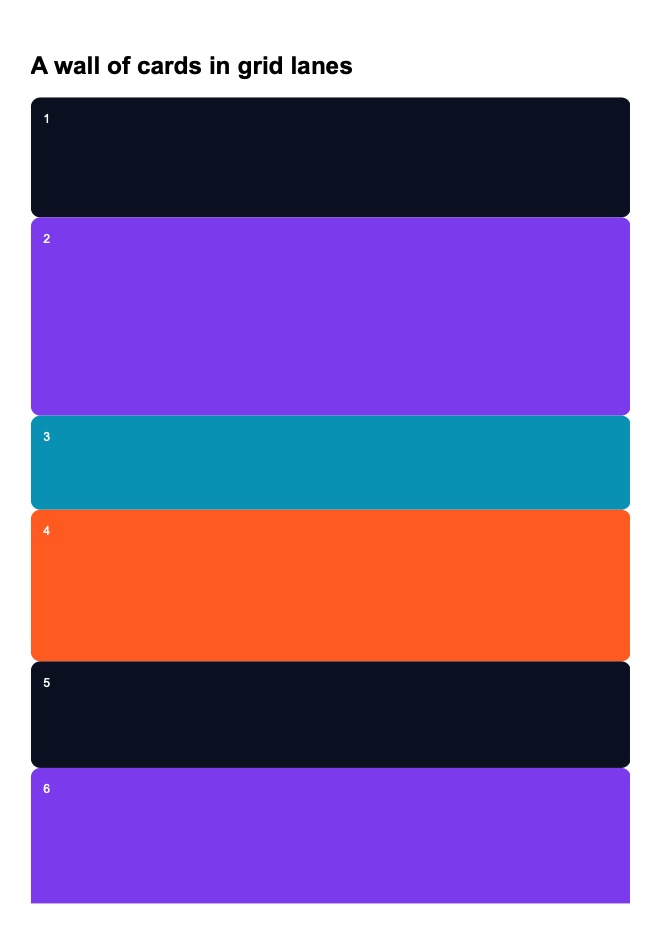
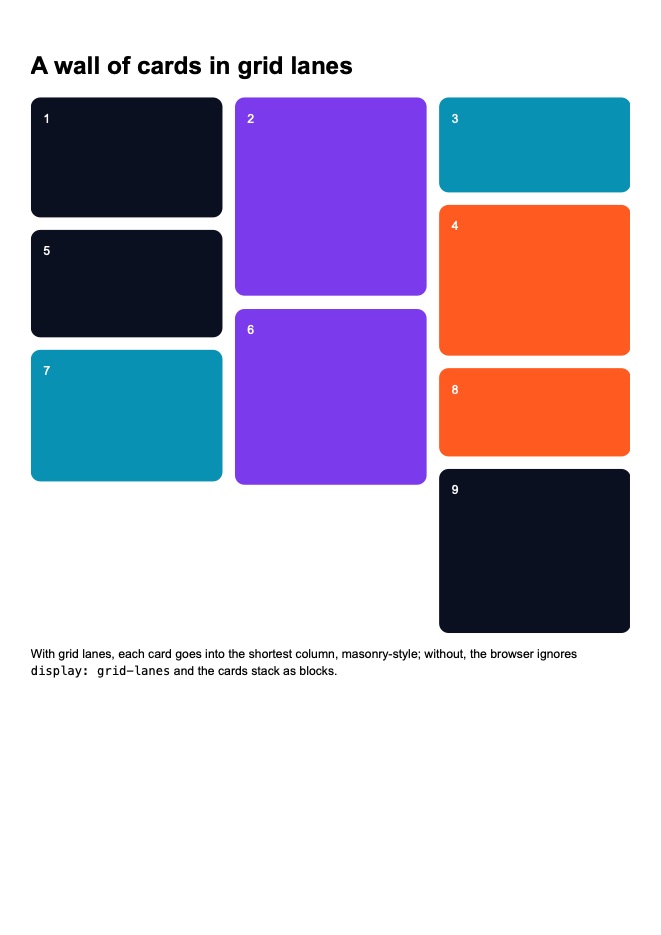
Désactivé par défaut, comme imprime le Chrome stable ; activé, les fonctionnalités que Chrome 156 place derrière son option « Experimental Web Platform features » et que Weblitz a construites, dont les grid lanes.
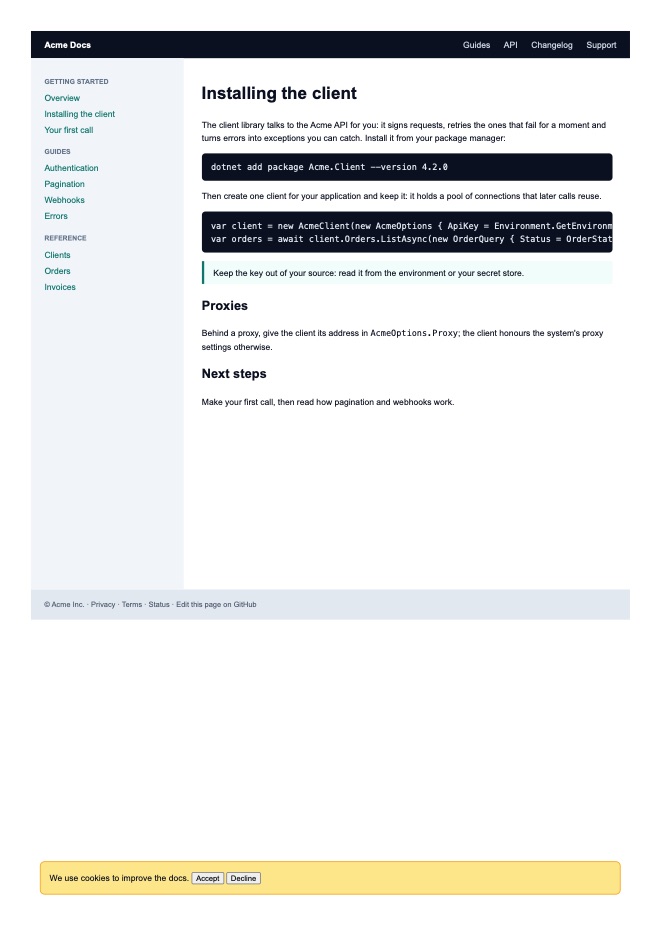
Une page de documentation sans styles d'impression propres imprime sa barre du haut, sa barre latérale, son pied de page et son bandeau de cookies. Hide omet des éléments par sélecteur CSS (chacun une règle display: none !important) ; Styles ajoute votre propre CSS, ici un style d'impression qui laisse le texte prendre la largeur de la page et fait passer à la ligne les longues lignes de code. Les deux sont ajoutés comme le page.addStyleTag de Puppeteer ajoute du CSS avant page.pdf() : une fois les scripts de la page stabilisés, avant beforeprint.
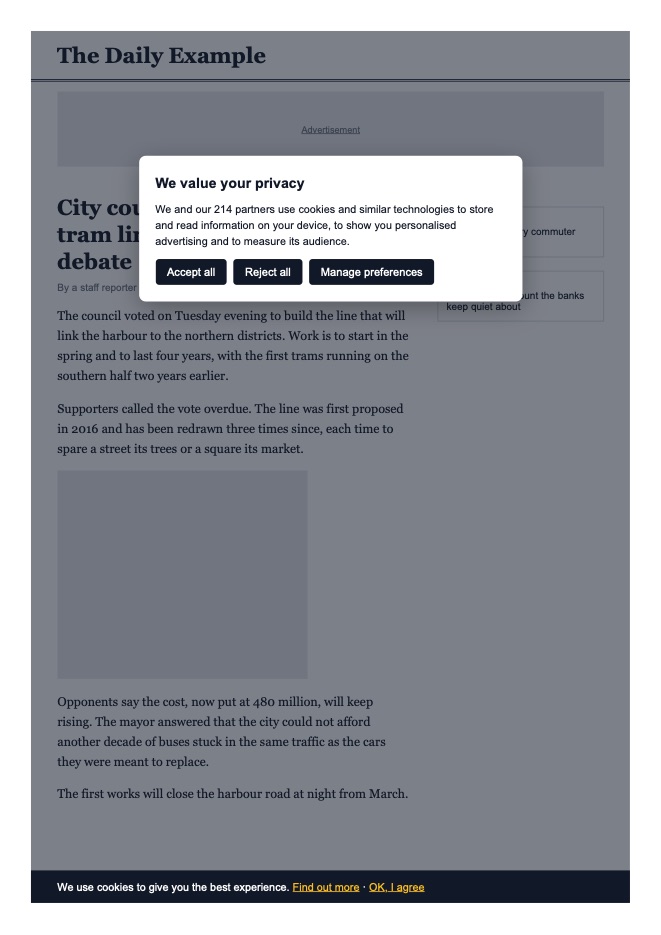
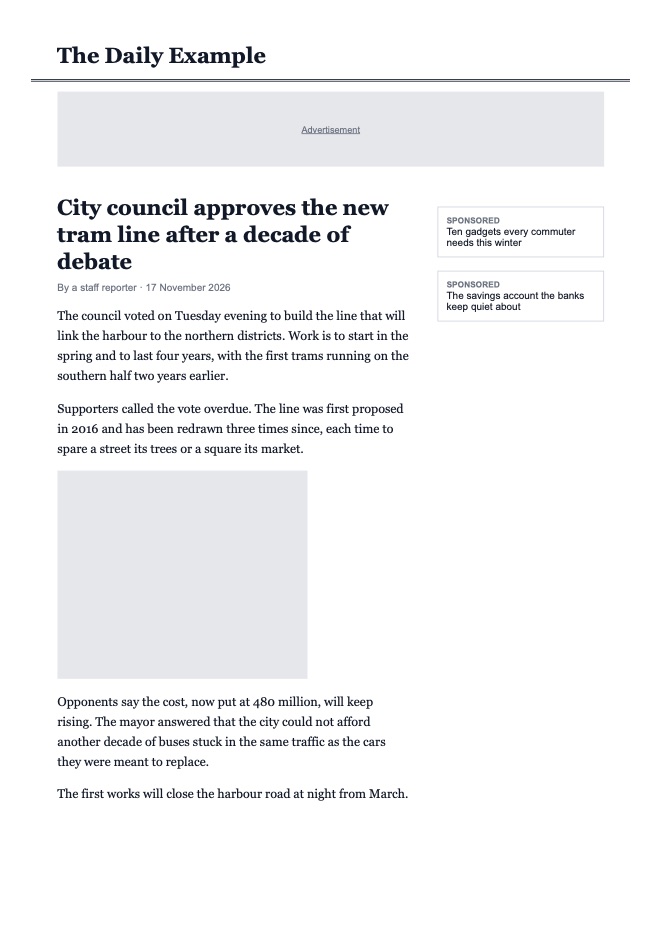
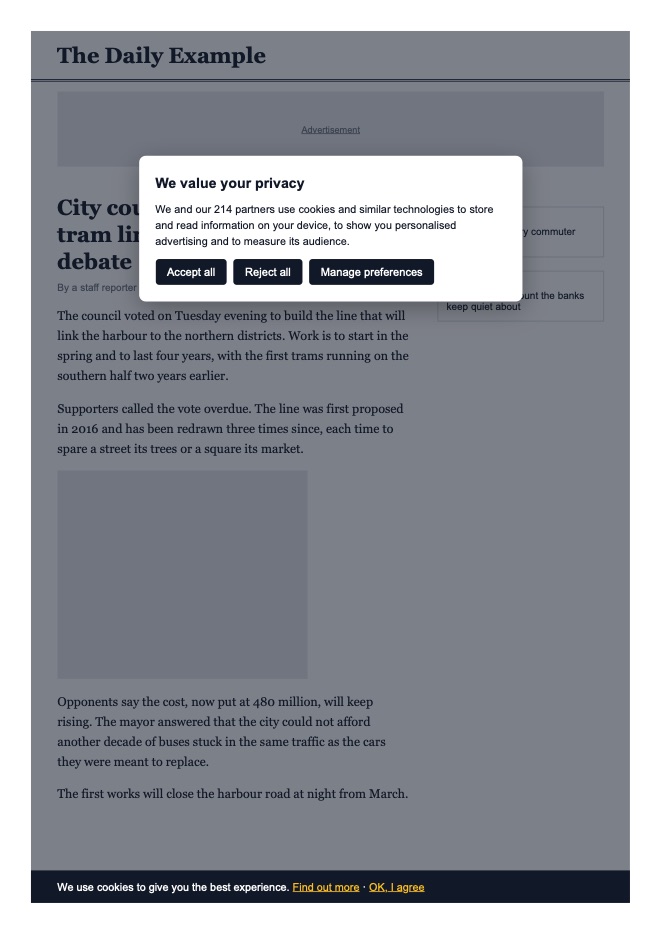
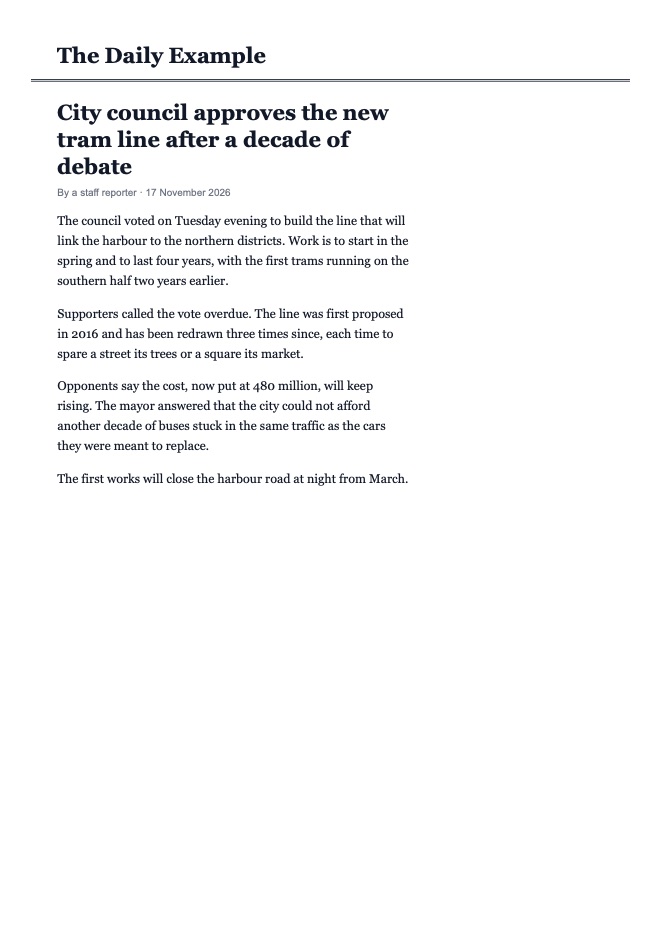
Une page du web arrive souvent avec une fenêtre de consentement par-dessus et une barre de cookies en bas. Consent = Hide les laisse hors de l'impression sans rien cliquer : la page et sa plateforme de consentement s'exécutent telles quelles, aucune réponse n'est donnée au nom du lecteur. Il masque les fenêtres propres aux plateformes de consentement, celles que nomme l'EasyList Cookie List, et une fenêtre propre à la page (fixée à la fenêtre, ou une boîte de dialogue, qui parle de cookies, de consentement ou de vie privée et contient un bouton pour répondre), avec le voile derrière elle et le verrou qu'elle met sur le défilement de la page. Une note consentHidden indique ce qui a été masqué.
<!DOCTYPE html>
<html lang="en"><head><meta charset="utf-8"><title>The Daily Example</title>
<style>
  body { font: 15px/1.6 Georgia, serif; margin: 0; color: #111827; }
  header { padding: 14px 32px; border-bottom: 3px double #111827; font: bold 26px Georgia, serif; }
  main { display: flex; gap: 32px; padding: 20px 32px; }
  article { flex: 1; }
  h1 { font-size: 26px; line-height: 1.25; margin: 0 0 8px; }
  .byline { color: #6b7280; font: 12px Arial, sans-serif; margin-bottom: 12px; }
  aside { width: 200px; flex: none; }
  .slot { display: block; background: #e5e7eb; color: #6b7280; font: 11px Arial, sans-serif; text-align: center; }
  .sponsored { margin-top: 16px; padding: 10px; border: 1px solid #d1d5db; font: 12px Arial, sans-serif; }
  .sponsored b { display: block; color: #6b7280; text-transform: uppercase; font-size: 10px; }
  #veil { position: fixed; inset: 0; background: rgba(17, 24, 39, .55); }
  #consent { position: fixed; top: 150px; left: 50%; width: 420px; margin-left: -230px; padding: 20px; background: #fff;
    border-radius: 8px; font: 13px/1.5 Arial, sans-serif; box-shadow: 0 8px 30px rgba(0, 0, 0, .3); }
  #consent h2 { margin: 0 0 8px; font-size: 17px; }
  #consent button { margin: 12px 8px 0 0; padding: 8px 14px; border: 0; border-radius: 4px; background: #111827; color: #fff; }
  #cookie-bar { position: fixed; left: 0; right: 0; bottom: 0; padding: 12px 32px; background: #111827; color: #fff;
    font: 13px Arial, sans-serif; }
  #cookie-bar a { color: #fbbf24; }
</style></head>
<body>
<header>The Daily Example</header>
<ins class="adsbygoogle slot" data-ad-slot="1234567890" style="height: 90px; line-height: 90px; margin: 12px 32px;">Advertisement</ins>
<main>
  <article>
    <h1>City council approves the new tram line after a decade of debate</h1>
    <div class="byline">By a staff reporter · 17 November 2026</div>
    <p>The council voted on Tuesday evening to build the line that will link the harbour to the northern districts.
    Work is to start in the spring and to last four years, with the first trams running on the southern half two years
    earlier.</p>
    <p>Supporters called the vote overdue. The line was first proposed in 2016 and has been redrawn three times since,
    each time to spare a street its trees or a square its market.</p>
    <iframe class="slot" src="https://securepubads.g.doubleclick.net/gampad/adx?slot=inline" width="300" height="250" style="border: 0; margin: 8px 0;"></iframe>
    <p>Opponents say the cost, now put at 480 million, will keep rising. The mayor answered that the city could not
    afford another decade of buses stuck in the same traffic as the cars they were meant to replace.</p>
    <p>The first works will close the harbour road at night from March.</p>
  </article>
  <aside>
    <div class="sponsored"><b>Sponsored</b>Ten gadgets every commuter needs this winter</div>
    <div class="sponsored"><b>Sponsored</b>The savings account the banks keep quiet about</div>
  </aside>
</main>
<div id="veil" hidden></div>
<div id="consent" role="dialog" aria-modal="true" hidden>
  <h2>We value your privacy</h2>
  We and our 214 partners use cookies and similar technologies to store and read information on your device, to show
  you personalised advertising and to measure its audience.
  <div><button>Accept all</button><button>Reject all</button><button>Manage preferences</button></div>
</div>
<div id="cookie-bar" hidden>We use cookies to give you the best experience. <a href="#">Find out more</a> · <a href="#" role="button">OK, I agree</a></div>
<script src="https://www.google-analytics.com/analytics.js" async></script>
<script>
  // (as a consent platform does: its boxes appear once the page has loaded)
  window.addEventListener('load', function () {
    for (const id of ['veil', 'consent', 'cookie-bar']) document.getElementById(id).hidden = false;
  });
</script>
</body></html>
Info resourceRefused: Script https://www.google-analytics.com/analytics.js: no resource loader was given (only data: URLs load).
Info resourceRefused: Frame https://securepubads.g.doubleclick.net/gampad/adx?slot=inline: no resource loader was given (only data: URLs load).
Info consentHidden: Consent boxes are not printed (Consent = Hide): the page's own div#consent, the page's own div#cookie-bar.
Info scriptsRan: The page's scripts ran (33 ms of virtual time, 6 tasks; 0 canvases drawn).
Sans publicités ni traceurs
Ads = Block imprime une page comme un bloqueur de publicités la montre, d'après les listes de filtres EasyList et EasyPrivacy (le travail des auteurs d'EasyList, dont le paquet contient un instantané) : une requête que les listes bloquent n'est pas faite, un élément qu'elles masquent n'est pas imprimé, et un cadre dont la requête a été refusée ne laisse pas de case vide. AdFilters ajoute vos propres règles dans la même syntaxe, ici pour les encadrés sponsorisés de la page. Une note adsBlocked compte ce qui a été laissé de côté. Ici avec Consent = Hide en plus.
<!DOCTYPE html>
<html lang="en"><head><meta charset="utf-8"><title>The Daily Example</title>
<style>
  body { font: 15px/1.6 Georgia, serif; margin: 0; color: #111827; }
  header { padding: 14px 32px; border-bottom: 3px double #111827; font: bold 26px Georgia, serif; }
  main { display: flex; gap: 32px; padding: 20px 32px; }
  article { flex: 1; }
  h1 { font-size: 26px; line-height: 1.25; margin: 0 0 8px; }
  .byline { color: #6b7280; font: 12px Arial, sans-serif; margin-bottom: 12px; }
  aside { width: 200px; flex: none; }
  .slot { display: block; background: #e5e7eb; color: #6b7280; font: 11px Arial, sans-serif; text-align: center; }
  .sponsored { margin-top: 16px; padding: 10px; border: 1px solid #d1d5db; font: 12px Arial, sans-serif; }
  .sponsored b { display: block; color: #6b7280; text-transform: uppercase; font-size: 10px; }
  #veil { position: fixed; inset: 0; background: rgba(17, 24, 39, .55); }
  #consent { position: fixed; top: 150px; left: 50%; width: 420px; margin-left: -230px; padding: 20px; background: #fff;
    border-radius: 8px; font: 13px/1.5 Arial, sans-serif; box-shadow: 0 8px 30px rgba(0, 0, 0, .3); }
  #consent h2 { margin: 0 0 8px; font-size: 17px; }
  #consent button { margin: 12px 8px 0 0; padding: 8px 14px; border: 0; border-radius: 4px; background: #111827; color: #fff; }
  #cookie-bar { position: fixed; left: 0; right: 0; bottom: 0; padding: 12px 32px; background: #111827; color: #fff;
    font: 13px Arial, sans-serif; }
  #cookie-bar a { color: #fbbf24; }
</style></head>
<body>
<header>The Daily Example</header>
<ins class="adsbygoogle slot" data-ad-slot="1234567890" style="height: 90px; line-height: 90px; margin: 12px 32px;">Advertisement</ins>
<main>
  <article>
    <h1>City council approves the new tram line after a decade of debate</h1>
    <div class="byline">By a staff reporter · 17 November 2026</div>
    <p>The council voted on Tuesday evening to build the line that will link the harbour to the northern districts.
    Work is to start in the spring and to last four years, with the first trams running on the southern half two years
    earlier.</p>
    <p>Supporters called the vote overdue. The line was first proposed in 2016 and has been redrawn three times since,
    each time to spare a street its trees or a square its market.</p>
    <iframe class="slot" src="https://securepubads.g.doubleclick.net/gampad/adx?slot=inline" width="300" height="250" style="border: 0; margin: 8px 0;"></iframe>
    <p>Opponents say the cost, now put at 480 million, will keep rising. The mayor answered that the city could not
    afford another decade of buses stuck in the same traffic as the cars they were meant to replace.</p>
    <p>The first works will close the harbour road at night from March.</p>
  </article>
  <aside>
    <div class="sponsored"><b>Sponsored</b>Ten gadgets every commuter needs this winter</div>
    <div class="sponsored"><b>Sponsored</b>The savings account the banks keep quiet about</div>
  </aside>
</main>
<div id="veil" hidden></div>
<div id="consent" role="dialog" aria-modal="true" hidden>
  <h2>We value your privacy</h2>
  We and our 214 partners use cookies and similar technologies to store and read information on your device, to show
  you personalised advertising and to measure its audience.
  <div><button>Accept all</button><button>Reject all</button><button>Manage preferences</button></div>
</div>
<div id="cookie-bar" hidden>We use cookies to give you the best experience. <a href="#">Find out more</a> · <a href="#" role="button">OK, I agree</a></div>
<script src="https://www.google-analytics.com/analytics.js" async></script>
<script>
  // (as a consent platform does: its boxes appear once the page has loaded)
  window.addEventListener('load', function () {
    for (const id of ['veil', 'consent', 'cookie-bar']) document.getElementById(id).hidden = false;
  });
</script>
</body></html>